CHAPTER 6 - Controls and use 57
Instructions for use and warnings
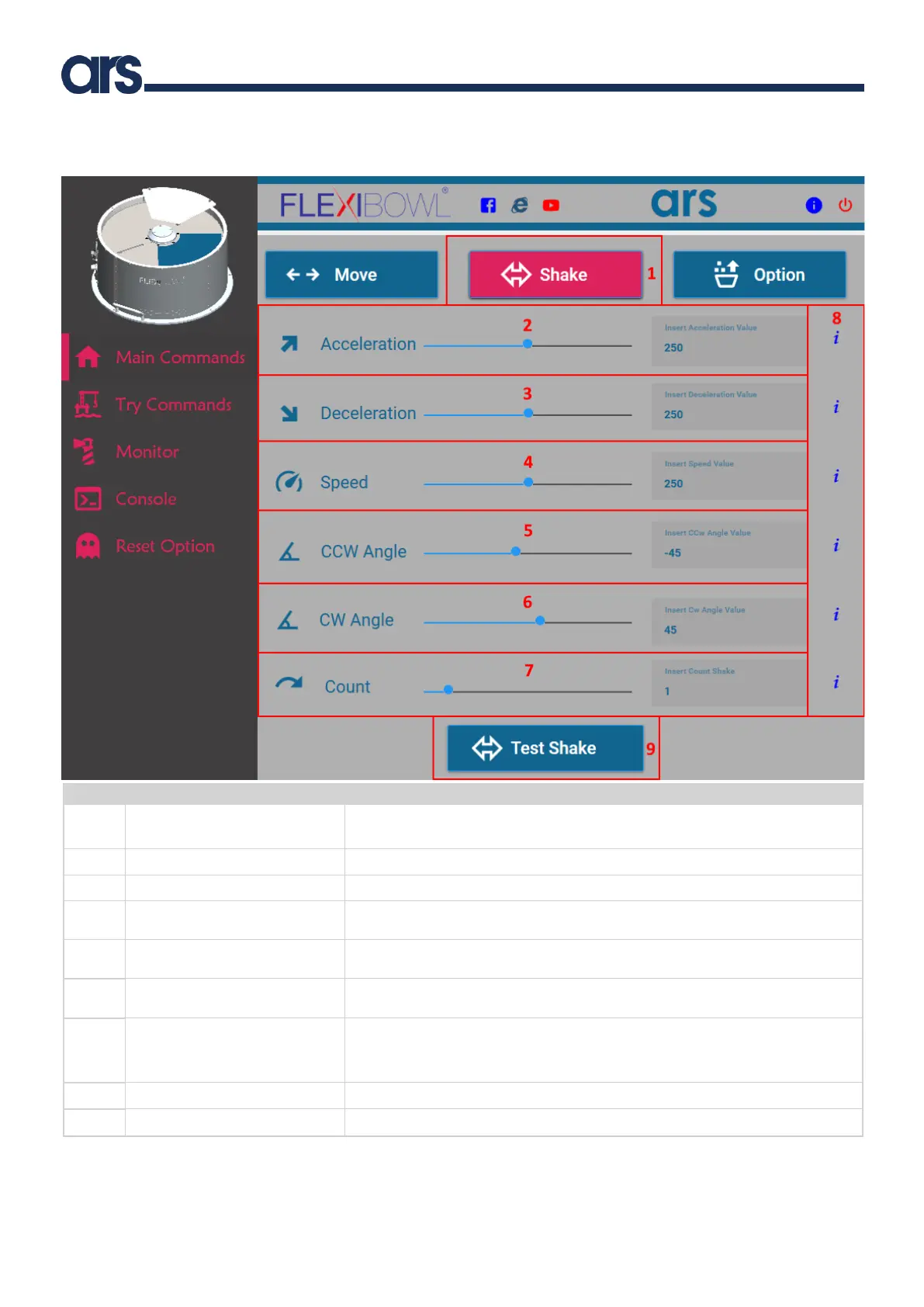
It shows the window to set the Shake command parameters.
Note: to execute the movement command, press the Test Shake button
Acceleration used for each subsequent Shake command.
Deceleration used for each subsequent Shake command.
Speed, in RPM, at which to shake the Flexibowl® at each subsequent shake
command.
Counterclockwise angle the Flexibowl® moves for each shake at subsequent
shake command.
Clockwise angle the Flexibowl® moves for each shake at subsequent shake
command.
Number of Shake command.
Example: sh_count=3 means that the Flexibowl® will move counterclockwise at
an angle of ccw_angle, clockwise at an angle of cw_angle, repeated 3 times.
Information regarding the parameter.
It performs the Shake movement with the selected parameters.



 To Next Page