124
DIGITAL I/O
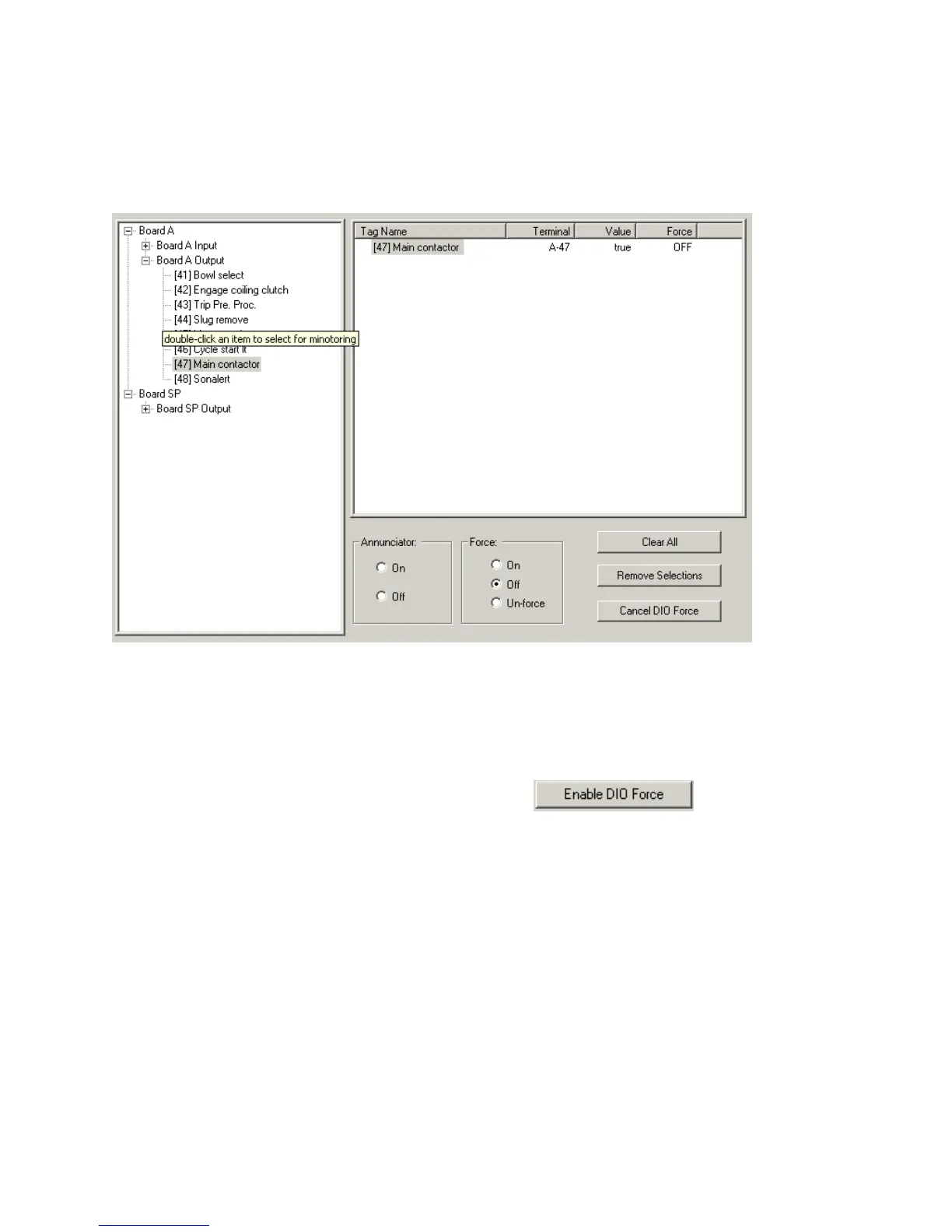
The Digital I/O window will allow you to monitor and activate the I/O points of the control.
This is laid out in a Windows style directory divided by board and inputs and outputs.
To monitor a point, find it in the left panel, double click on it. It will appear in the right Panel.
The normal state will appear in the “value” column, true is on and false is off.
You can manually manipulate these points by clicking . This will activate
“Force” function.
NOTE: When using the forcing feature the machine control is over ridden and will respond to
any request YOU make. Be careful!!



 To Next Page