93
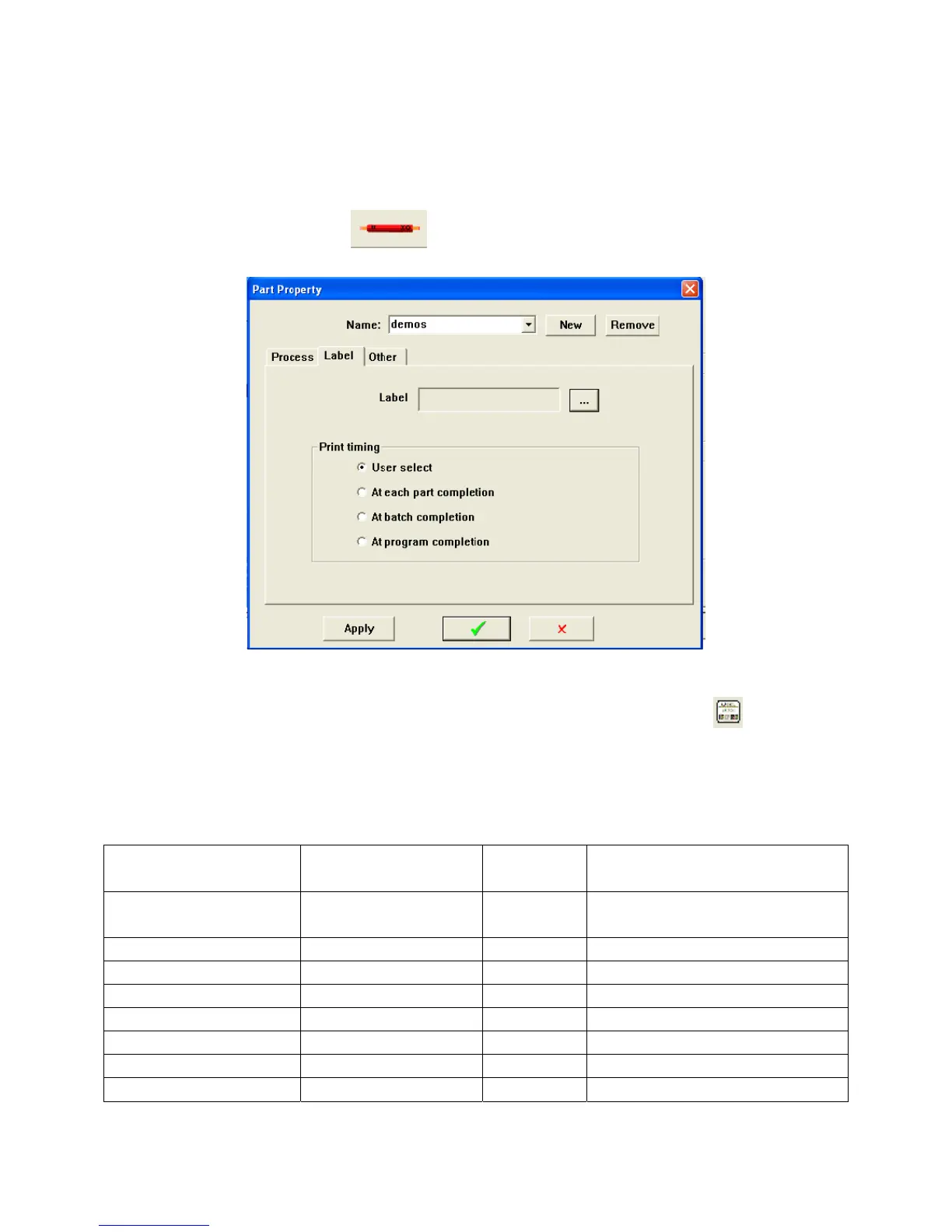
PRINT TIMING
You can select at what time you want the label to print.
Click on the Parts Properties Icon
to open the Parts Properties window.
Select the Print Timing you want to use;
User Select (The label will print whenever you click on the label icon
)
At each part completion (print a label after each part)
At batch completion (print a label after each batch)
At program completion (print a label after special stripping)
VariableList
Parameter Name Value type displayed Maximum
characters
Description
Operator Text 32 Machine operator (or PC user)
login name
Job.Name text 63 Name (ID of the job
Job.Description text 126 Description of the job
Job.Parts number 3 Number of parts in the job
Job.Harness_Programmed number 6 Total harness loop programmed
Job.Harness_Current number 6 Current harness loop
Part.Name text 63 Part name (ID)
Part.Description text 126 Part description



 To Next Page