30
CREATING AND EDITING JOB PROGRAMS
The CS326 can be programmed to run a Job Program. This is a series of existing part programs run either
in a batch or harness. A maximum of 500 parts can be entered on a job list. There are two modes to
run the machine, Batch and Harness, both are described below.
Batch Mode will produce all the parts programmed in the total quantity of a part program in the batch
sizes desired and will then change to the next programmed part. The quantities of wires to be produced
can be pre-programmed in the job list or they can be entered at run time. If you want to pre-program the
number of wires to be produced simply enter the Total number and Batch number on the list. When you
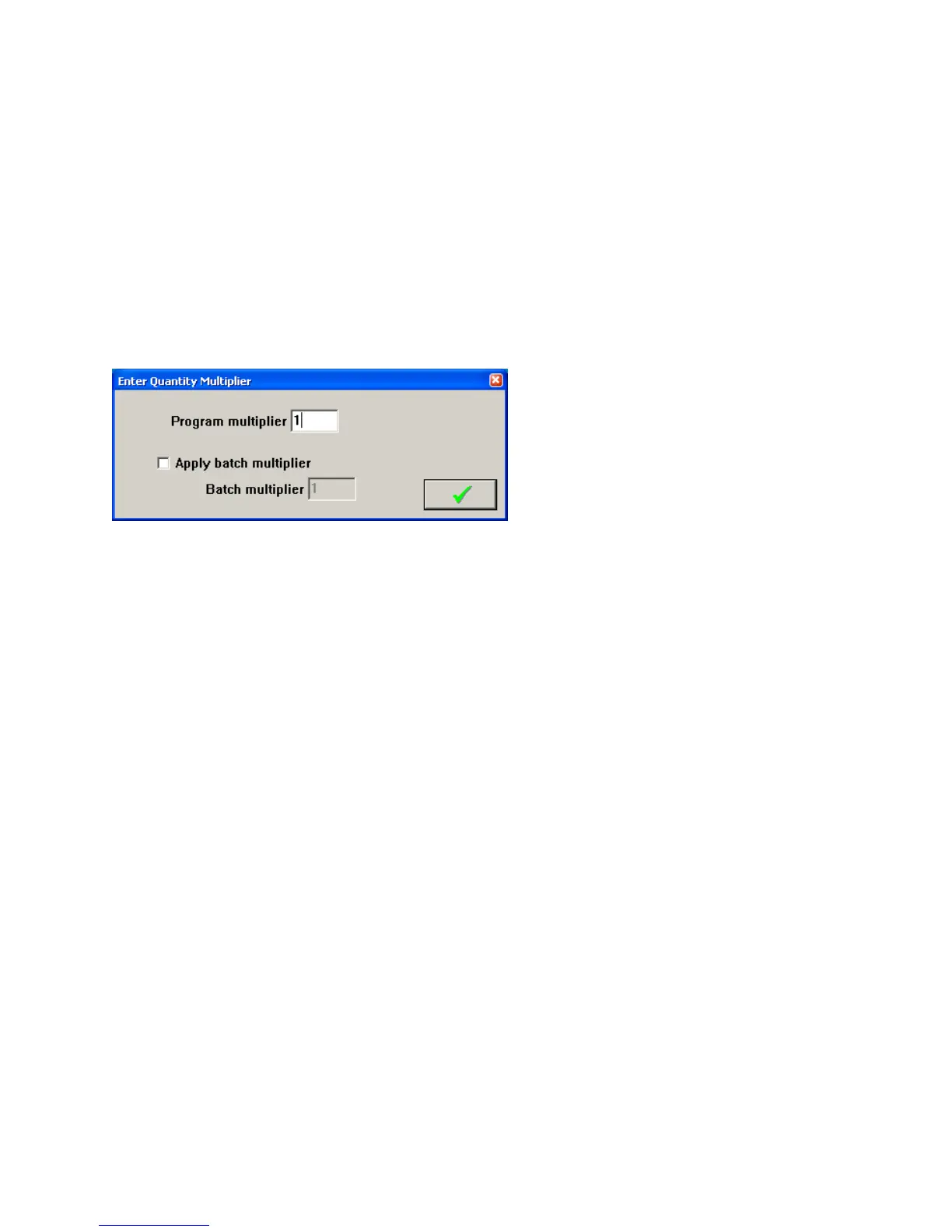
start to run a job program in the software you will be given the following message. Make sure the
Program multiplier is set for 1 and click the green check to use the pre-programmed quantities.
If you want to determine the number of parts to make at run time enter the number 1 for the batch and
total, unless you know that for a particular wire you need twice as many parts then you should enter a 2
for the total.
When you go to run the part the message above will appear. Enter the number of parts you need to run in
the program multiplier. If you want to divide these totals into batches then check the “Apply batch
multiplier” box and enter the batch size you would like to run.
Harness Mode will produce a set of wires for a harness. It does this by producing 1 piece of the first part
in the list then 1 pc of the next part in the list and so on. When one piece of each part in the list has been
completed the machine dumps this harness, informs the operator to remove it from the machine, and then
starts the next harness. If you need 2pc of the same part you will need to program it twice in the list. The
quantity of harness to be produced can be preprogrammed in the “Loop” field, or you can set the Loop
field to 1 and enter the number of harnesses to make at run time. When you go to run the part the same
box that is shown above will appear. If the job has the quantity of Loops pre-programmed enter 1 and
click the green check. If the job has the loops set to 1, enter the number of harnesses to make in the
Program multiplier box and click the green check.
CreatingaNewJobProgram
To create a new Job Program click on JOB: the following screen will appear.



 To Next Page