85
SELECTING THE PRINTER
This section will assume that the printer is connected to the computer and installed in Windows.
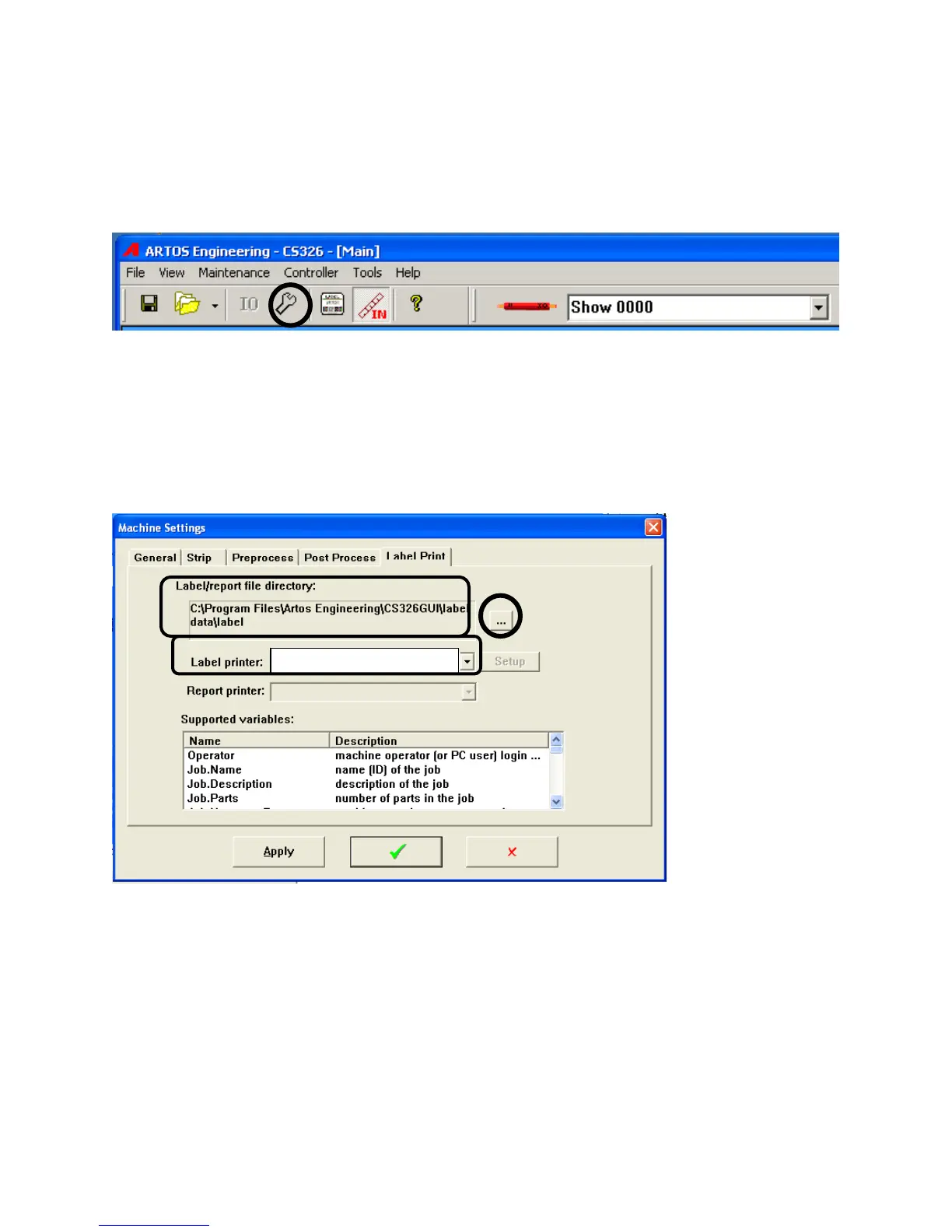
Click on the wrench to open the Machine Setup window. Select the Label Print tab.
Drop down the “Label printer” and select the desired printer. Example “Zebra TLP3844-Z”.
The “Label /report file directory“should default to C:\program files (x86)\Artos
Engineering\CS326GUI\Label Data\label or if (x86 does not exist then it should default to
C:\program files\Artos Engineering\CS326GUI\Label Data\label . If it doesn’t browse and select
the file listed above.
Supported variables:
This is a list of the machines information variables that can be applied to the current label The
current data that appears in these variable is printed on the label.
Report printer:
This is for future development.
Zebra TLP3844-Z



 To Next Page