31
ProgrammingforBatchMode
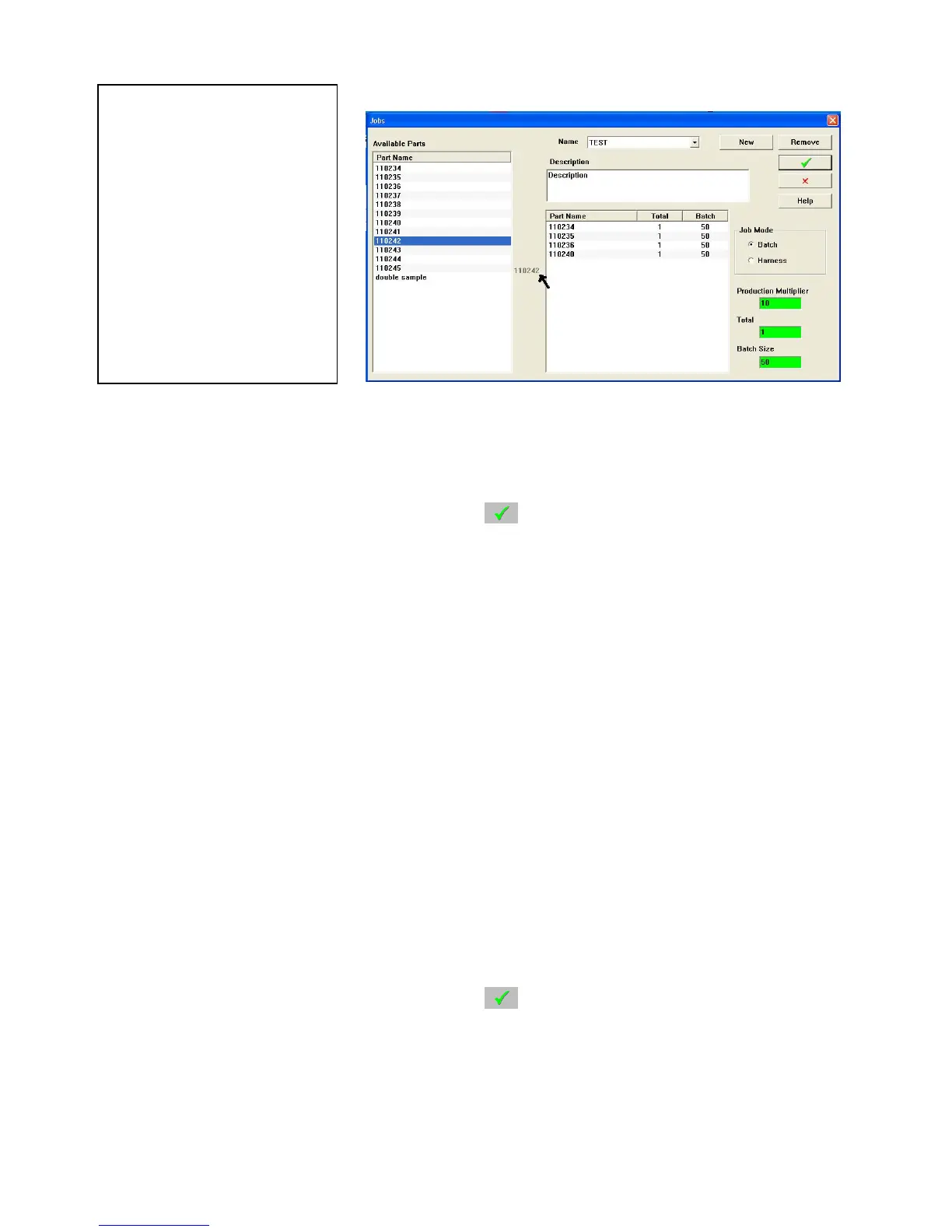
Click on NEW, enter the Job Program name, and click . To add parts, Click on the desired part in the
left column and “drag” it to the box at the right. The parts will be produced in the order they were
dragged into the job. To remove a part, click on it and drag it out of the box and drop it anywhere. It will
disappear.
HINT: Before bringing parts over, set the desired batch size. Also the Total value is best set to “1”
this will allow you to multiply it to any value when the program runs.
Individual entry quantity can be modified once they have been dropped in to the job. To change quantity
click on it and a box will open. Enter the new value.
The list of parts will run one item at a time in the batch sizes prescribed until the total is reached. Follow
the prompts on the screen; the next Part Program will be loaded. After the operator has made any changes
that may be required a push of the Cycle Start button is required to start production again.
ProgrammingforHarnessMode
Harness Mode is a special mode for running the machine where it makes one of each part in the list as a
batch. The operator then removes this batch or harnesses and the machine repeats this for whatever loop
quantity is programmed.
Click on NEW, enter the Job Program name, and click
. To add parts, Click on the desired part in the
left column and “drag” it to the box at the right. The parts will be produced in the order they were
dragged into the job. To remove a part, click on it and drag it out of the box and drop it anywhere. It will
disappear.
WARNING!!!
When establishing a job
with marking on any
part all components
must have marking. If
no mark is desired on a
part in the job enter a
mark of “spaces”.
Failure to do this will
result in misplaced



 To Next Page