39
Selectingitems.
- Click on the folder name to expand it.
- Click on the sub folder name (Parts, Jobs, Preprocesses, Wires) to view the contents. NOTE the
Processes folder is not used by the CS326.
- If you wish to work on a single item, right click on the name of the item you wish to manipulate.
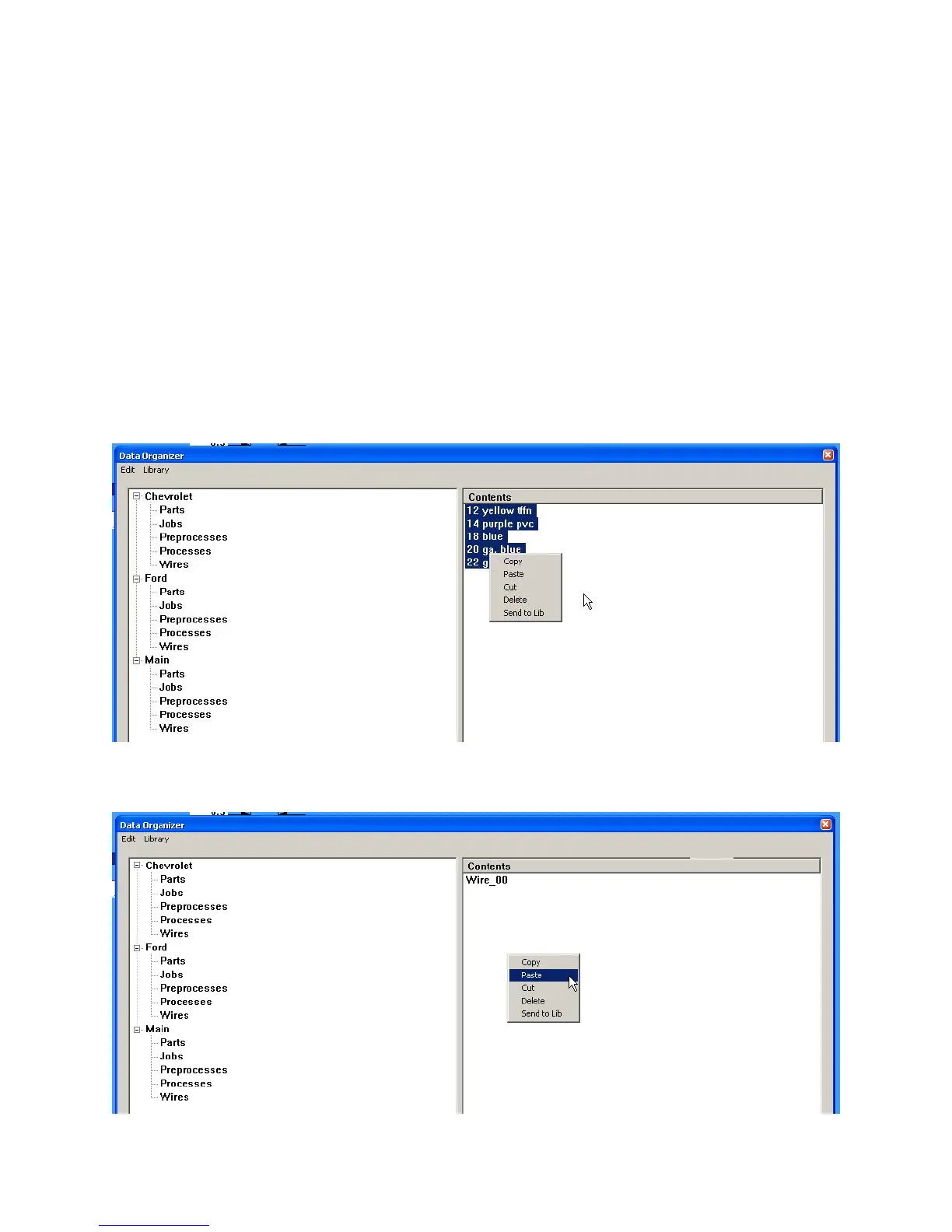
- If you wish to work on a numbers of items that are in a row. Click on the first item to highlight it.
Hold down the Shift key and click on the last item. All the items in between will be selected.
Then right click to show the menu.
- If you wish to select a number of items that are not in a row. Hold down the Control key and
click on each item you desire. Then right click to show the menu.
Copyingormovingitems.
1. Select the folder and sub folder the data is located in. (example, Main - Wires)
2. Select the items to copy, right click and select copy. (example, the wires in Main)
3. Navigate to the folder you wish to copy the items to. (example, the wires in Ford)
4. Right click in the right window and select paste.



 To Next Page