28
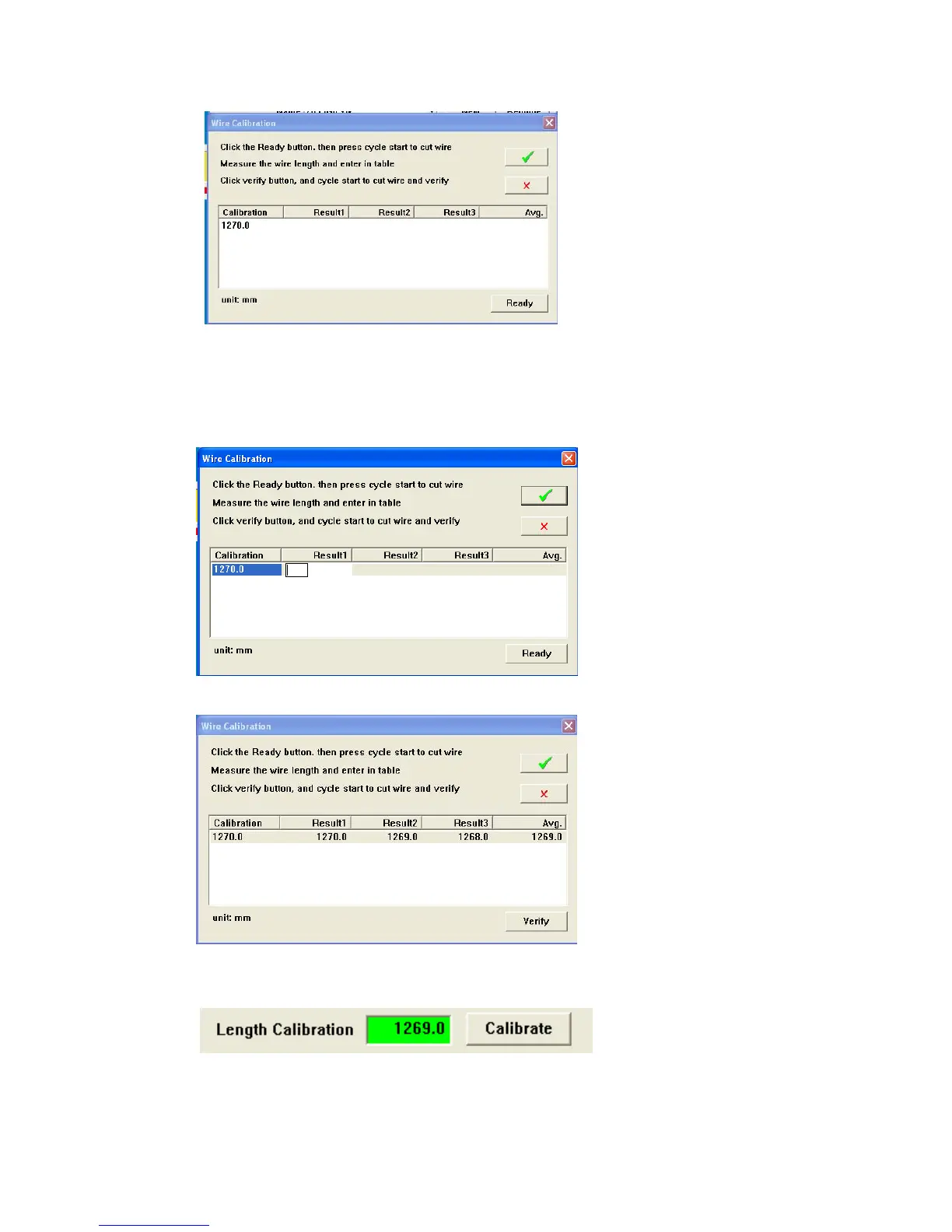
3. Click Ready then press Cycle Start. The machine will produce three wires of approximately
1270mm (50in.)
4. Measure the wires.
5. Double Click on the calibration line. The first results field will open. Enter first length data
and <Enter> enter all three wire length values.
6. When all values are entered Click Verify. Then press Cycle Start. The wires should now be
1270m (50in)
7. Use the Green check to exit. Your Average number should appear in the Length Calibration
window.
SlipSensitivity. (0-20)



 To Next Page