35
This method is only for the condition where the CS326 machine is on a company network. Also the
company server has to have software that connects to individual computers on the network and
automatically backs up selected data on that computer.
The directory to select to be backed up on such a company network would be C:\program files(x86)\Artos
Engineering\CS326GUI if the (x86) directory does not exist on the computer then backup C:\program
files\Artos Engineering\CS326GUI.
This directory contains all the parts, jobs and machine configuration.
DataRestore
This process is normally reserved for disaster recovery. It will overwrite the data that is currently on the
machine.
If data was backed up using Manual Method
From the main menu bar click File – Restore.
Select the most recent working backup file, and then select Open.
If data was backed up using Automatic Method
Delete the directory C:\program files(x86)\Artos Engineering\CS326GUI if the (x86) directory does not
exist on the computer then delete C:\program files\Artos Engineering\CS326GUI.
Copy the most recent working backup directory to C:\program files(x86)\Artos Engineering\CS326GUI if
the (x86) directory does not exist on the computer then copy to C:\program files\Artos
Engineering\CS326GUI.
DataExport
The data export and data import functions can be used to transfer parts, jobs, wires and process data
between machines or between a desktop computer and the machine.
There are two type of data export
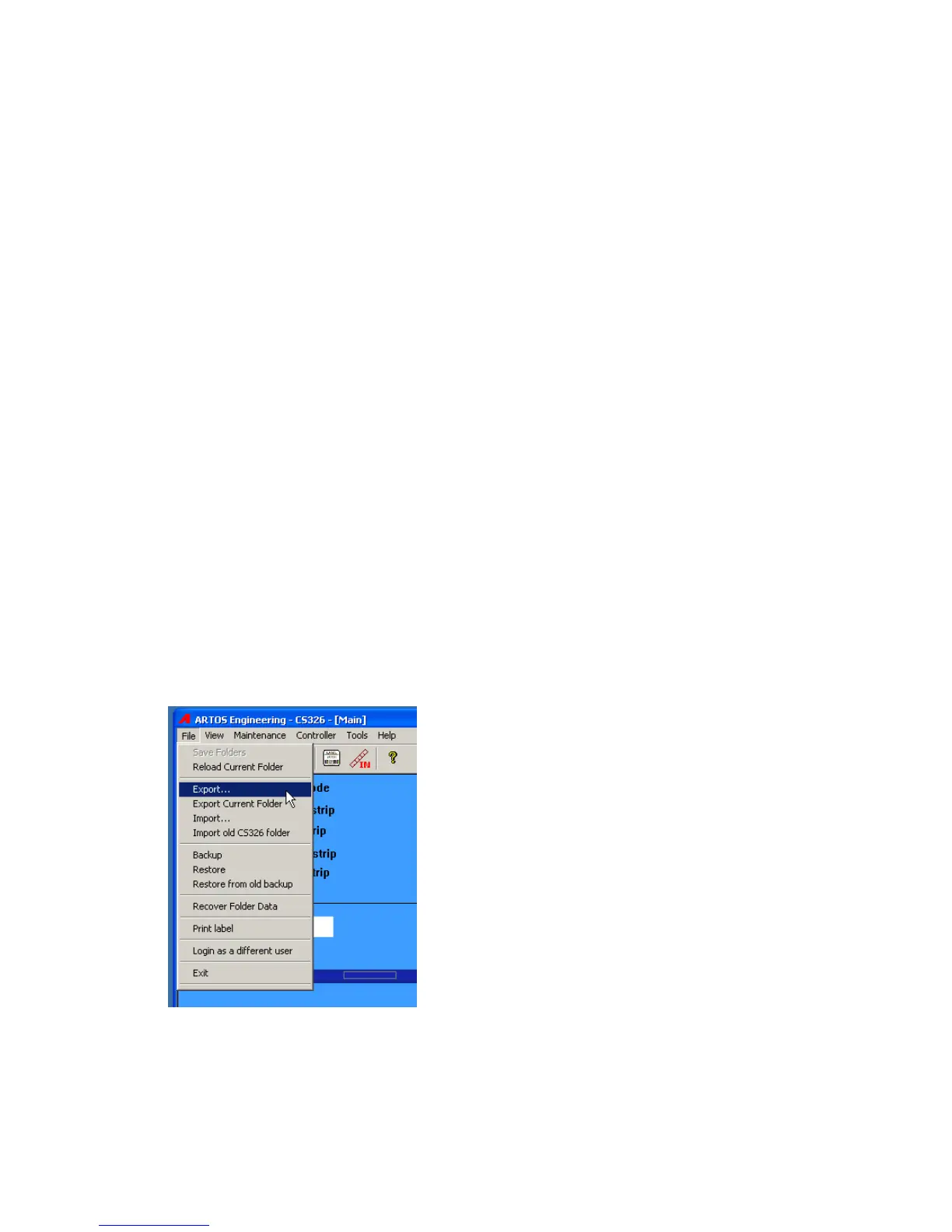
1. Export the current part and job that is on the screen. This export will include the Wire Parameters,
process and pre-process data that is used to make the part. From the main menu bar click File –
Export
Select the location to create the file in. The file name will already be filled in with the current part
name. If you need a name different than this, change it now.



 To Next Page