41
6. Add it to the library.
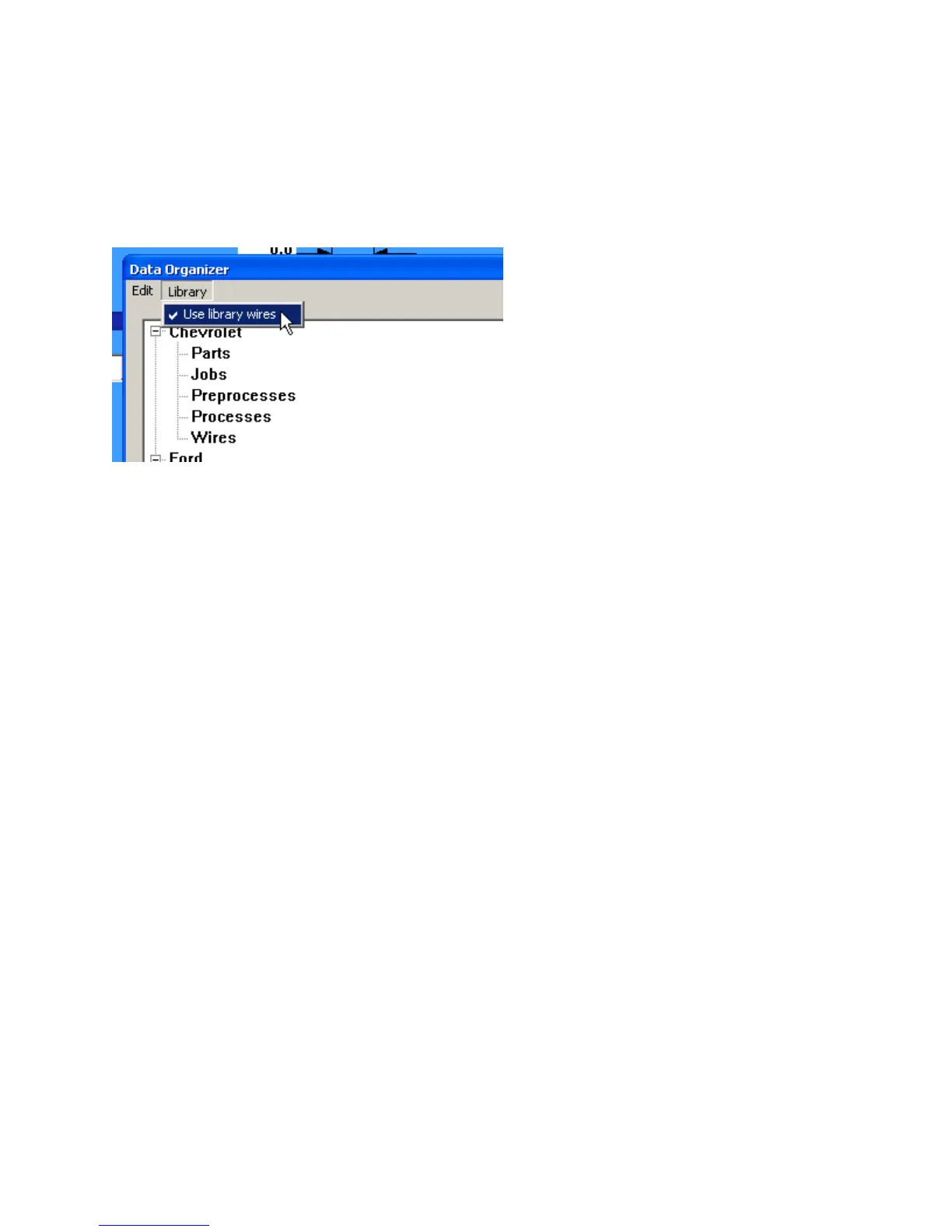
7. Turn on Library mode.
To activate or deactivate Library mode.
From the main menu select – Maintenance – Data Organizer
Select library. When it is checked it is active. When it is not checked it is not active.
Usingacommonfolderonanetworkdrive.
It is possible to run several machines from a common network folder. The parameters that are machine
specific are part of the wire properties, these include the strip diameter and length calibration.
Using library mode as described above will allow you to make these machine specific changes and have
common part and job data. The trade off when using library mode is that new wires must be added
individually to each machine.
MAIN MENU SELECTIONS
File
Save folders – Save current work. This is the same as clicking the disk icon to save your work.
Reload Current Folder – Restore the folder to the last saved condition. This is useful if you
made some changes that you know you don’t want to save.
Export – Export the part, if a job is active it will export the job and the part. See section “Data
Export”
Export Current Folder – Export, all the data in the current folder. See section “Data Export”
Import – Import data from an .XML file. This can any combination of wires, pre-processes,
parts or jobs.
Import old CS326 folder – This is to import data that was created using the obsolete CS326
Classic view software. It is normally only used when first upgrading a machine from the
old classic view software to the windows view software.
Backup – This saves all the CS326 parts, jobs, and machine configuration data to a single zipped
file. See section “Data Backup”



 To Next Page