73
WIRE MARKING
The CS 326 B can be equipped with wire a marking Preprocess. Artos WM 6, Kingsley hot stamp
and Imaje Ink jet can be connected with an optional interface device. Consult Artos for the correct
interface for your marker.
MarkerPhysicalSetup
The marker should be prepared to run as prescribed in the markers manual. Position the marker in line
with the wire path of the CS 326 B using a marker bar or suitable stand or table. Connect specified air
and power supply. It is important that the position of the marker relative to the CS 326 B cutter blades
remain stable and not be allowed to shift during wire processing. Connect the marker interface cable to
the CS 326 B.
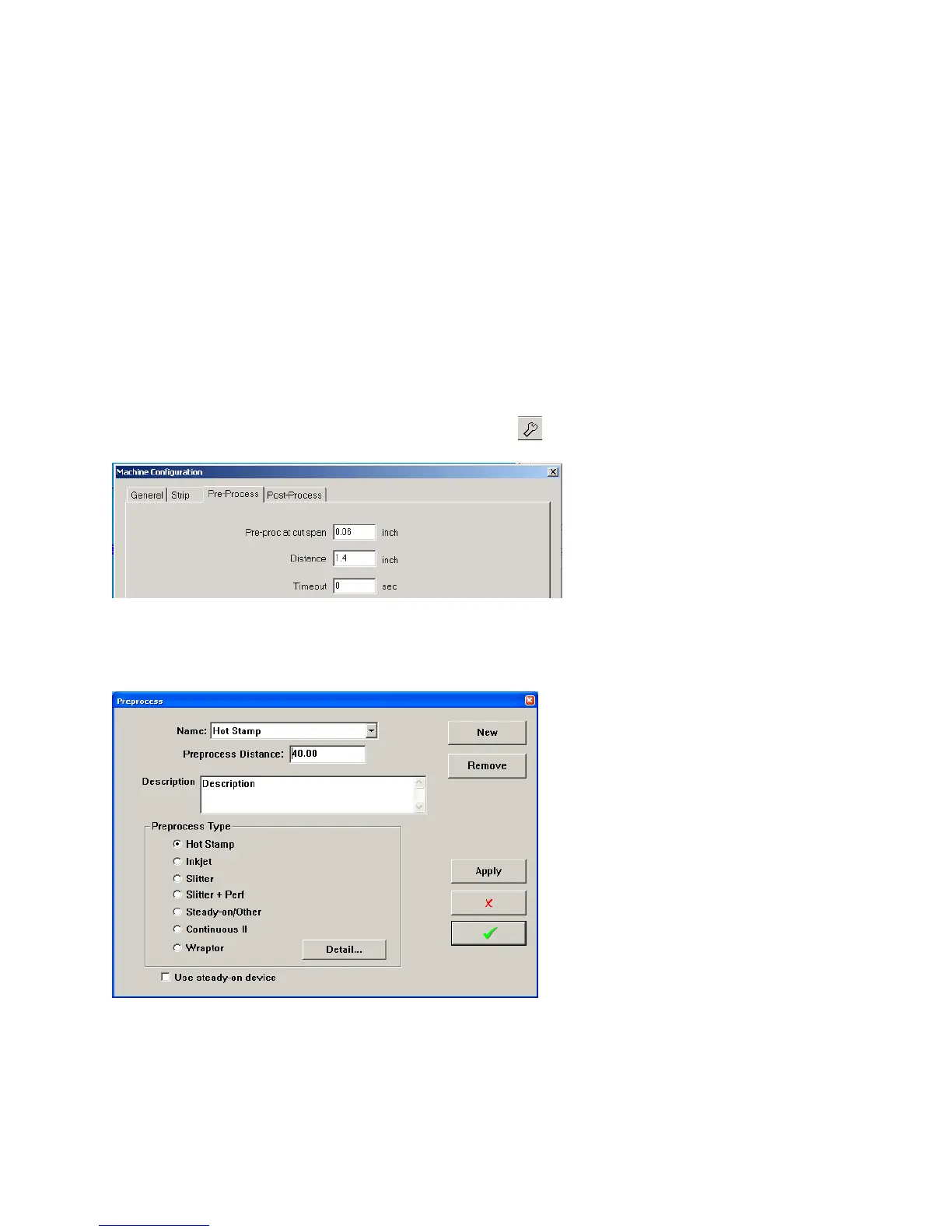
Measure the distance from the center of the marker to the cut-off blade
Distance value is entered in the Preprocess configuration window but can be adjusted here.
HOT STAMP MARKER (HOT STAMP)
To open the window below click on the wire image at #24 at either end of the wire.
The PreProcess window allows you to select from existing preprocesses or make a new one. Click on
Detial Setting and the window on the right will open.



 To Next Page