45
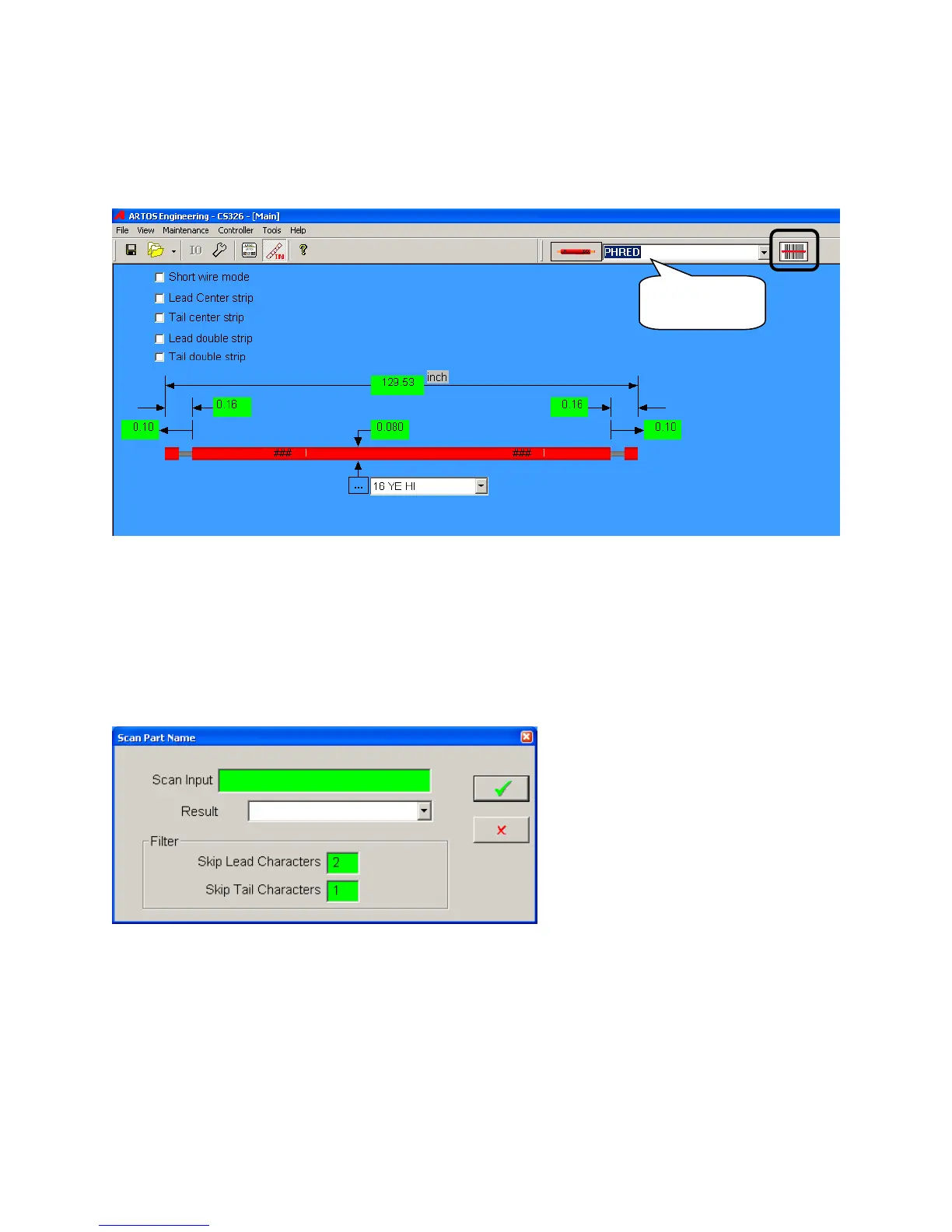
Using the scanner to select an item in a drop down menu.
This is the direct method. Exactly what is scanned is selected.
1. Use your mouse to click in the drop down field. The field will be highlighted in blue.
2. Scan the bar code on your work order your work order.
Using the scanner to select an item.
This is the indirect method. With this method you the barcode does not have to exactly match the name
of the part. You can program the scanner not to read a certain number of lead and tail characters. These
programmed values, skip lead characters and skip tail characters will be saved for future use when you
exit this screen.
1. Use your mouse to click the bar code symbol on the main run screen.
2. Scan the bar code on your work order your work order.
3. Click the green check box, to exit and load the part program.
Field for part
selection



 To Next Page