107
emission inspection and vehicle checks.
➢ To perform oil reset functions
1. Tap the Service application button on the MaxiTPMS Job Menu.
2. Tap Oil Reset button. The vehicle manufacturer screen displays.
Tap VIN Scan or the vehicle make to acquire vehicle VIN information
and tap Yes to confirm vehicle profile. See Vehicle Identification on
page 83 for details.
3. After the vehicle is identified, select Hot functions on the screen.
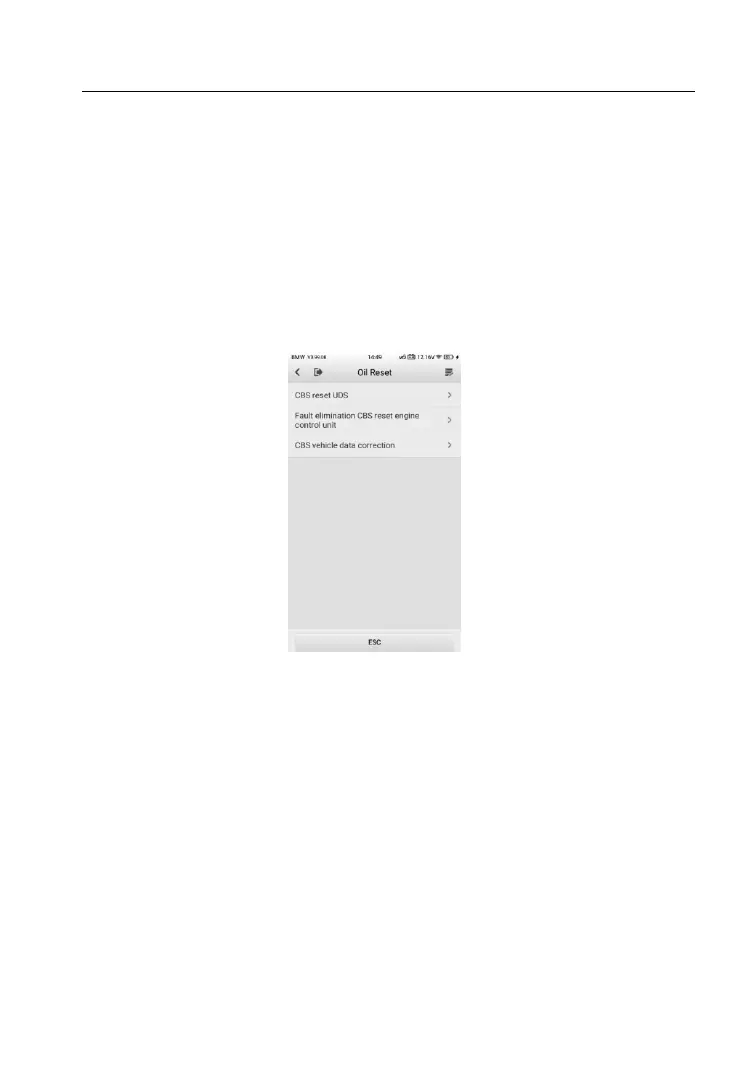
4. Tap the desired function in the Oil Reset function list. The list may
vary by test vehicle.
Figure 9-1 Sample Oil Reset Function List
5. Follow the step-by-step on-screen instruction to complete the
service. Using CBS Reset KWP as an example.
6. Tap CBS Reset KWP on the Oil Reset function list to start the
operation. The screen will display the date and time and ask for
confirmation. If the displayed date and time are correct, tap Yes to
confirm. If no, tap No and go to the Settings menu to set the correct
date and time.













 To Next Page