87
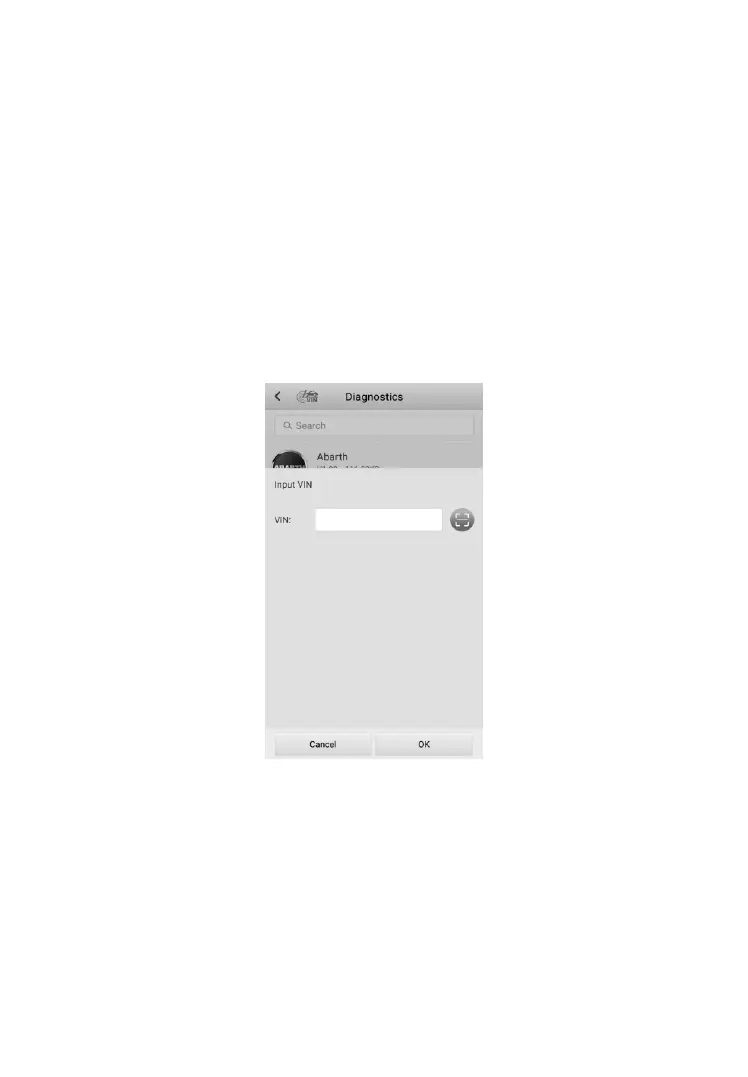
8.2.2 Manual VIN Input
For vehicles not supporting the Auto VIN Scan function, manually enter the
vehicle VIN.
➢ To perform Manual VIN Input
1. Tap the Diagnostics application button on the MaxiTPMS Job Menu.
The Vehicle Menu displays.
2. Tap the VIN Scan button on the top toolbar to open the dropdown
list.
3. Select Input VIN.
4. Tap the input box and enter the correct VIN.
Figure 8-6 Sample Manual VIN Input
5. Tap OK. Once the vehicle is identified, the Vehicle Diagnostics
screen displays.
6. Tap Cancel to exit Input VIN.













 To Next Page