14
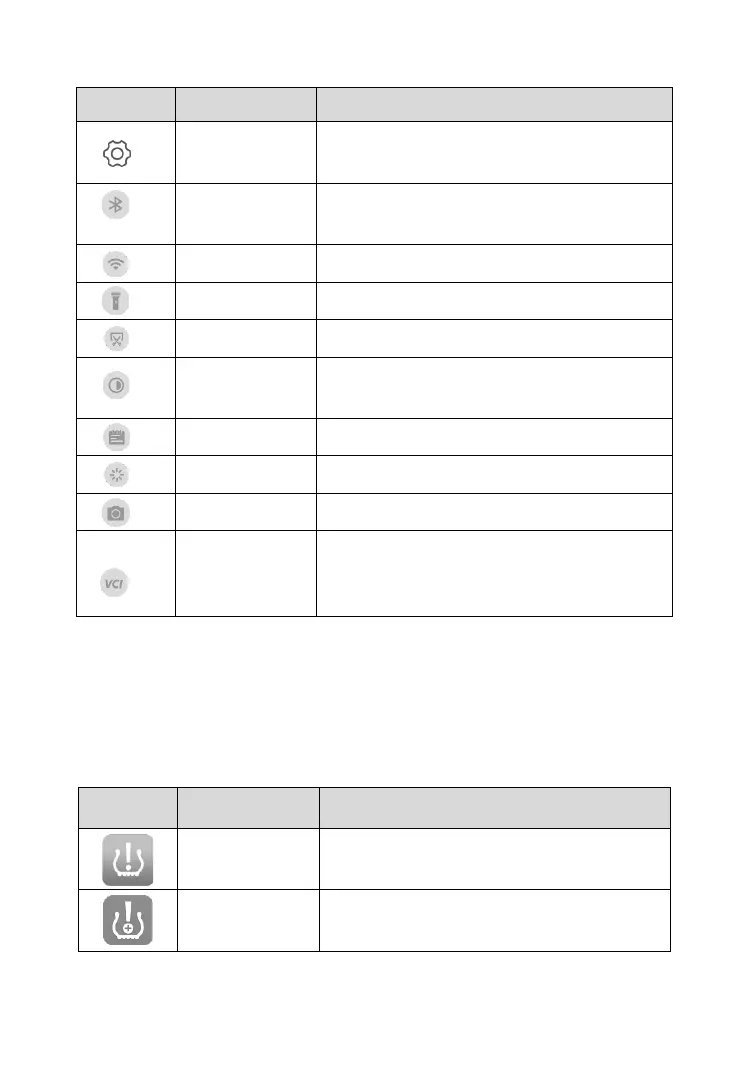
Table 3-1 System Status Icons
Launches the Android System Settings
interface when pressed.
Enables/disables Bluetooth when
pressed.
Enables/disables Wi-Fi when pressed.
Turns on/off flashlight when pressed.
Takes a screenshot of the display.
Adjusts the screen brightness to your
surroundings.
Restarts applications when pressed.
Enables photo-taking and recording.
Opens the VCI Manager application for
VCI connection and upgrade. Refer to VCI
Manager on page 128 for more details.
3.1.2 Application Buttons
Descriptions of the tool applications are displayed in the table below.
Table 3-2 Applications
Accesses the TPMS service program.
SeeTPMS on page 17 for details.
Allows TPMS to be installed on vehicles.
See TPMS Retrofit on page 59 for details.













 To Next Page