4
2.1 MaxiTPMS ITS600/ITS600 Pro Tablet
2.1.1 Function Description
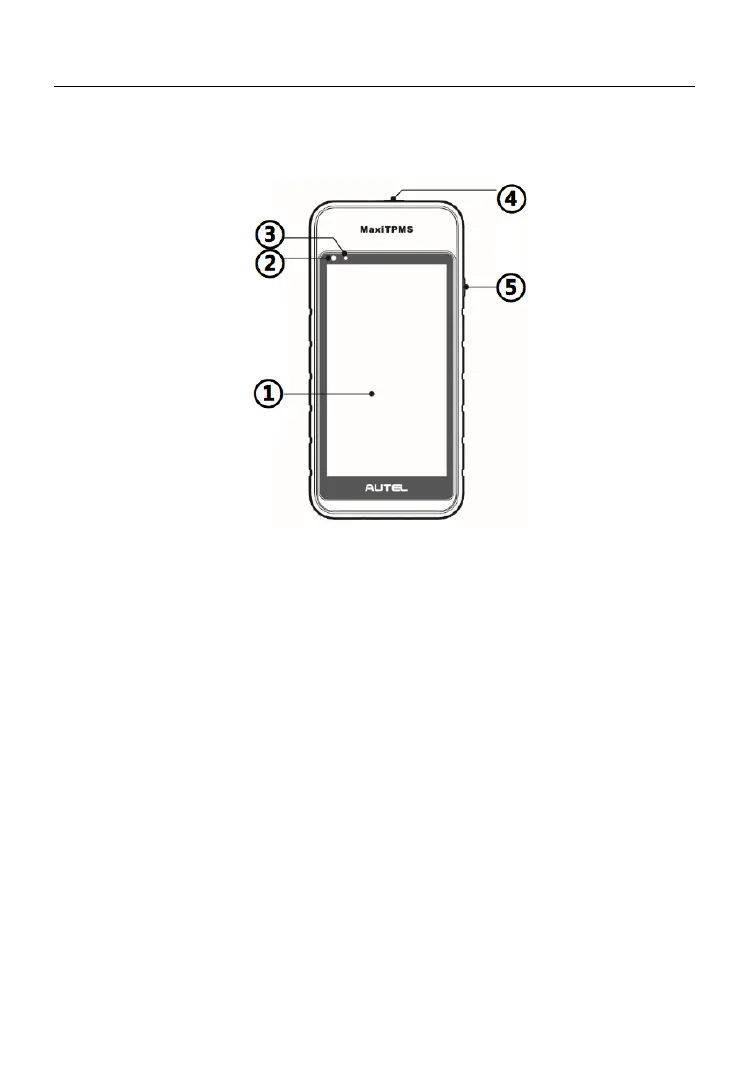
Figure 2-1 Display Tablet Front View
① 5.5” LCD Capacitive Touchscreen
② Ambient Light Sensor – detects ambient brightness.
③ Power LED – indicates battery level & charging or system status.
④ TPMS Service Symbol – indicates the position of the embedded TPMS
antenna.
⑤ Lock/Power Button – long press the button to turn on/off the tablet.
The power LED displays green or red depending on power level and
operating state:
A. Green
⚫ Flashes green when the Display Tablet is charging; lights green
when the Display Tablet is fully charged.
B. Red
⚫ Illuminates red when a problem is detected.













 To Next Page