41
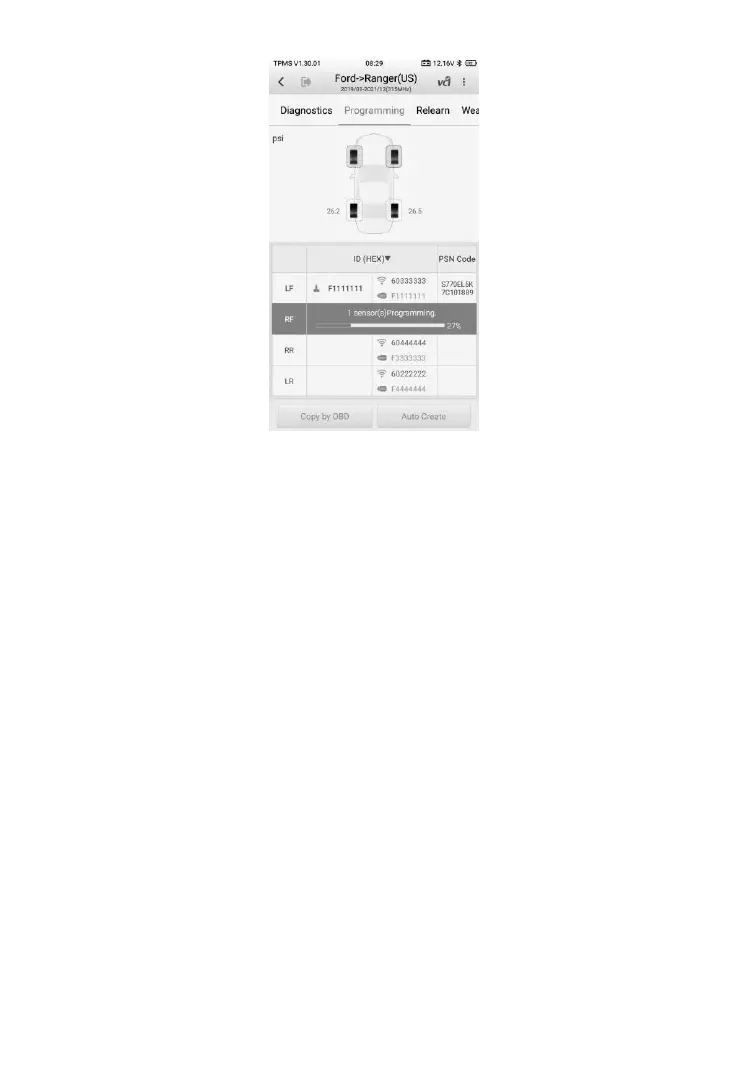
Figure 4-19 Sample Copy by OBD Screen
When the programming is complete, the programmed ID will display in the
column to the left of the wheel designation. In the pictured example, the new
ID is displayed to the right of the LF column.
By using Copy by OBD, the sensor ID that is retrieved from TPMS ECU is
programmed to the new MX-Sensor.
Normally, there is no need to perform the Relearn function to write the ID into
the ECU when the new programmed sensor has been put in the same
position.
The Copy by OBD programming method, if available, is recommended to
program new MX-Sensors as there is no need for Relearn.
4.5.2 Auto Create
The Auto Create function is used to automatically create new sensor IDs to
program new MX-Sensors. Make sure the sensors to be auto created are
placed within 0.33 feet (10 cm) of the tablet, and avoid possible programming
errors by putting the other sensors at least 3.94 feet (1.2 m) away from the
tablet. Up to 20 MX-Sensors can be programmed at the same time.













 To Next Page