65
6.2.3 Connecting to a Battery
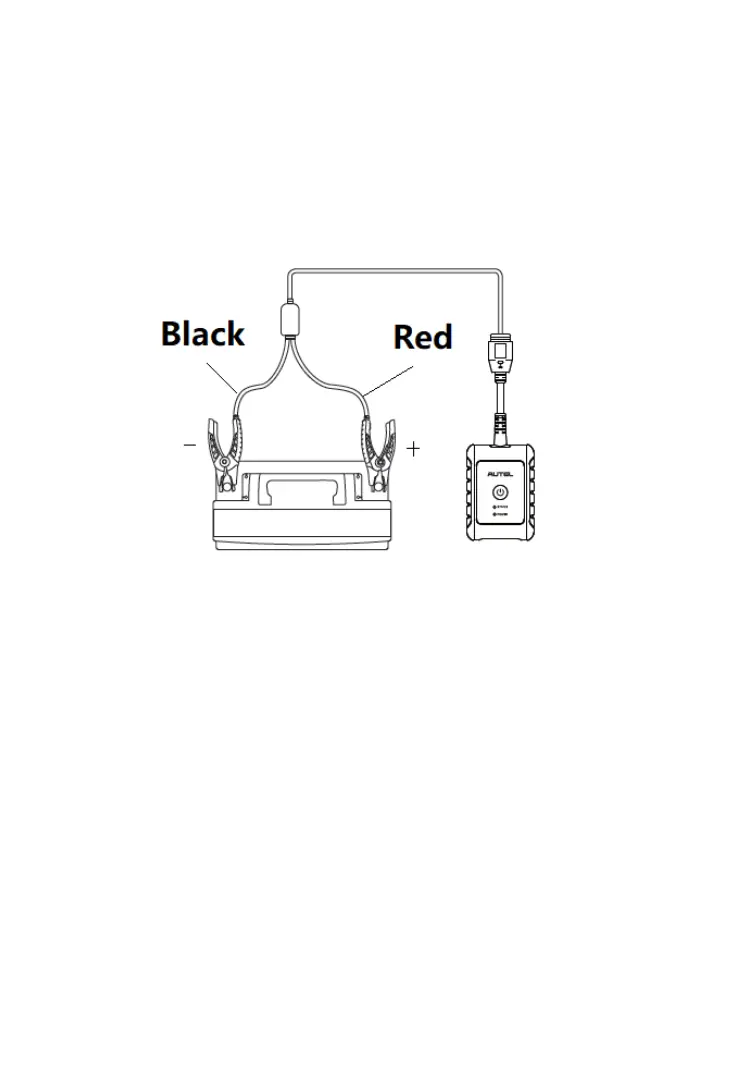
➢ To connect to a battery
1. Press and hold the Lock/Power button to turn on the BT506 tester.
2. Connect the red clamp to the positive (+) terminal and the black
clamp to the negative (–) terminal of the battery.
Figure 6-2 Connecting to a Battery
The black clamp is installed with an infrared sensor near the clamp mouth
that tests the battery temperature. The battery temperature will appear on the
Battery Test Result screen or in the Battery Test Report.













 To Next Page