18
③ TPMS Service Access Methods
4.1.1.1 Top toolbar buttons
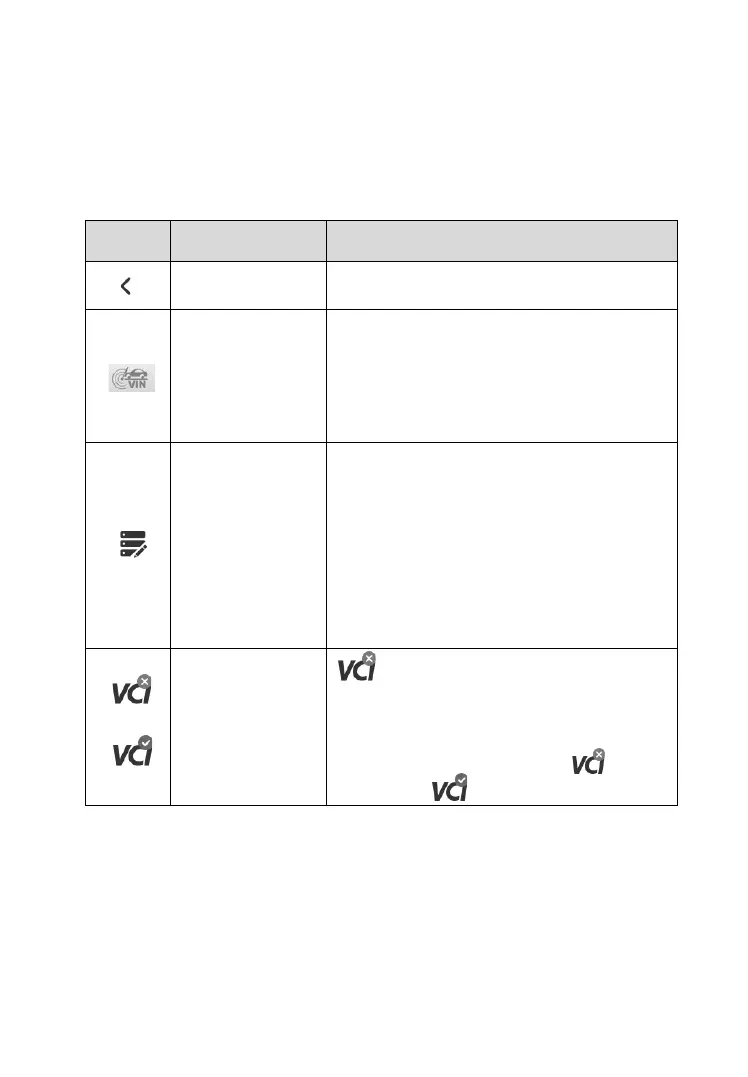
The operations of the toolbar buttons at the top of the screen are described
in the table below.
Table 4-1 Top Toolbar Buttons on Vehicle Menu
Returns to the MaxiTPMS Job Menu.
Automatically acquire Vehicle
Identification Number (VIN) information
vehicle make, model and year by
retrieving (VIN) from the test vehicle. See
Auto VIN Detect on page 19 for details.
Use this function when encountering an
error when testing or diagnosing a
vehicle. This function will record the
communication data and ECU information
of the test vehicle and send it to Autel's
technical staff to review and provide
solution. See Data Logging on page 146
for details.
is displayed at the upper corner of
the screen when the VCI is not
successfully connected to the tablet. After
the MaxiVCI V200 is successfully
connected to the tablet, the icon is
changed to (with a check mark).
4.1.1.2 TPMS Service Access Methods
There are six options available on the screen when accessing the Vehicle
Identification page to select the vehicle tested.













 To Next Page