42-101-01175_01178 Revision D Page | 5
2. Updating the HUIM and PCM Via USB Port
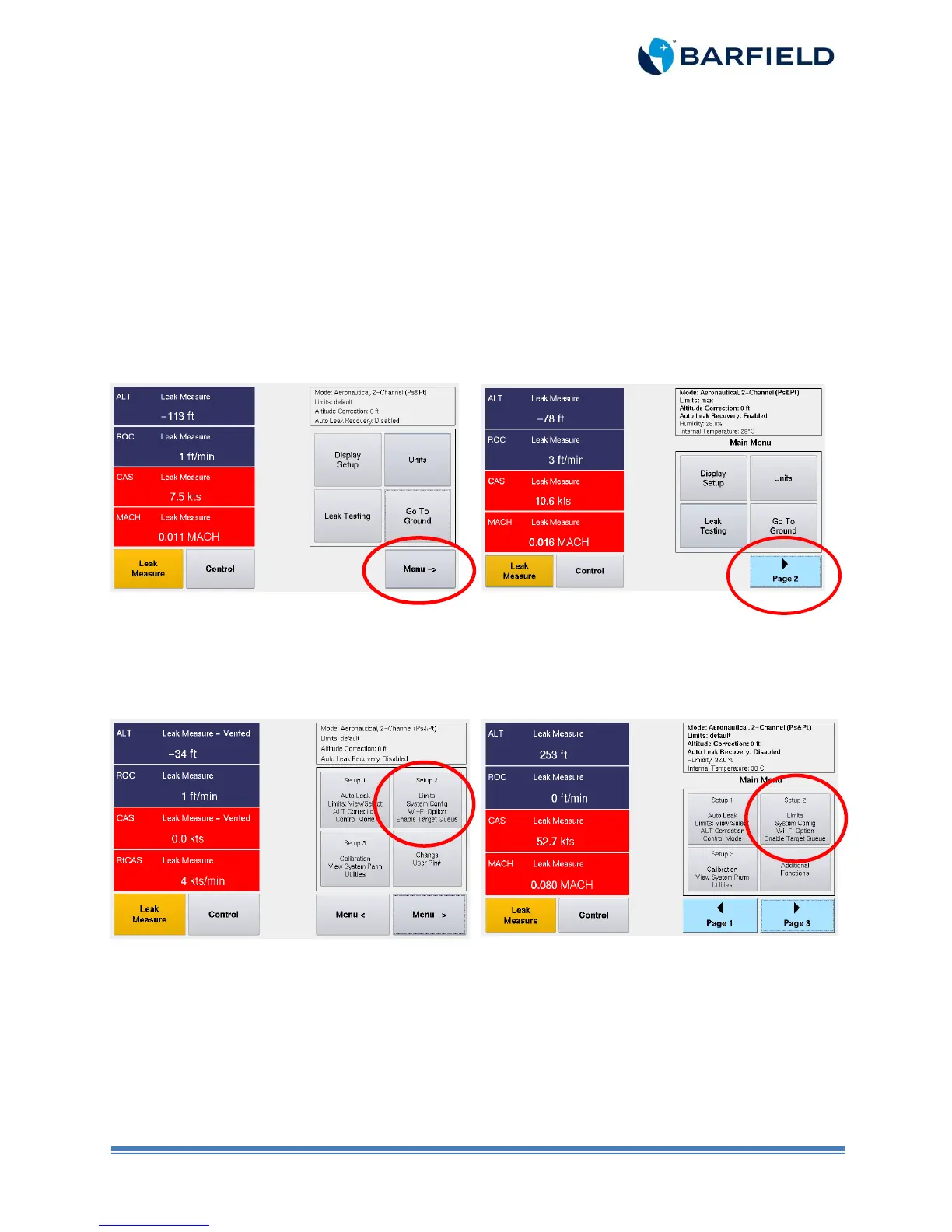
Note: Be aware that the sequence of screen-shots below shows the older navigation menu
on the left (firmware 3.1.2 and older) and the newer navigation menu on the right
(3.2.4 and newer). Follow applicable one in your case.
1. Turn unit ON.
2. Allow the initialization to complete. Once finished, the “Main Menu” is displayed.
3. Press “Page 2”. The “Main Menu Page 2” is displayed with four options.
Menu with firmware 3.1.2 and older
Menu with firmware 3.2.4 and newer
Figure 1.2 Main Menu
4. Touch Setup 2 (Figure 3). A keypad screen appears.
Menu with firmware 3.1.2 and older
Menu with firmware 3.2.4 and newer
Figure 1.3 Main Menu Page 2



 To Next Page