42-101-01175_01178 Revision D Page | 17
B. For iOS
1. Establishing Wi-Fi Connection
a) Launch the “Barfield ADTS” app. The app automatically detects if there is a Wi-Fi
connection available. There are two possible scenarios:
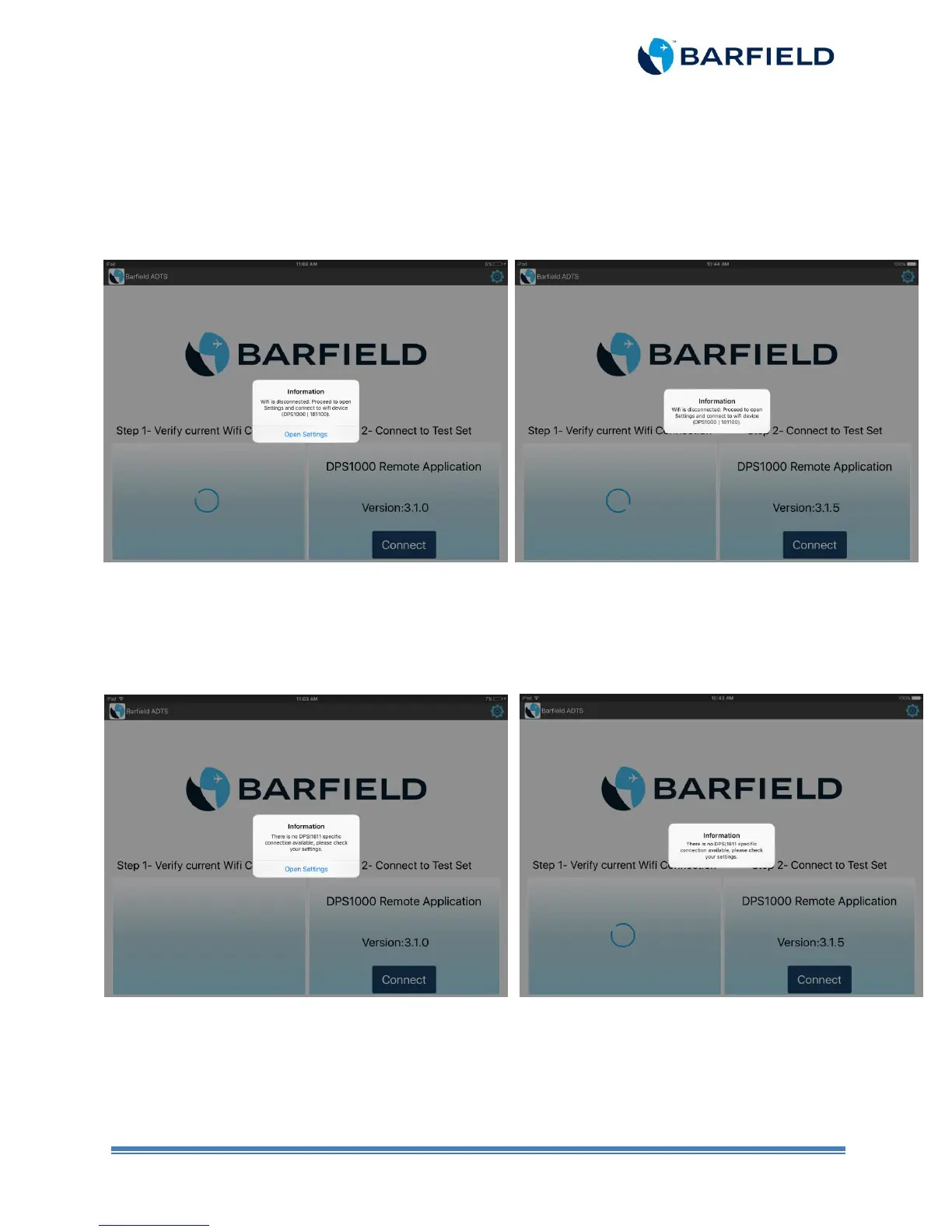
If there is no Wi-Fi connection, the “Connect” window opens with a pop-up
screen displaying the information below (Figure 2.11).
For iOS version 9.x For iOS version 10.x and higher
Figure 2.11 Undetected Wi-Fi Connection Screen
If the app is not connected to a DPS1000/1811NG Wi-Fi, the “Connect” window
opens with a pop-up screen displaying the information below (Figure 2.12).
For iOS version 9.x For iOS version 10.x and higher
Figure 2.12 Undetected DPS1000/1811NG Wi-Fi Screen



 To Next Page