42-101-01175_01178 Revision D Page | 18
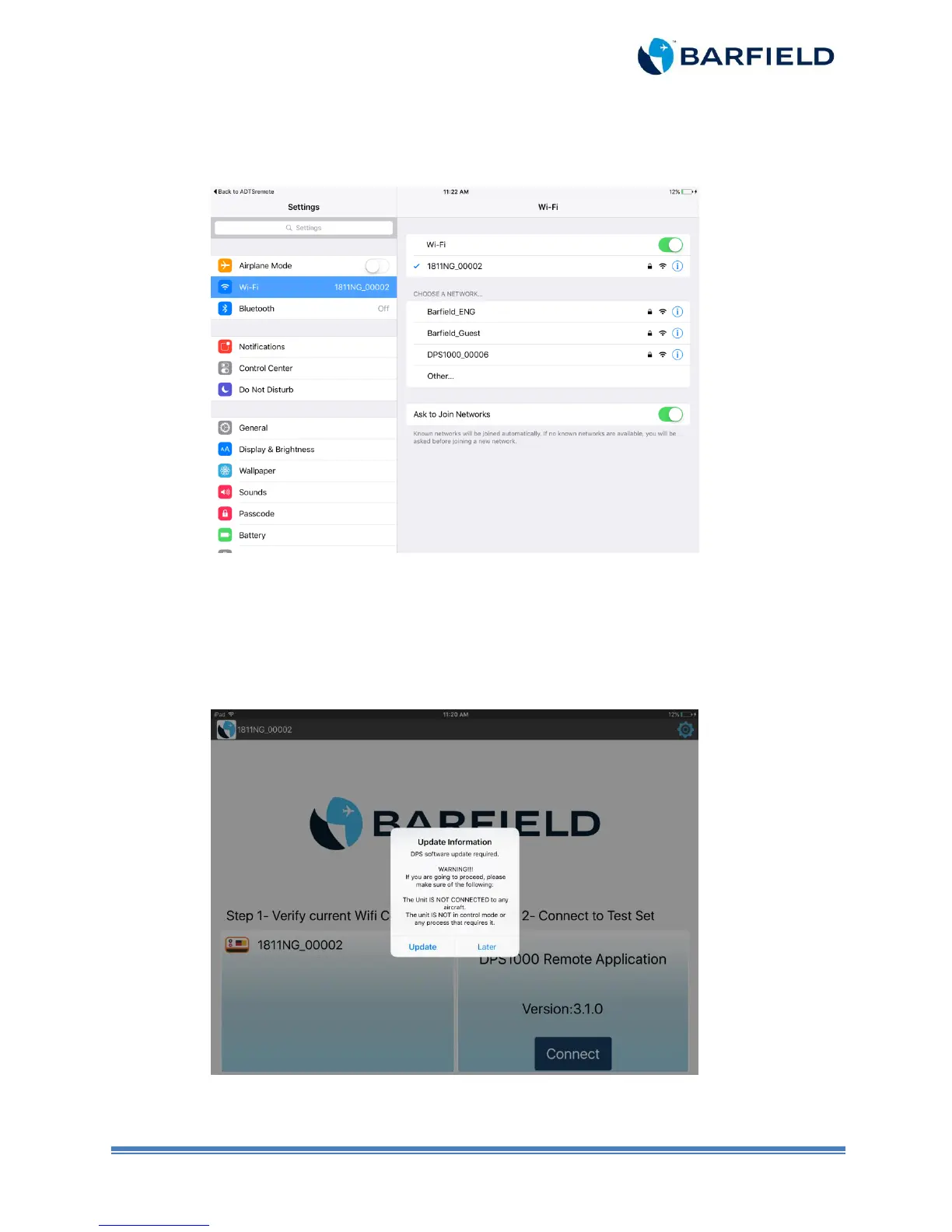
In both scenarios, press “Open Settings” in pop-up screen and follow on-screen instructions to
establish Wi-Fi connection. Turn Wi-Fi on. Then, select the appropriate DPS1000/1811NG Wi-Fi
(Figure 2.13). You will be prompted to enter a password to connect to the unit. Enter “barfield”.
Figure 2.13 iOS Settings Screen
b) Proceed to Step 2.
2. Updating HUIM and PCM Software
a) In Step 2, touch the “Connect” button. A new window opens.
Note: If the tablet app detects an older version than the one it supports, a pop-up screen
appears with the following message (See Figure 2.14).
Figure 2.14 Update Required Screen



 To Next Page