56-101-01175 Revision H Page | 95
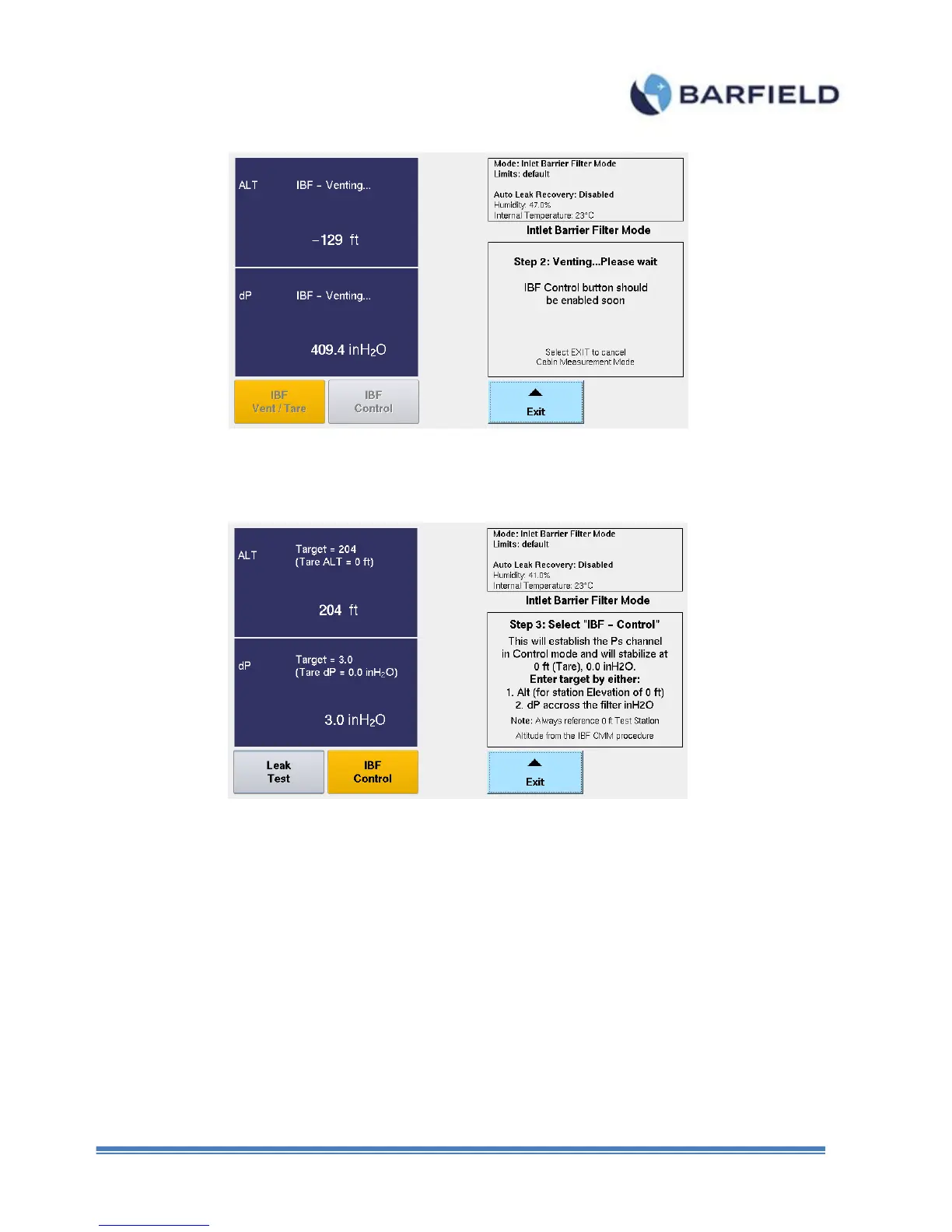
Figure F. 6 IBF Step 2 Screen
Note: Unit is now vented to Ambient with ALT Tare at 0ft pressure altitude and dP
Tare at 0.0inH2O.
10. Step 3 screen is displayed and “IBF Control” button is enabled (Figure F. 7).
Figure F. 7 IBF Control Mode Screen
11. Select “IBF – Control”. The unit will transition into control mode with the Target
value (both ALT & dP) set to the current pressure measure on the Static (Ps) port.
12. Touch ALT or dP zone. A keypad screen is displayed (Figure F 8). Enter Target
values. Initially, the value will be ALT=0ft and dP=0.0inH2O



 To Next Page