BD BACTEC™ FX Instrument User’s Manual
148
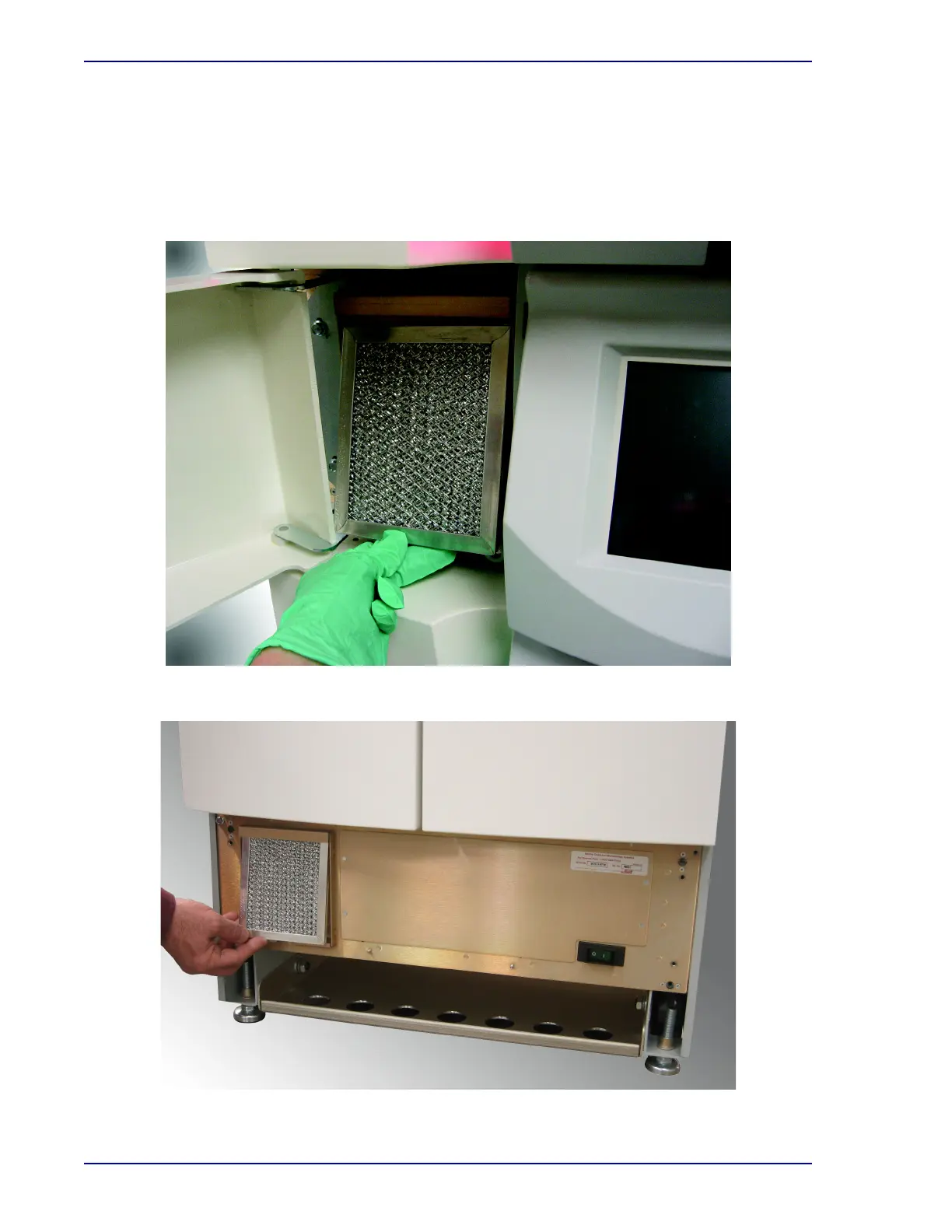
7 To remove the filter, lift it up slightly, and then pivot the bottom outward. Lower the filter out of
the filter housing.
8 To insert a clean filter, place the top edge under the top lip of the mounting bracket. Slide the filter
up, pivot the bottom in toward the mounting bracket, and lower the filter into place.
9 Align the bottom panel with the instrument and select the panel on both sides to reattach it.
Figure 6-2a – Removing the Top Electronics Bay Filter
Figure 6-2b – Removing the Bottom Electronics Bay Filter











 To Next Page