9-1
TotalAlert Innity™ HTM Medical Gas Notication System
4107 9016 60.01
9.0 Non-Latin Language Website
9.1 Website Login
1. Accessing the Web Page.
Connect Ethernet cable from computer to
ethernet port on main display board.
Start a web browser such as
Chrome,FireFox,andSafari (Browser
needs to be able to interpret HTML5)
2. Enter the Device’s IP address in the
browser’s address bar:
Example: http://169.254.100.100
(IP address of the computer needs to be in
the range with this device)
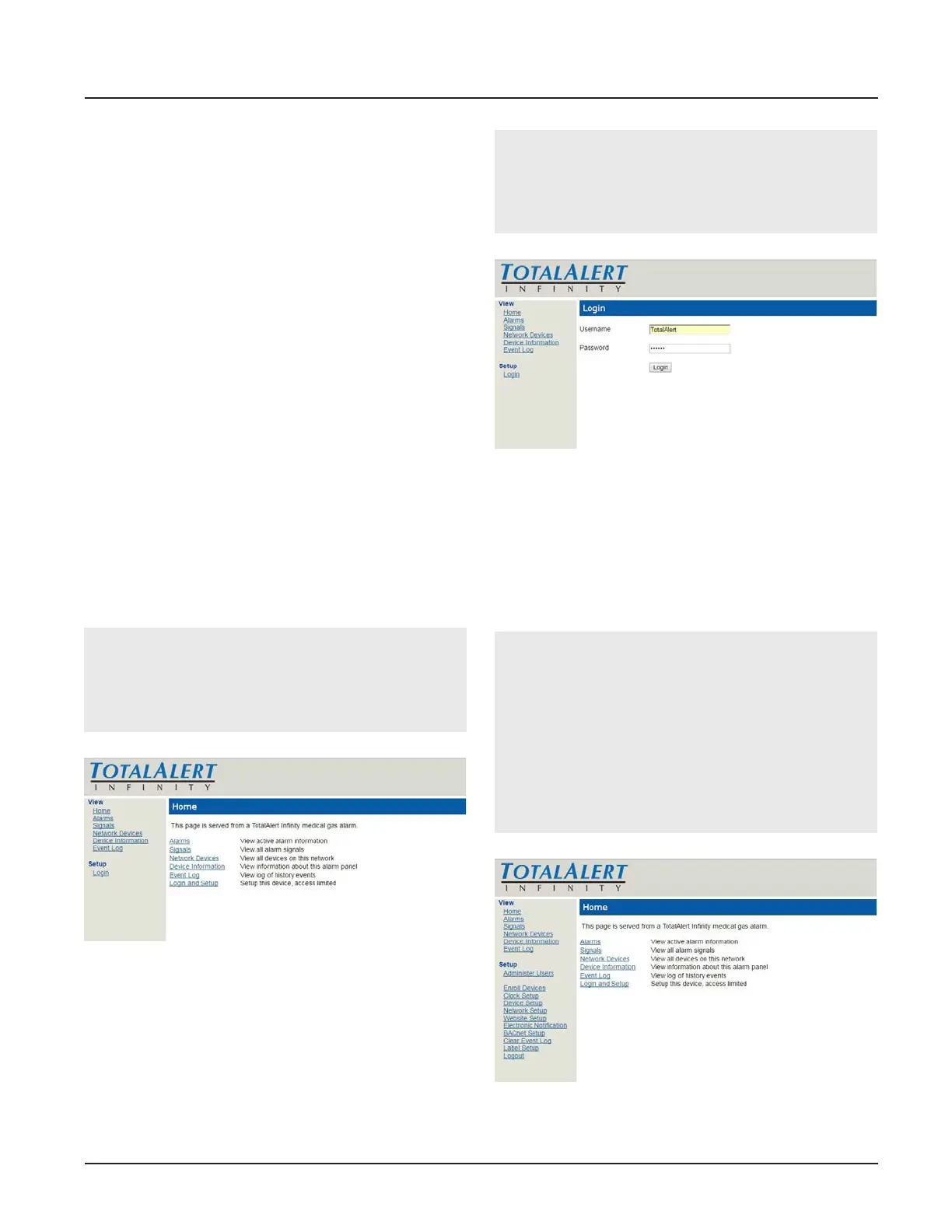
3. After you enter the IP address, the
alarm’s home page will be
displayed. (See Figure 232)
NOTE:
To learn the IP address, touch the MISCEL-
LANEOUS tab on the configuration screen
then touch the WIRED ETHERNET tab.
Figure 232
Login to Setup Pages
1. Click Login in Setup Section.
2. The web browser will request a username
and password (Figure 233). The factory
defaults are:
Username: TotalAlert
Password: 121212
NOTE:
If the on-screen password has been changed
from the default password, use the newly
assigned password.
Figure 233
3. The left side bar will now contain the
“Label Setup” link. (See Figure 234)
4. Click on Label Setup to enter the main
label screen for non-latin language input.
NOTE:
Logging in applies only to the computer on
which the login occurs. If more than one
PC is being used to access the alarm web
pages, each one must be logged in individu-
ally. The computer stays logged in until the
user closes the browser or until the device
has been rebooted.
Figure 234



 To Next Page