4-14
TotalAlert Innity™ HTM Medical Gas Notication System
4107 9016 60.01
The SETUP INFORMATION screen is the rst screen that
users will see on an uncongured alarm.
(The MAIN screen is the rst screen that users will see
on a congured alarm).
• Touch the Conguration button.
Entering the Password
The ENTER SECURITY PASSWORD screen appears.
4.4 Setting Up a Central Alarm
The central alarm monitors whether source equipment
is working properly.
The information for the signals connected in the eld
needs to be entered into the alarm using the touch
screen interface.
To set up or change the conguration of an alarm,
follow the steps outlined under Alarm Type Tab.
4.4.1 Initial Setup of an Uncongured
Central Alarm
To begin setup of the alarm, rst pull the battery tab
located on the back of the front panel to activate
battery backup of the alarm.
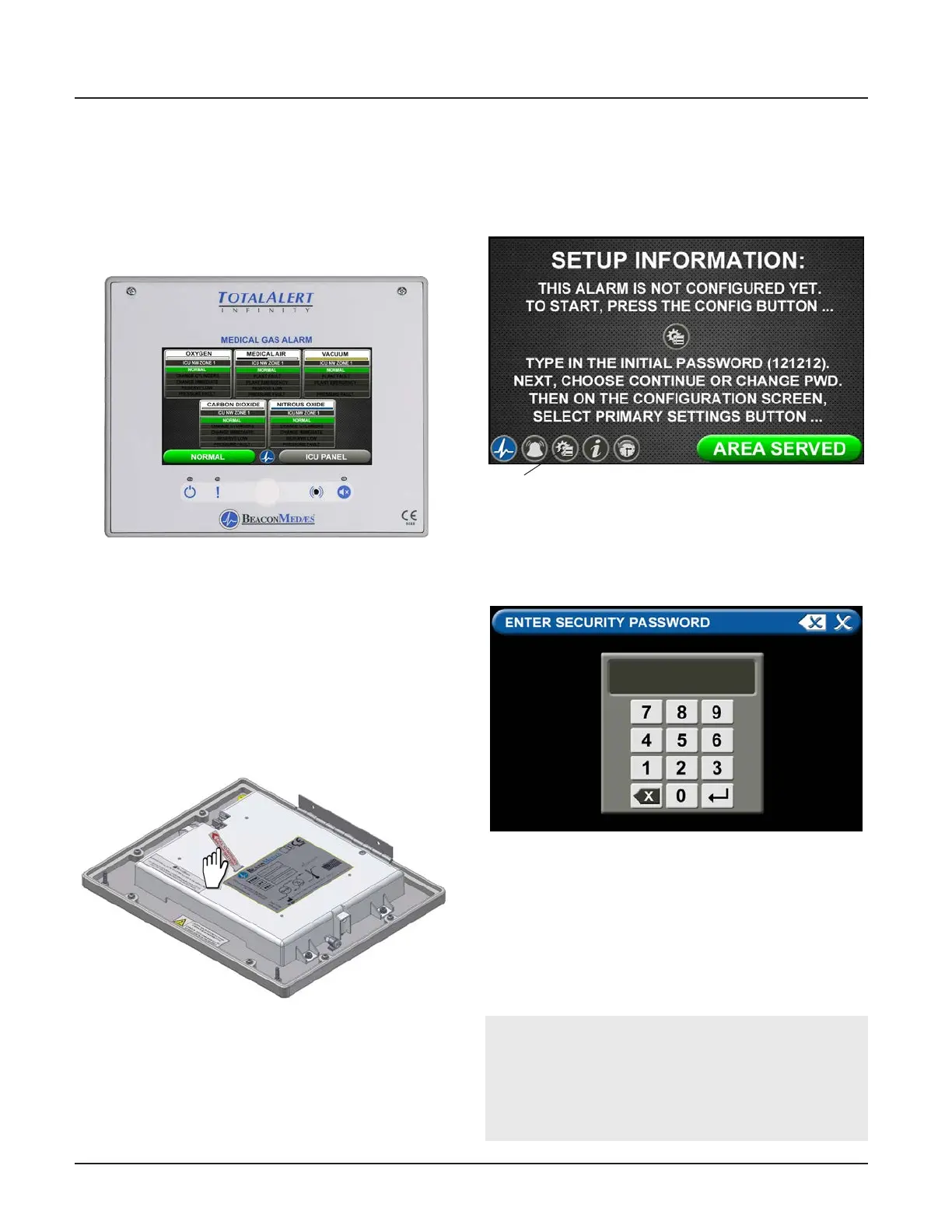
Figure 44: Central Alarm Main Screen
Figure 46: Setup Information Screen
Conguration
Button
Figure 47: Entering the Security Password
Figure 45: Battery Pull Tab
Note:
If you would like to change the password, touch
Change Password. Enter a 4-10 digit password, and
touch the Enter button. Conrm the new password.
Touch the X button in the upper right to close the
SECURITY PASSWORD screen.
• Enter the security password. (The default password
is 121212.)
• Touch the Enter button.
• Touch Continue to advance to the CONFIGURATION
screen.
• The CONFIGURATION screen will display as
uncongured and ready for setup



 To Next Page