4-37
TotalAlert Innity™ HTM Medical Gas Notication System
4107 9016 60.01
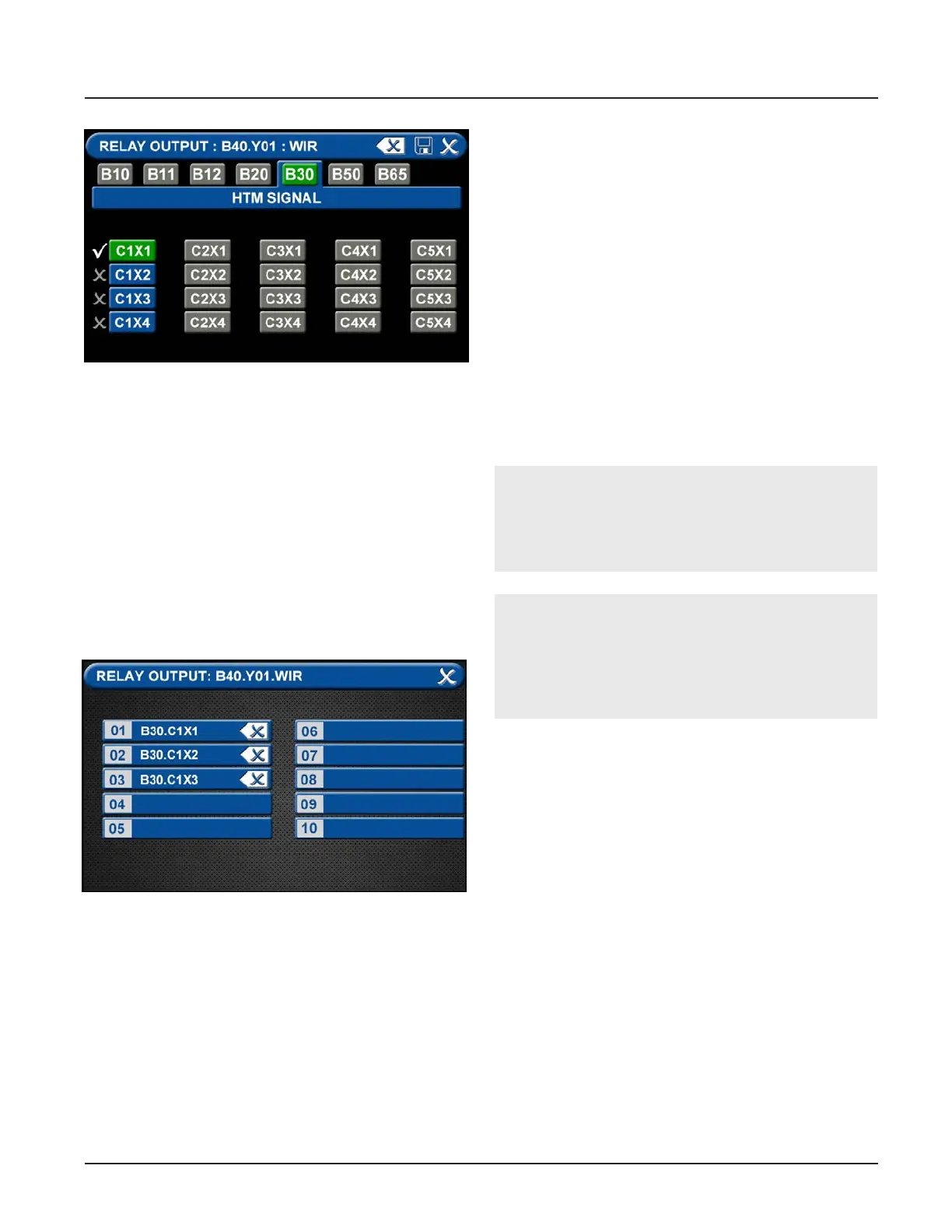
Figure 125: Relay Output One Signal
3. “Many Signals” allows the user to group multiple
signals on a single relay output. If any of the signals
goes into alarm condition, the relay output will
report an alarm condition. Press “Many Signals”
to move to the Relay Output screen and select
from 1 to 10 signals to group together. Select the
number 01 to start, then select the rst signal to
be grouped by pressing the corresponding number
on the Relay Output (such as C1X1 from the B30
board). Press Save to return to the Many Signal
Relay Output screen. Next select 02 to capture
the second signal to be monitored. Repeat up to a
grouping of 10 signals.
Figure 126: Relay Output Many Signals
4.7.3 Wired Ethernet Setup
The TotaAlert Innity™ Notication System allows for
networking via standard Ethernet. Any alarm panel can
be remotely observed on the network using a standard
web browser.
IP Address using DHCP method: Upon power-up of
the system, the device will search for a DHCP server. If
a DHCP server is found, IP Address, subnet mask and
gateway are automatically obtained. If not found, the
device will check for a DHCP server every 30
seconds. When found, the IP Address, subnet mask and
gateway are automatically obtained.
IP Address using Static method: Upon power up of the
system, the device will immediately
begin using the xed IP conguration.
CAUTION:
Only facility information systems personnel should
set up the network interface. If the set up is done
improperly, equipment may not perform properly.
CAUTION:
The information systems personnel should be no-
tied before changing any of the network settings.
Changing the settings could keep the equipment
from working properly.



 To Next Page