9-2
TotalAlert Innity™ HTM Medical Gas Notication System
4107 9016 60.01
The TotalAlert Innity alarm main label set-
up screen allows for setting up Area, Cen-
tral, and Combination alarms with non-latin
language characters. NFPA, HTM, and ISO
colors can all be selected within this setup.
9.2 Area Alarm Conguration -
Website
The TotalAlert Innity website allows for
setup of various parameters of the Area
Alarm badges with non-latin language char-
acters. These parameters include: Gas type,
Gas color (NPFA, HTM, ISO, or custom),
Units of Measure, Locations monitored,
High and Low pressure alarm Instructions.
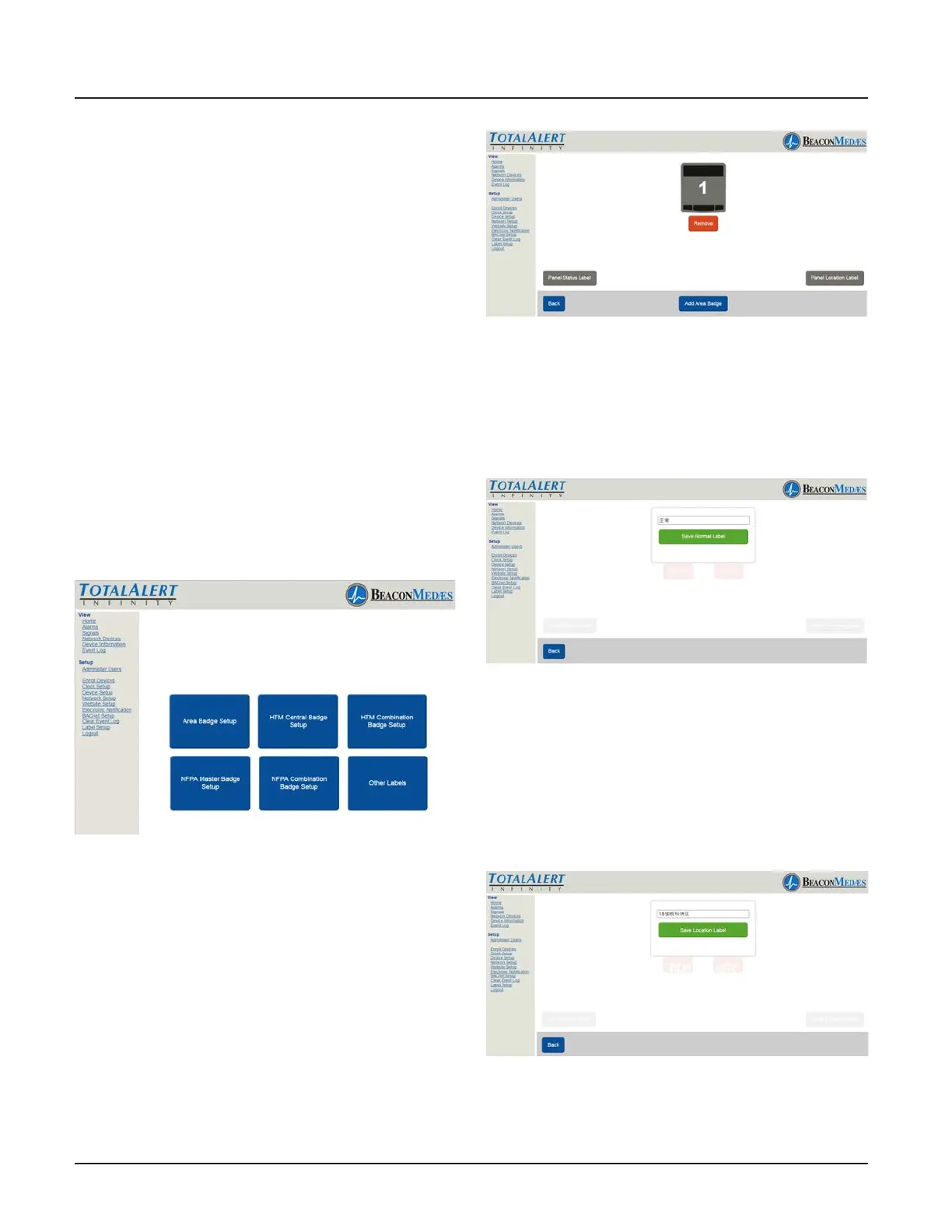
1. Choose Area Badge Setup button. (See
Figure 235)
Figure 235
2. Setup display is similar to what is dis-
played on the alarm home screen. (See Fig-
ure 236). To Setup panel status label, select
“Panel Status Label” button.
Figure 236
3. Enter non-latin language text for mean-
ing of “Normal”. Click save button to enter.
(See Figure 237) Choose “Back” button to
return to the main setup screen.
Figure 237
4. To setup Panel Location Label, select
“Panel Location Label”. Enter the non-latin
language for the location of the panel.
Click save button to enter. (See Figure 238)
Choose “Back” button to return to the main
setup screen.
Figure 238
5. Add up to 8 Area Alarm badges by select-
ing the “Add Area Badge” button to match



 To Next Page