2-8
TotalAlert Innity™ HTM Medical Gas Notication System
4107 9016 60.01
ATTENTION:
Observe Precautions for Handling
ELECTROSTATIC SENSITIVE DEVICES
2.4 Finish Assembly
2.4.1 Front Panel Mounting
1. Remove front panel assembly from packaging.
2. Remove front panel mounting screws from alarm
panel backbox assembly.
3. Remove lanyard mounting nut from alarm panel
back box assembly.
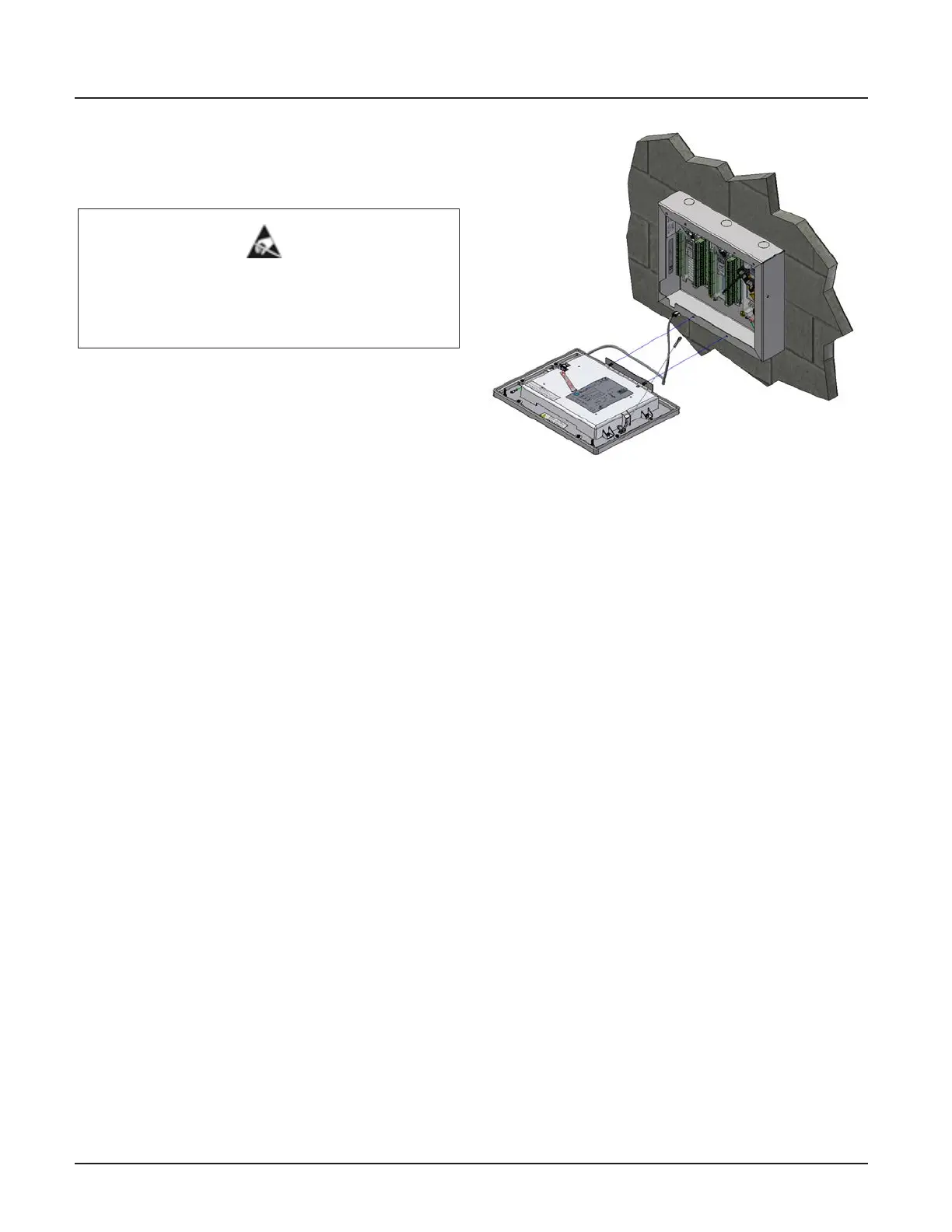
4. Attach front panel to alarm panel backbox using
screws removed in step 2 (Figure 2.12).
5. Attach lanyard to alarm panel backbox using
screws removed in step 3 (Figure 2.12).
6. Remove nut from front panel grounding lug.
7. Install front panel grounding wire using nut
removed in step 6.
8. Connect the grey cable on the front panel to the
open power/communication port on the power
supply.
Figure 2.12: Attach Front Panel and Lanyard



 To Next Page