4-3
TotalAlert Innity™ HTM Medical Gas Notication System
4107 9016 60.01
4.1.6 Display Screens
Active Alarm Screen
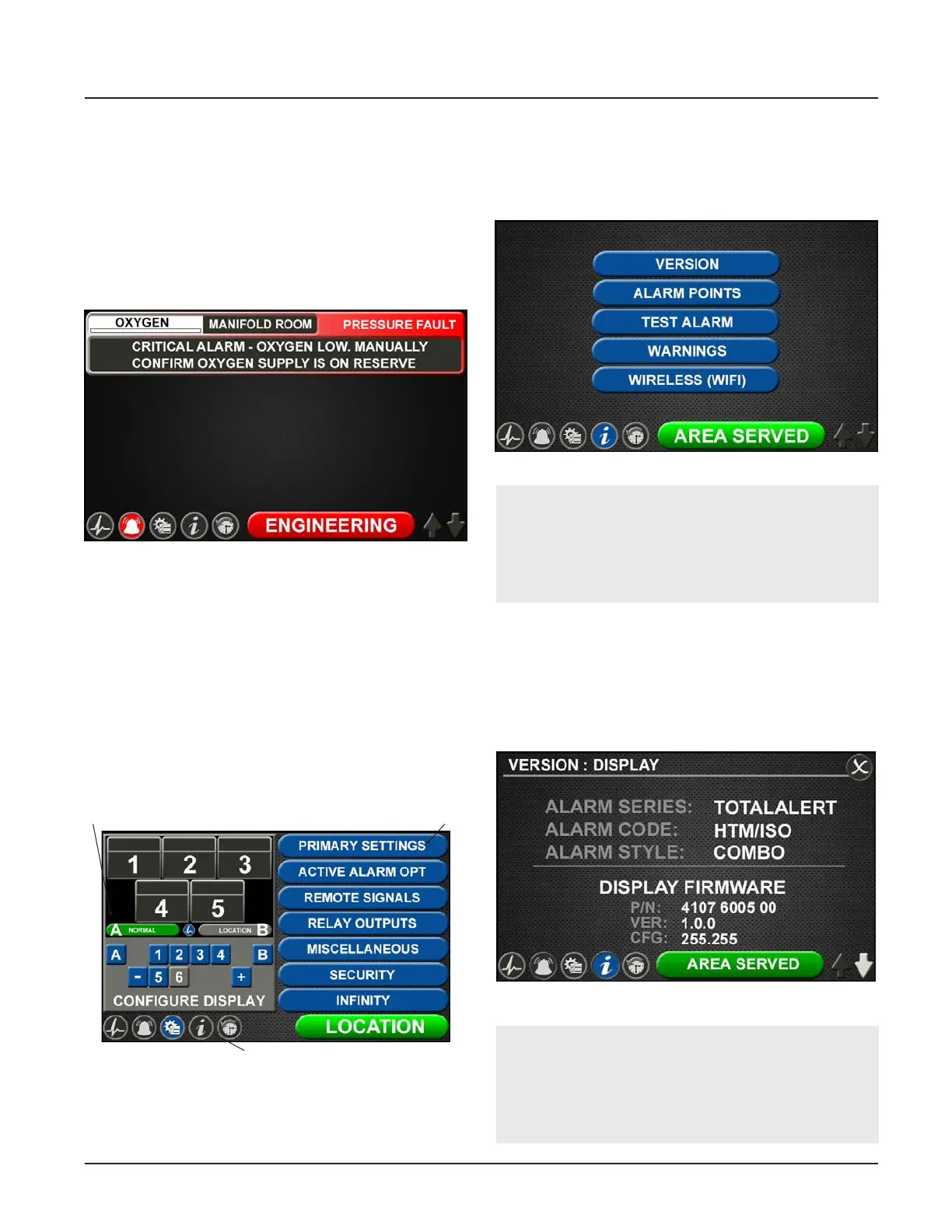
The ACTIVE ALARM screen provides detailed infor-
mation about pressures or signals that are in alarm
condition. If an active alarm instruction has been set
up, users will also see an instruction on how to respond
to the alarm (see section 4.5 - Customized Instructions
Set Up).
Figure 9: Conguration Screen
Settings
Icon Toolbar
Display
Figure 10: Information Screen
Conguration Screen
The CONFIGURATION screen is used to congure the
alarm. The conguration screen is only accessible with
a password. It is divided into three parts.
The top left section is the Display section. It contains a
small representative view of the MAIN screen and but-
tons for conguring the MAIN screen.
The top right section is the Settings section.Tabs not
accessible are grayed out.
The bottom section is the Icon toolbar.
Information Screen
The INFORMATION screen provides pertinent informa-
tion about the alarm—including high and low alarm
values and rmware details—in one central place.
Figure 11: Version Tab
Version Tab
Touch the VERSION tab to view details about the:
• Series, code, and style of the alarm
• Firmware version for the main display board and
additional boards
Figure 8: Active Alarm Screen
NOTE:
The Wireless (WIFI) tab is only present on the
information screen if the default setting has been
changed on the WIFI setting screen to allow WIFI
control (See Section 4.9).
NOTE:
The version screens automatically scroll. Touch
the blinking up or down arrow in the lower right
to stop the automatic scroll and start the manual
scroll.



 To Next Page