9-6
TotalAlert Innity™ HTM Medical Gas Notication System
4107 9016 60.01
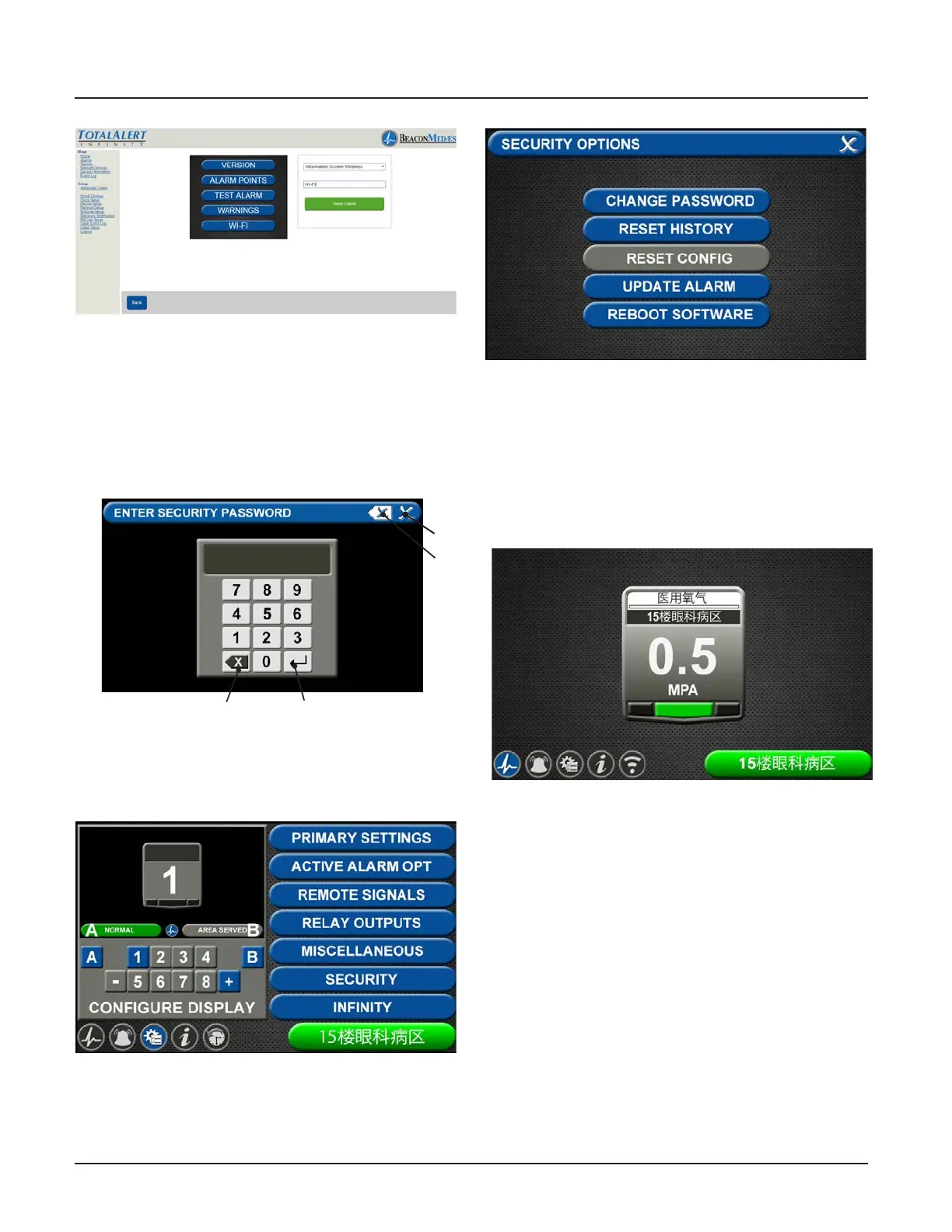
Figure 253
21. Then go to physical alarm screen.
22. Go to cong screen.
23. Put in password.
Figure 254
EnterBackspace
Close
Clear all
entered
text
24. Touch Security Tab.
Figure 255
25. Touch Reboot Software Tab
(alarm will reboot - blinking led power light
while loading data)
Figure 256
26. If units of measure was setup from web-
site, then go to conguration screen and
choose the Area badge that requires the
website units. Choose E “units of measure”
then choose the units tab.
Figure 257
9.2 Central Alarm Conguration -
Website
1. Accessing the Web Page.
Start a web browser such as
Chrome,FireFox,andSafari (Browser
needs to be able to interpret HTML5)
2. Enter the Device’s IP address in the
browser’s address bar:
Example: http://169.254.100.100
3. After you enter the IP address, the
alarm’s home page will be
displayed. (See Figure 258)



 To Next Page