9-5
TotalAlert Innity™ HTM Medical Gas Notication System
4107 9016 60.01
Figure 247
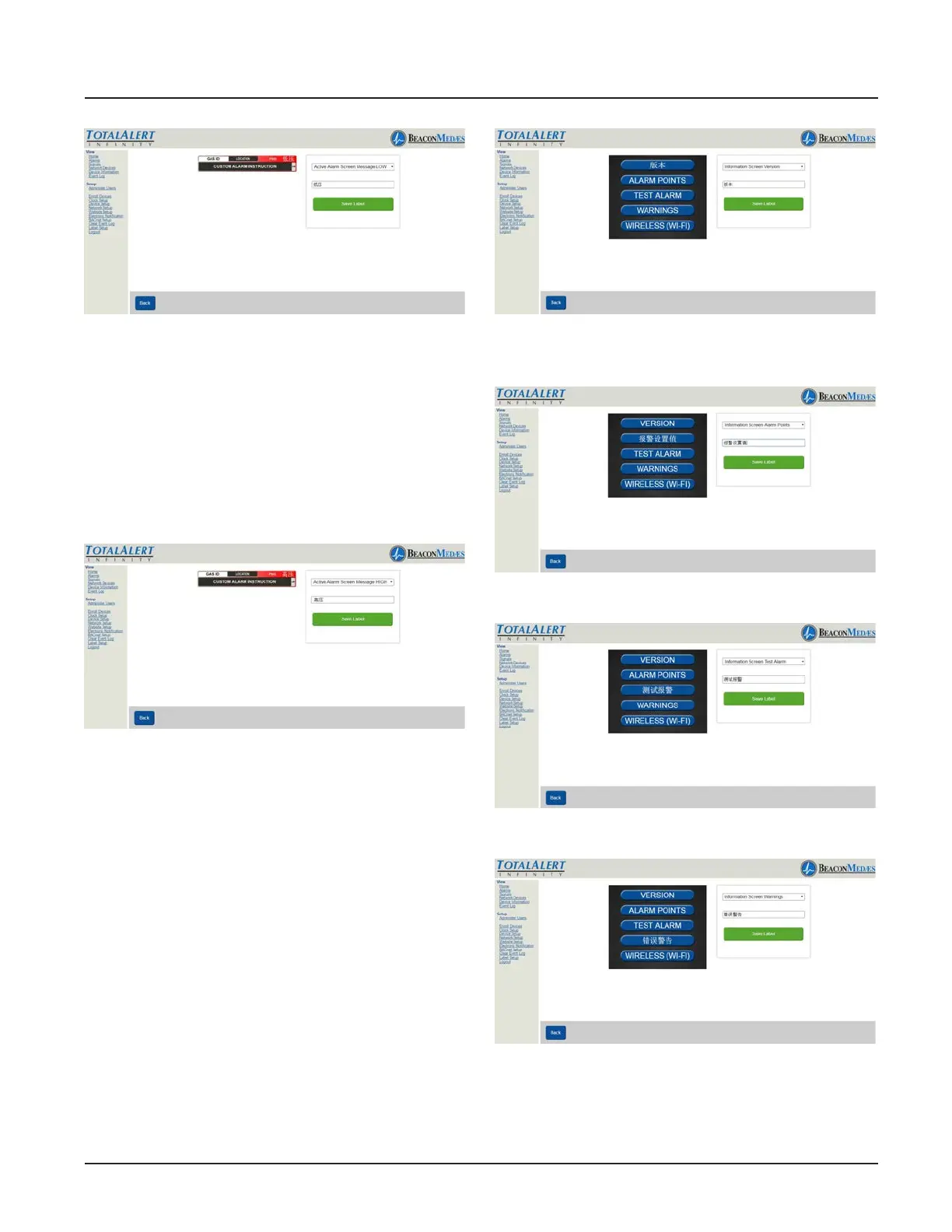
17. To setup the active alarm screen High,
from the pull down menu, choose “Active
Alarm Screen Message High”. Then input
the non-latin language character for “HIGH”
in the writable tab.
18. To save, select “Save Label” button. (See
Figure 248)
Figure 248
19. To setup Information Screen from the
pull down menu, Choose “Information
Screen Version”. Then input the non-latin
language character for “Version” in the writ-
able tab. (See Figure 249)
20. To save, select “Save Label” button.
Repeat the proceedure for setting up the
Alarm Points, Test Alarm, Warning, and
Wireless (Wi-Fi). See Figures 250 thru 253.
Save the label after each non-latin language
addition.
Figure 249
Figure 250
Figure 251
Figure 252



 To Next Page