4-55
TotalAlert Innity™ HTM Medical Gas Notication System
4107 9016 60.01
Clear Event Log
1. Click Clear Event Log to access the Clear Event Log
page (Figure 4.180).
2. Click Clear Event Log.
Figure 194: Clear Event Log
CAUTION:
Be sure to save the event log prior to clearing it.
It is impossible to recover the event log after it is
cleared.
4.10 Wireless Ethernet Set-Up
The TotalAlert Innity™ Medical Gas Notication
System allows for Wi 802.11 b/g/n interface which
provides access to the alarm panel web page with any
web enabled device. Operating information and Event
History can be viewed and downloaded to the web
enabled device.
Wireless Ethernet Settings Tab
On the Miscellaneous screen, select the WIRELESS
ETHERNET tab.
Figure 195: Wireless Ethernet Tab
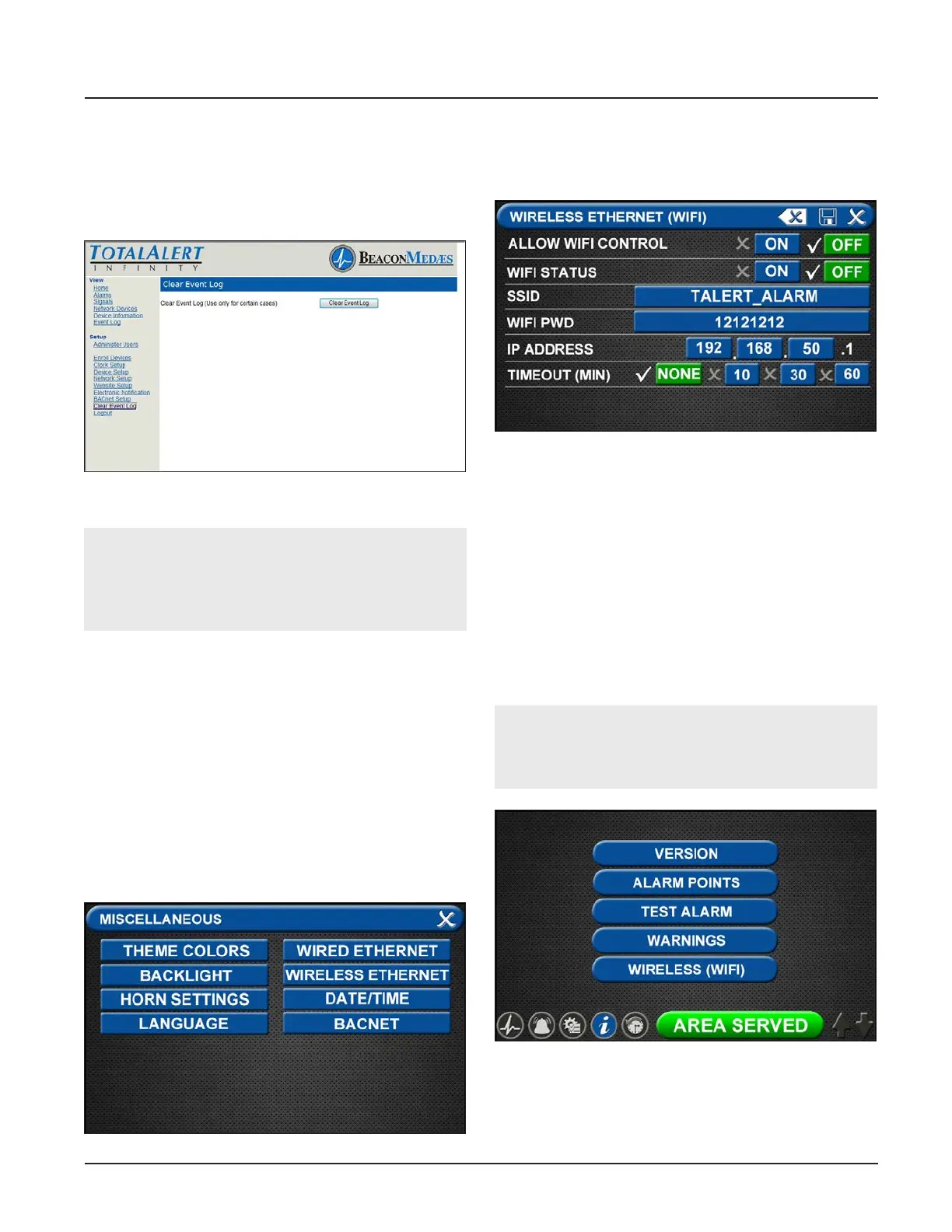
The WIRELESS ETHERNET screen allows for customiza-
tion of the WIFI settings. All of the tabs on this screen
are set to default status.
Figure 196: Wireless Ethernet Screen
• Touch the WIRELESS ETHERNET tab.
• To turn the WIFI on, touch the WIFI STATUS/ ON
tab.
• To change the WIFI password—STRONGLY
RECOMMENDED—touch the WIFI PWDtab. Using
the keyboard, enter a new password.
• Touch the Save button to close and return to the
WIFI SETTINGS screen.
• To add the WIFI settings to the INFORMATION
screen, touch the ALLOW WIFI CONTROL / ON tab.
The INFORMATION screen will now display a WIFI
tab (Figure 4.184).
NOTE:
This will allow WIFI to be turned on/o without a
password.
Figure 197: Wireless Ethernet Screen
• Save settings.
• Turn on the Web enabled device.
• Find the wireless Ethernet network on the device
with the SSID name.



 To Next Page