9-4
TotalAlert Innity™ HTM Medical Gas Notication System
4107 9016 60.01
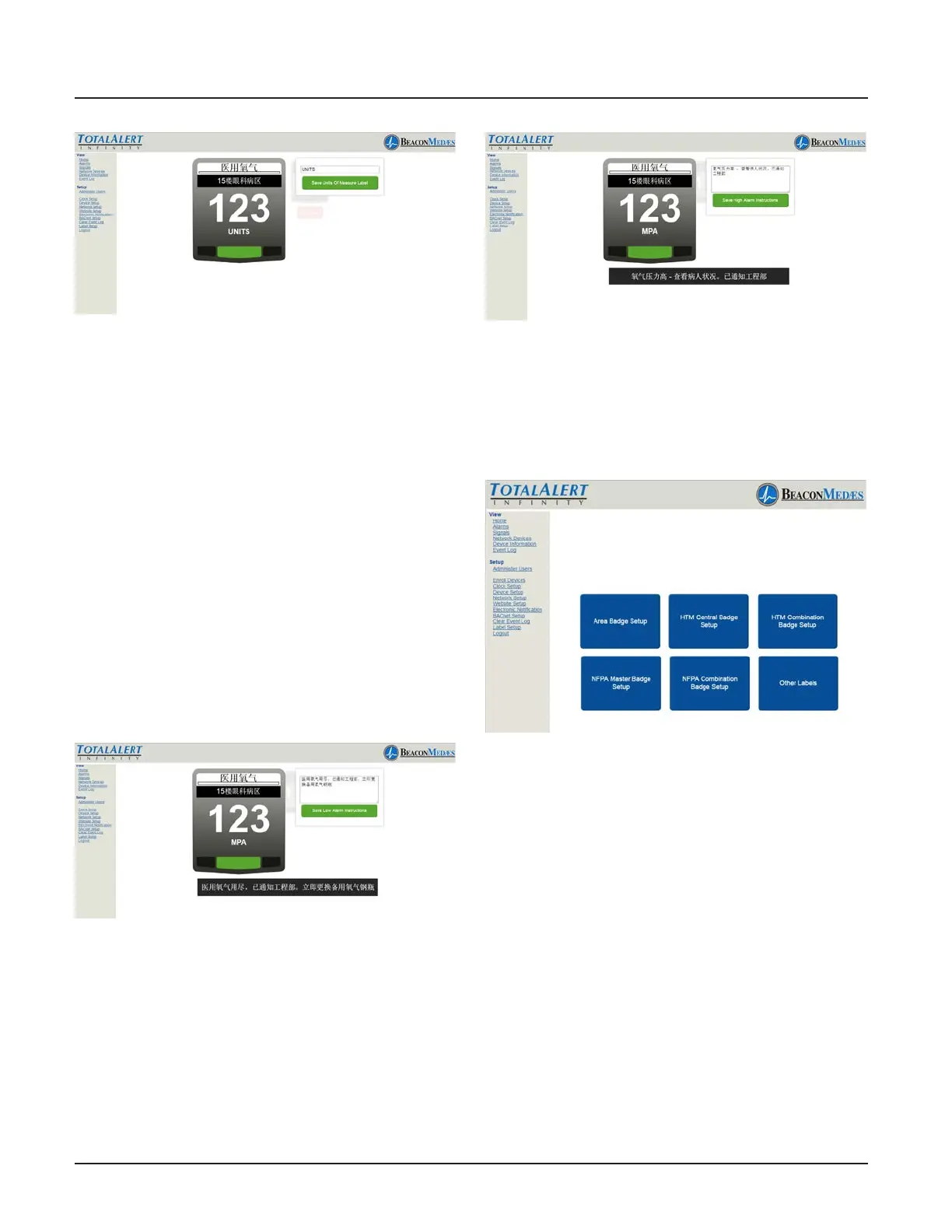
Figure 243
TotalAlert Innity alarm allows for custom-
ized instructions for each high and low
pressure fault condition.
13. To setup the instructions for a low pres-
sure fault condition, select the lower left
corner of the badge (location of the red
blinking light when alarm goes into fault).
Enter non-latin language characters for the
low pressure alarm instructions. (See Figure
244) This can be two lines of text. Press the
return key while typing if you wish to move
to the second line of text early.
14. To save, select “Save Low Alarm Instruc-
tions” button.
Figure 244
15. To setup the instructions for a high
pressure fault condition, select the lower
right corner of the badge (location of the
red blinking light when alarm goes in to
fault). Enter non-latin language characters
for the high pressure alarm instructions.
(See Figure 245)
Figure 245
16. To save, select “Save High Alarm Instruc-
tions” button. Touch the Back button to
return to the main label screen. (See Figure
246)
Figure 246
The TotalAlert Innity alarm allows the user
to setup non-latin language characters for
the active alarm screens (both Low and
High), as well as the Information Screen
tabs located on the alarm. Touch the “Other
Labels” tab for setup.
17. To setup the active alarm screen Low,
from the pull down menu, choose “Active
Alarm Screen Message Low”. Then input the
non-latin language character for “LOW” in
the writable tab.
18. To save, select “Save Label” button. (See
Figure 247)



 To Next Page