4-4
TotalAlert Innity™ HTM Medical Gas Notication System
4107 9016 60.01
Touch the X button in the upper right to close and
return to the INFORMATION screen.
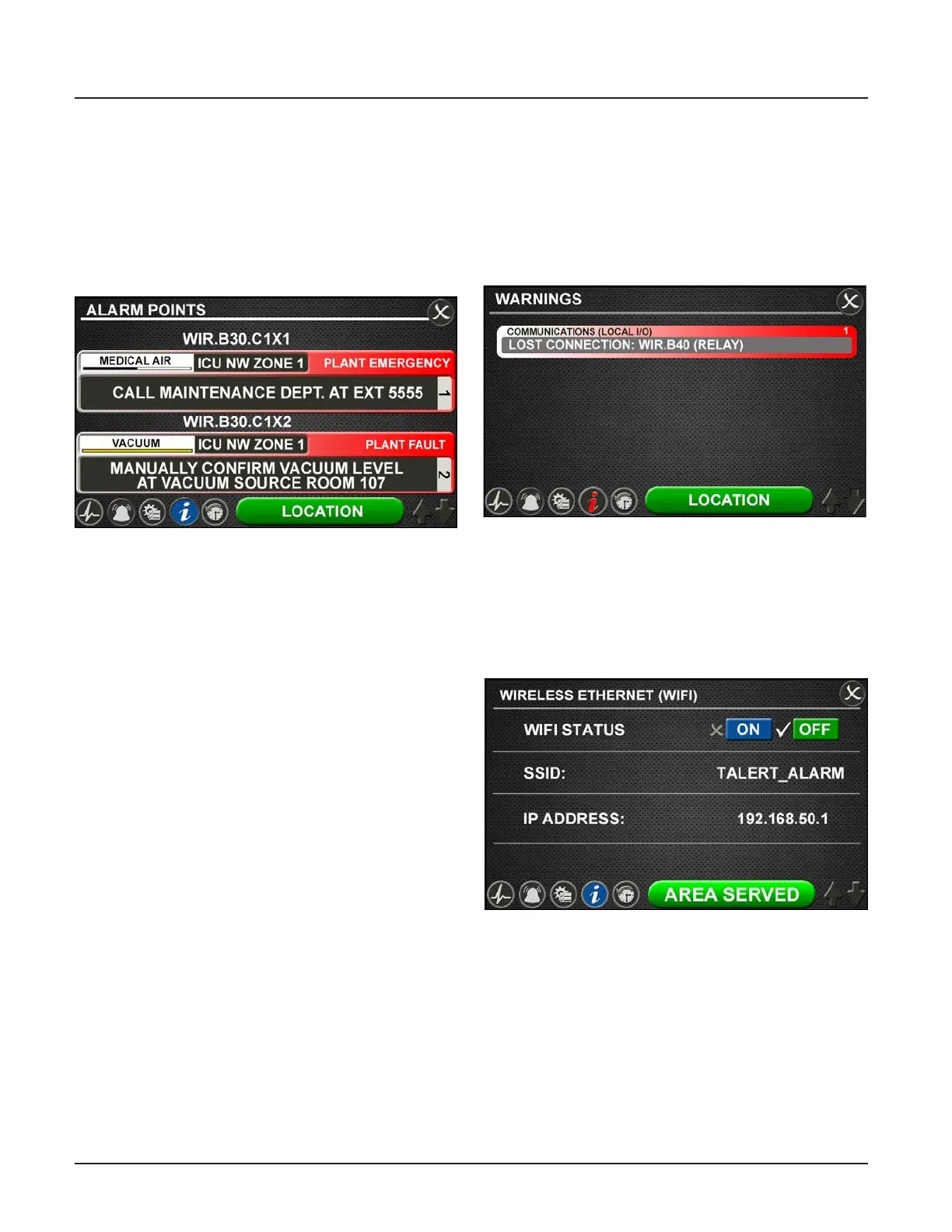
Alarm Points Tab
Touch the ALARM POINTS tab for a quick view of the
alarm points—the low and high set points—for each
gas badge (Area alarm) or source signal conguration
(central alarm).
This screen provides a complete view of the
conguration and is a fast way to check items such as:
• Location where the pressure sensors and source
signals are physically wired.
• Gases Monitored
• Areas Monitored
• Low and high pressure set points for area signals
• Source Signals Monitored
Touch the X button in the upper right to close and
return to the INFORMATION screen.
Test Alarm Tab
Touch the TEST ALARM tab to run a quick test of the
hardware.
The audible alarm will sound for one-to-two seconds to
test that the horn is working properly.
The LEDs on the front of the alarm will illuminate as
well to show that they are still functioning.
Warnings Tab
Touch the WARNINGS tab to view any possible active
warnings that would include lost network communica-
tion with manually enrolled devices, lost connection to
a connected/initialized board, or when a central signal
input is wired, but not assigned/programmed to an
alarm signal.
Figure 13: Warnings Tab
Figure 12: Alarm Points Tab
WIFI Tab
Touch the Wireless Ethernet (WIFI) tab to view WIFI
Status (On or O), SSID identication, and IP Address.
WIFI Status can be turned On or O by touching the
designated tabs.
Figure 14: WIFI Tab



 To Next Page