4-18
TotalAlert Innity™ HTM Medical Gas Notication System
4107 9016 60.01
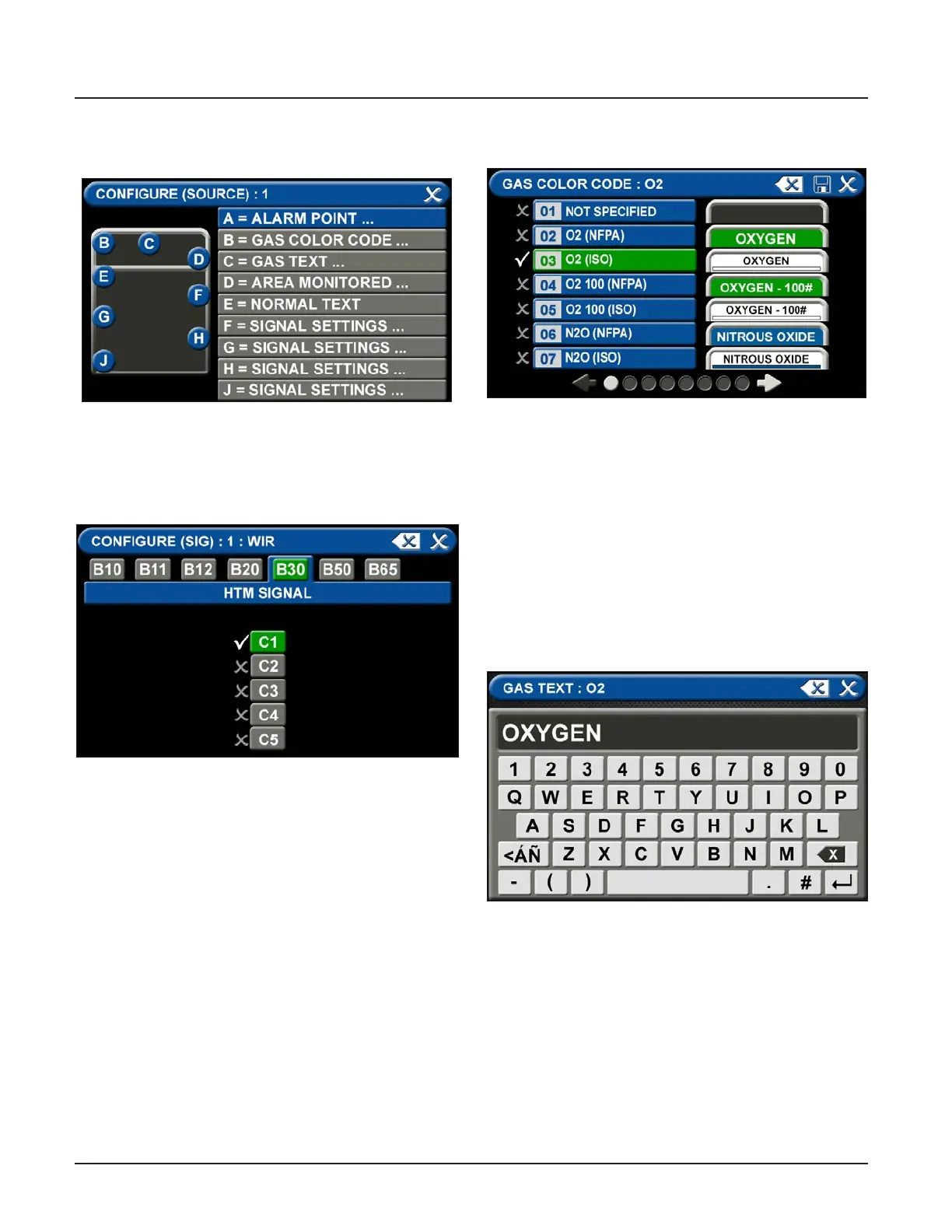
Figure 64: Gas Text Keyboard
(1) botton in the numeric display (Figure 4.60).
A = Alarm Point
Touch the ALARM POINT tab to select the
proper HTM Signal Channel.
Using the keyboard, enter the name of the area. To
change the name of the gas:
1. Touch the C = [GAS TEXT] tab.
2. Touch the Erase button on the keyboard to delete
the gas name.
3. Enter the new gas name. Touch the [<ÁÑ] to toggle
to symbols. Touch the [1AZ] key to toggle back to
letters and numbers.
4. Touch the Save button.
Figure 61: Congure Source Screen
Figure 62: HTM Signal Channel
Conguration Screen
Figure 63: Gas Color Code Tab
To identify the location where the wires are landed:
1. Touch the tab for the appropriate board and
terminal block. (C1, C2, C3, C4, C5)
2. Touch the Save button when you see a check
beside your selection.
B = Gas Color Code Tab
To select the color code for the appropriate gas based
on your standard and country:
1. Touch the B = GAS COLOR CODE tab (Figure 4.63)
2. Scroll through the gas types using the right and left
arrows at the bottom of the screen.
3. Touch the tab for the appropriate code, or select a
“custom” tab to create a unique source badge.
4. Touch the Save button when you see a check
beside your selection. This will automatically ll in
tabs C-J with default values for the gas selected. If
changes are needed follow the next steps below.
C = Gas Text Tab



 To Next Page