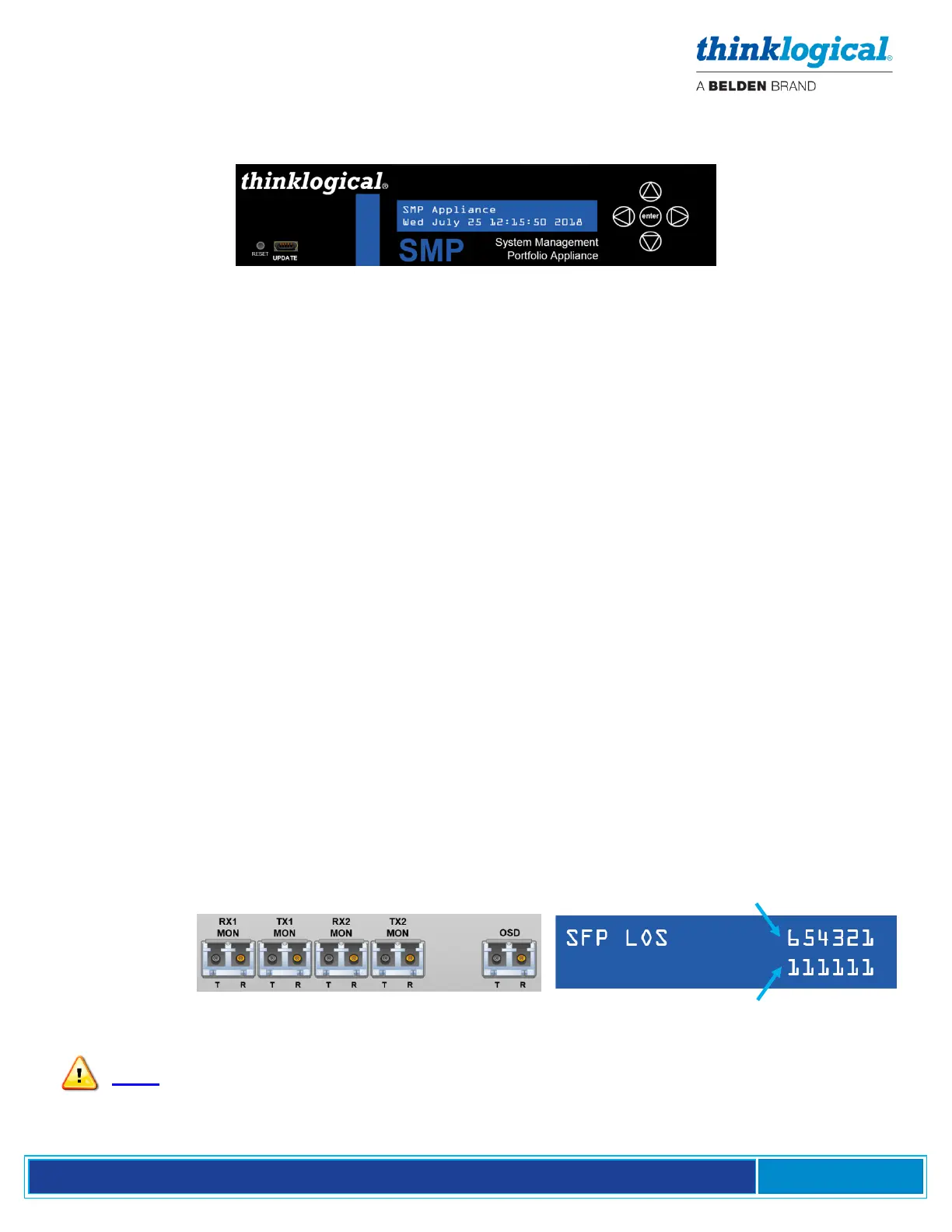
Navigating the SMP Appliance Front Panel LCD
Main Menu – The date and time is read from the Linux kernel. Change the date and time via the Linux
command line.
Reboot/Poweroff – Use this function prior to unit power-down. This may also be done from a terminal
session on the SMP2.
Program Network – Allows the Ethernet address parameters of Eth0 to be changed at the front panel.
This may also be done from the SMP2 Dashboard browser page.
View Network - Allows viewing of the Ethernet address parameters of Eth0. This is useful if the IP
address of Eth0 is unknown (changed from the default).
View System – Allows various system parameters to be viewed, including:
• smp-appl-release – The version of the Linux machine Appliance software that the SMP runs
on.
• FPGA – The release of the FPGA software where 2.x.xx is for 6Gb units and 3.x.xx is for 10
Gb units.
• Serial Number – Serial number of the SMP2 Appliance.
• SFP LOS – SFP loss of signal where “1” indicates the loss of signal (see SFP table below).
• SFP DES OK – Indicates a valid connection to a destination such as a receiver or switch where
“1” is a valid connection.
• PS1 IN OK PS2 IN OK – Shows the power supply status where PS1 is near the power cord
and PS2 is near the LCD panel. IN = “1” means the power supply is installed and OK = “1”
shows it is operating and supplying power.
• Fan Alarm – The status of the four internal fans where “1” is an alarm condition.
• Temperature – Where imx is the processor temperature and FPGA is the FPGA chip
temperature.
• Exit to Main Menu – Hit [enter] to return to the home menu level.
SFP Position
SFP Table –
SFP: 1 2 3 4 5 6 SFP Status
Note: These ports must be configured in the SMP2 to enable them.



 To Next Page