THE CONNECT TAB
The CONNECT Tab’s Graphical User Interface makes it easy for administrators to see connections
on-screen and switch Sources and Rooms with a few mouse clicks.
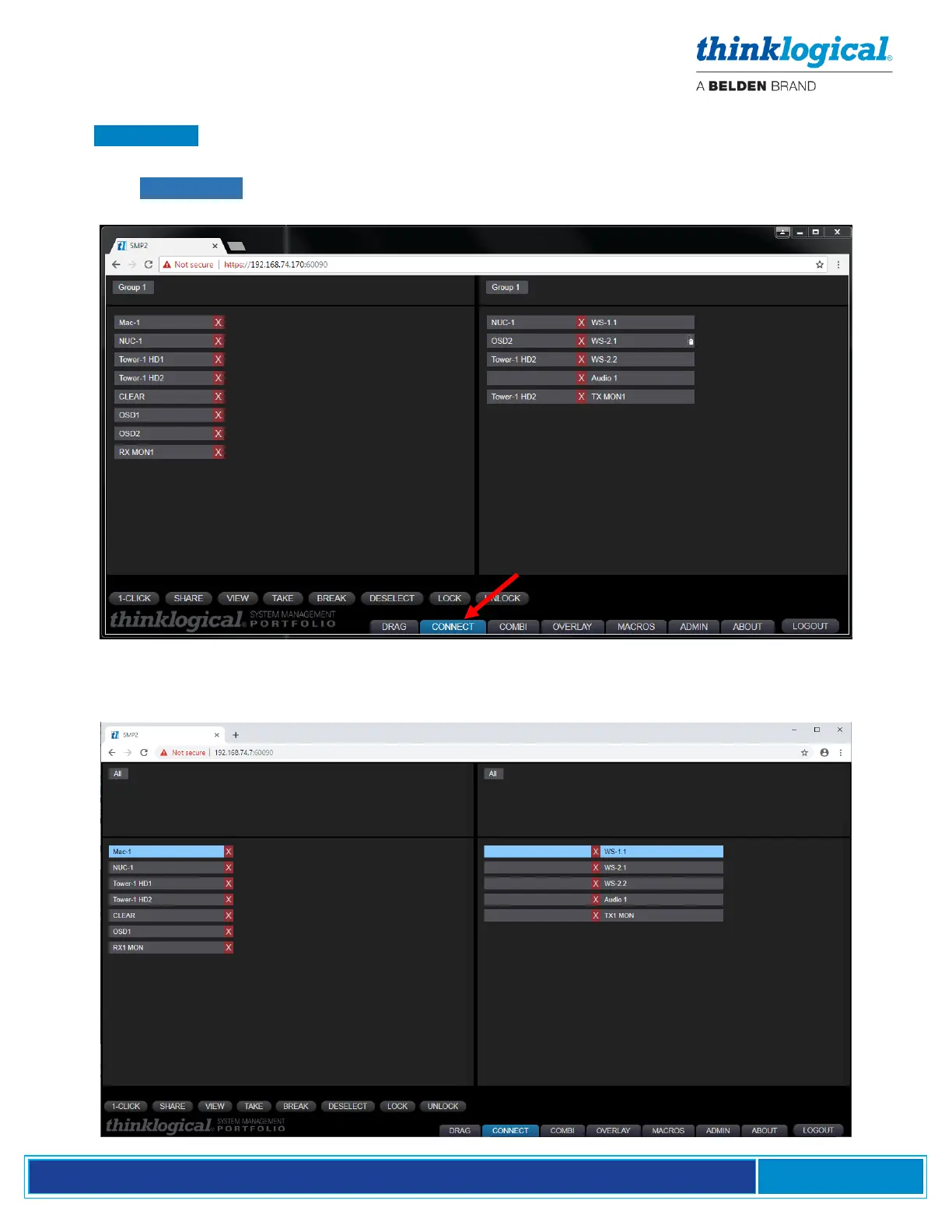
A sample .CONNECT page is illustrated below. In this example, Source NUC-1 is connected to WS-
1.1 (in View mode) and OSD2 is connected to WS-2.1 with KM control (note the mouse icon), etc.
A typical operation will select a Source from the left and a Destination from the right. The selected
assets will then be highlighted in blue.



 To Next Page