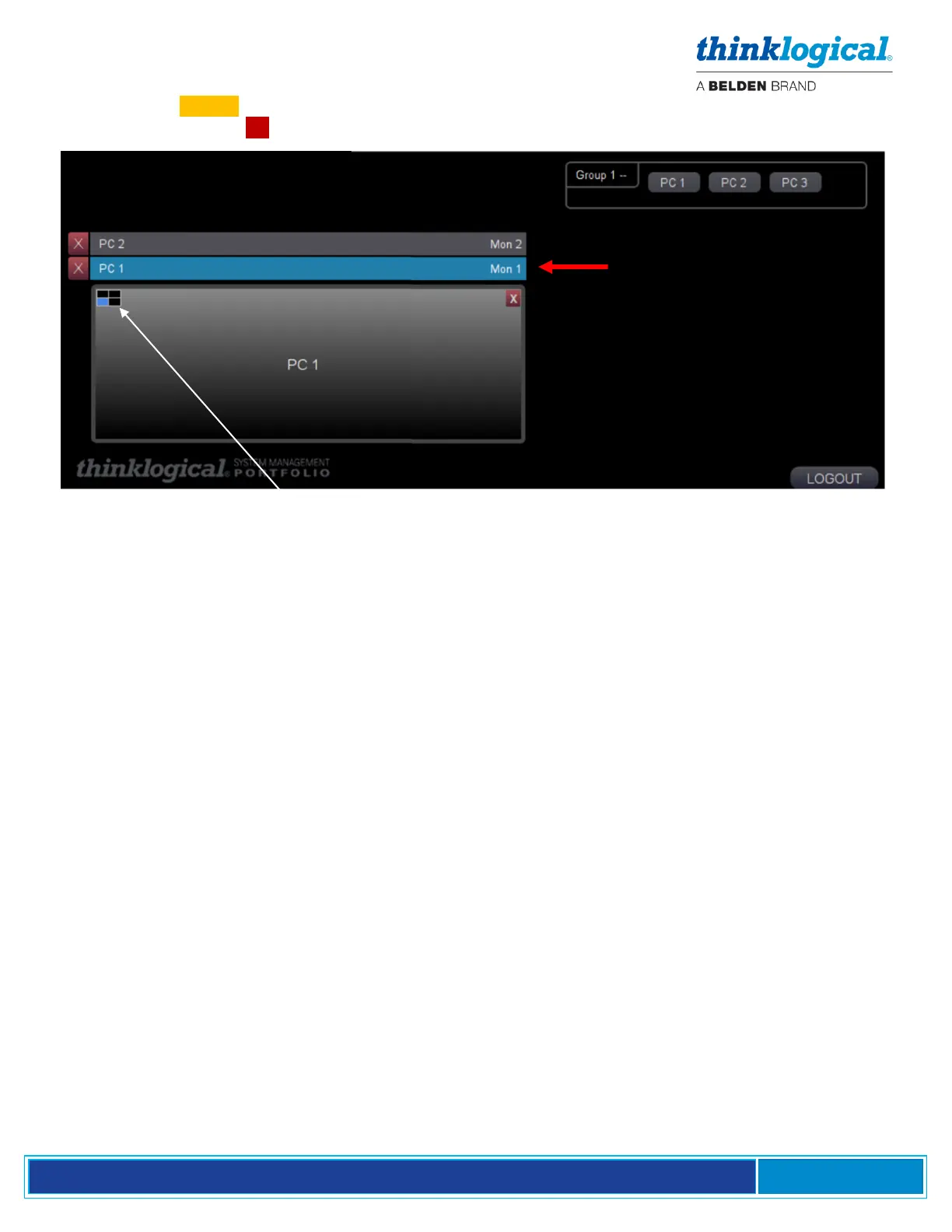
4. Click on the TAKE button. PC 1 is now assigned to Monitor 1 and PC 2 remains assigned to
Monitor 2. Clicking the X to the left will delete that selection.
The SMP Client supports up to four monitors per desk. A box in the upper-left indicates the relative
position of each one with a shaded quadrant. In this case, there is one monitor, so only one quadrant
is shaded.
Connecting Multiple SMP Clients to the System
In larger deployments it may be desirable to use multiple SMP Clients to allow several users access to
the system simultaneously. Up to 10 SMP Clients can be supported in a single system. This is known
as an "OSD Pool" in that if an OSD is in use, the system will deliver the next available OSD at a user’s
request. OSD Pooling requires each SMP Client Module to be configured separately.



 To Next Page