Appendix E: Flex Keys
Flex Keys is a Thinklogical Tool that installs onto a Windows PC. Flex Keys gives the administrator the
ability to create unique hot keys to enable actions that are not in Thinklogical’s default Hot Key Manager
Legend. See more about Hot Keys on pg. 28.
Create Unique Flex Key Actions
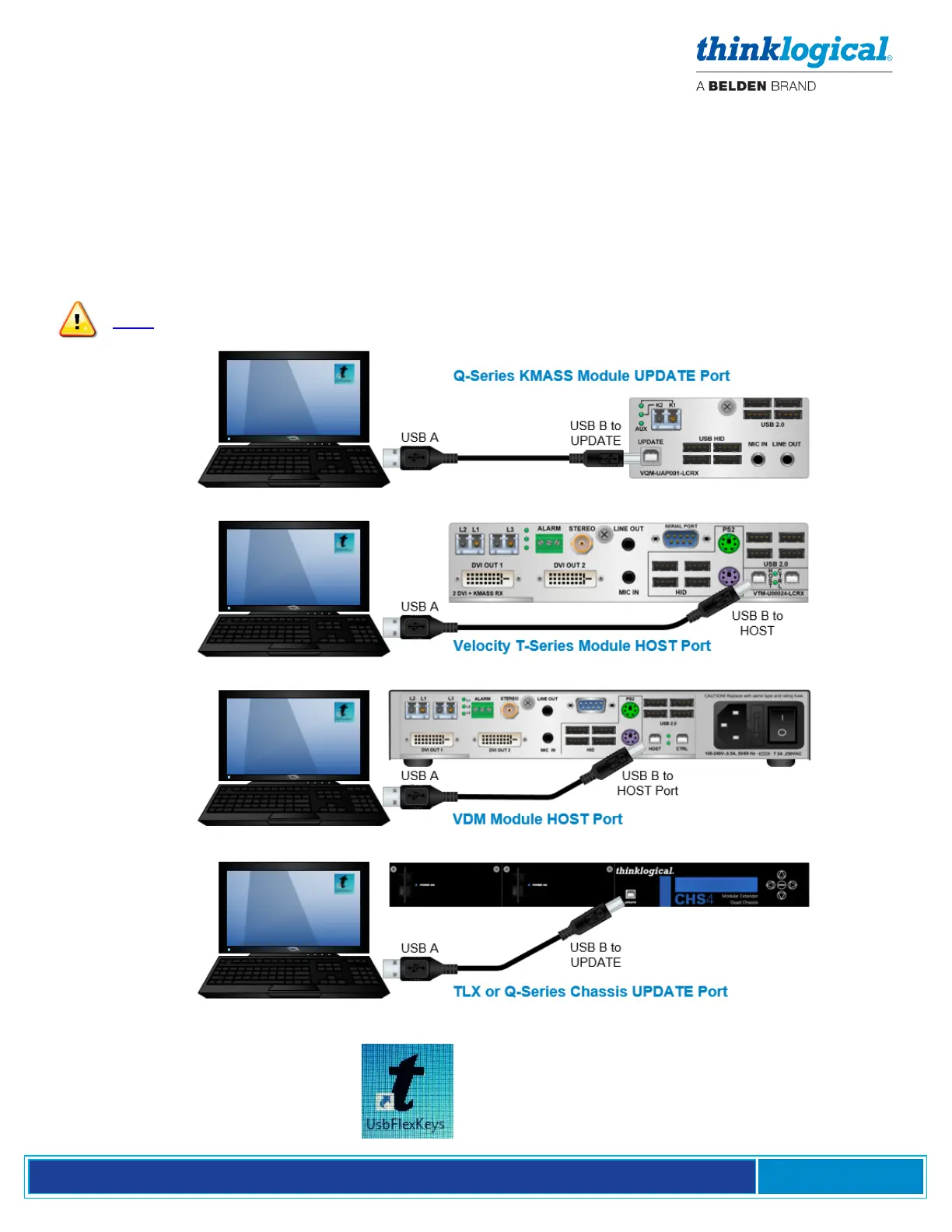
1. Connect a PC to the HOST or UPDATE port located on a Thinklogical Q-Series, T-Series or TLX
Receiver or Chassis. Any changes will be saved to that Receiver.
Note: Use a USB 2.0 port only. DO NOT use a USB 3.0 port.
2. Click on the UsbFlexKeys icon.



 To Next Page