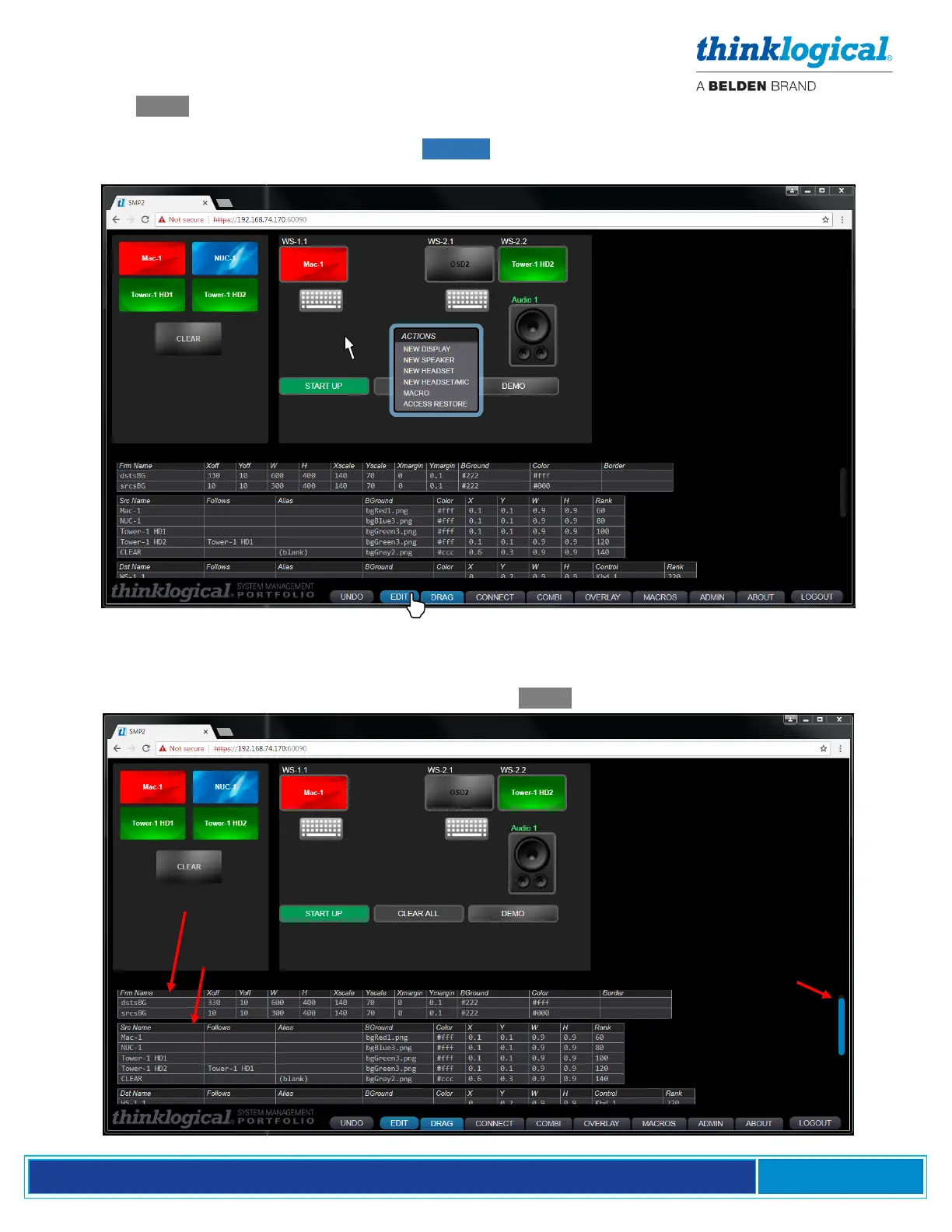
From the EDIT tab at the bottom of the screen, the colors, icon sizes, background color and other
parameters can be modified. This should be done by experienced administrators only! These
settings will be reflected in the ADMIN page SRCS tab. Right-click within the background to add
new Source, Display or Audio elements.
Modifying the Appearance of Drag N Drop
The following screen shots demonstrate how users can modify the way a system is visualized. On the
left side of the screen are four Sources. On the right are three Destinations, Audio and three Macros.
The look and size of the icons can be modified from the EDIT Tab at the bottom of the screen.



 To Next Page