DASHBOARD
For experienced administrators only, Dashboard is included software that is used to configure the
network interfaces, manage services and to enable and manage redundancy and file synchronization.
DASHBOARD Port :60083
Note: This example is with a 6G SMP Appliance. Available Dashboard selections will vary
slightly for 10G or with an SMP Module.
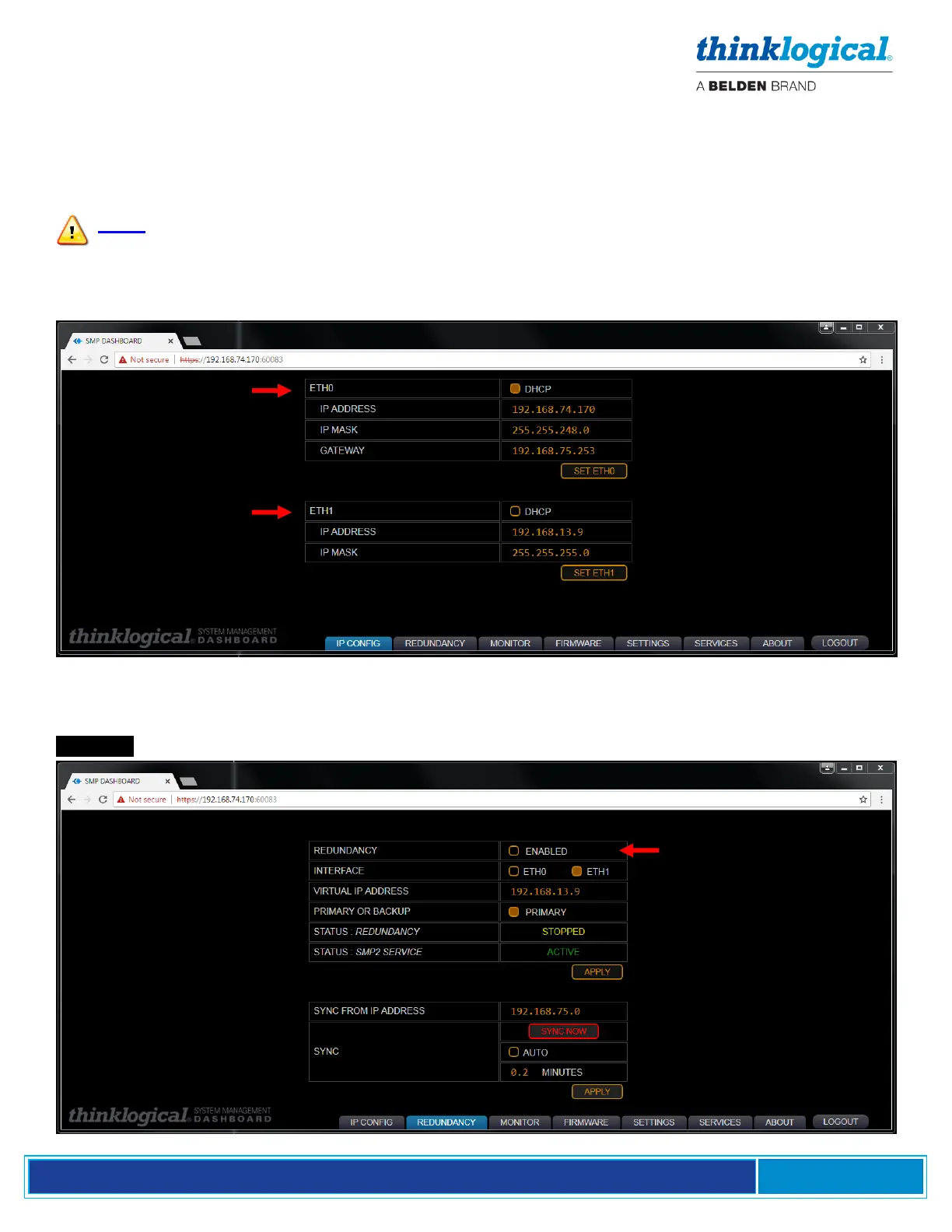
The IP CONFIG Tab
This is where the Network Interfaces ETH0 and ETH1 are configured.
The REDUNDANCY Tab
This is where the SMP Appliance Redundancy is enabled and the ETH0 or ETH1 Interface is chosen.
The Virtual IP Address is always the active Controller Card in the Matrix Switch. SMP2 Service is
.ACTIVE . See Appendix F: SMP2 Redundancy on pg. 75 for configuration information.



 To Next Page