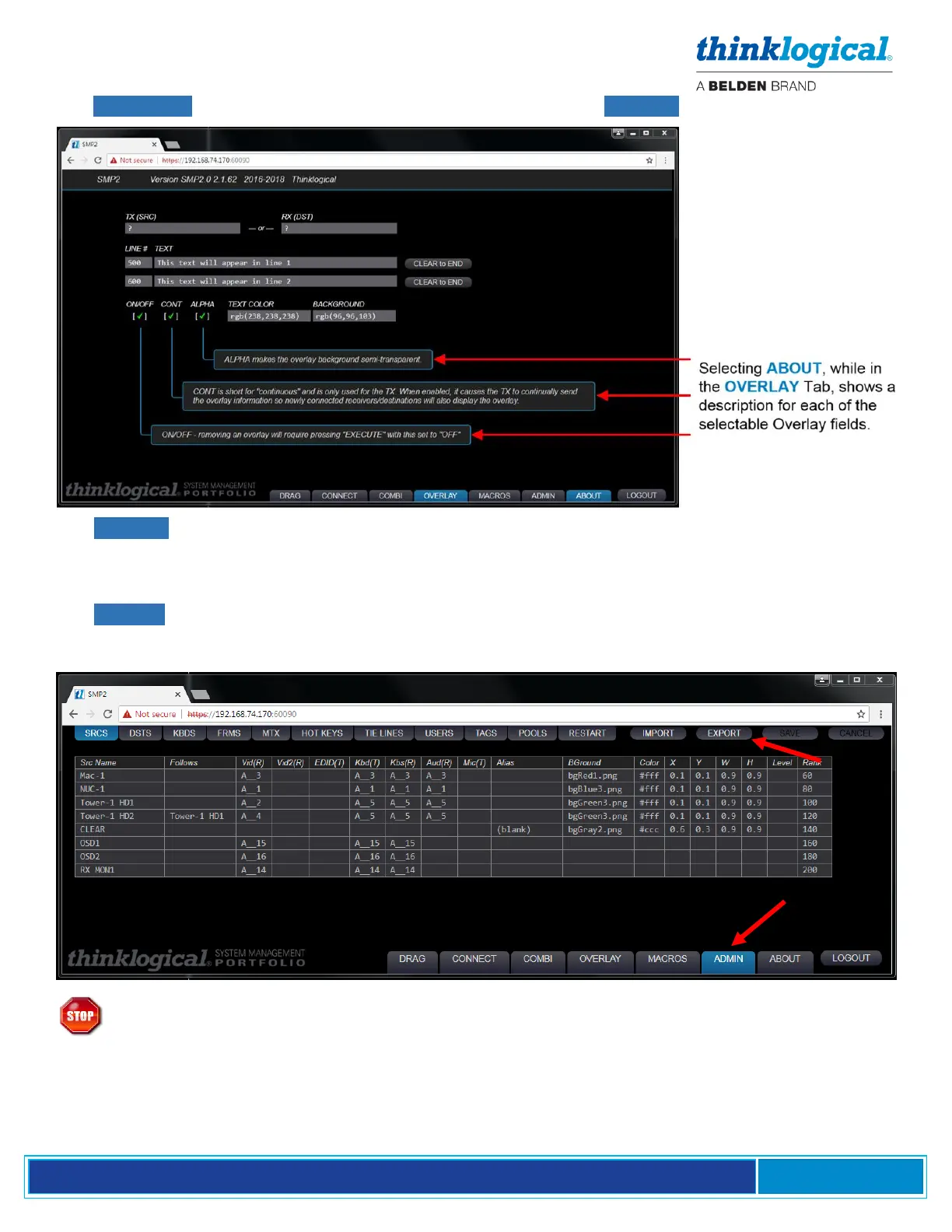
The OVERLAY tab also displays additional information when the ABOUT tab is selected.
The ABOUT tab is continually evolving to better serve customers’ changing needs and demands,
so expect to see occasional additions or modifications to the helpful information on a variety of tabs.
THE ADMIN (Administration) TAB
The ADMIN tab is only available to an administrator logged in as admin and is used to configure the
SMP2 workstation environment. Most users will not see this tab. There are thirteen tabs along the top
of the ADMIN page, each with a separate function. Each function is discussed below.
Warning! Source names, Destination names and KBDS names must be unique and
must not match. Certain names are reserved for system functions and should not be
used for site-specific Source and Destination names. These include: CLEAR, RX MON1,
RX MON2, TX MON1, TX MON2, Src Name, Dst Name, or any other column header name.



 To Next Page