The SETTINGS Tab
Note: This tab is only supported by SMP2 Appliances with 10G optics (TLX). The features
described here apply to E-series TLX Extender modules.
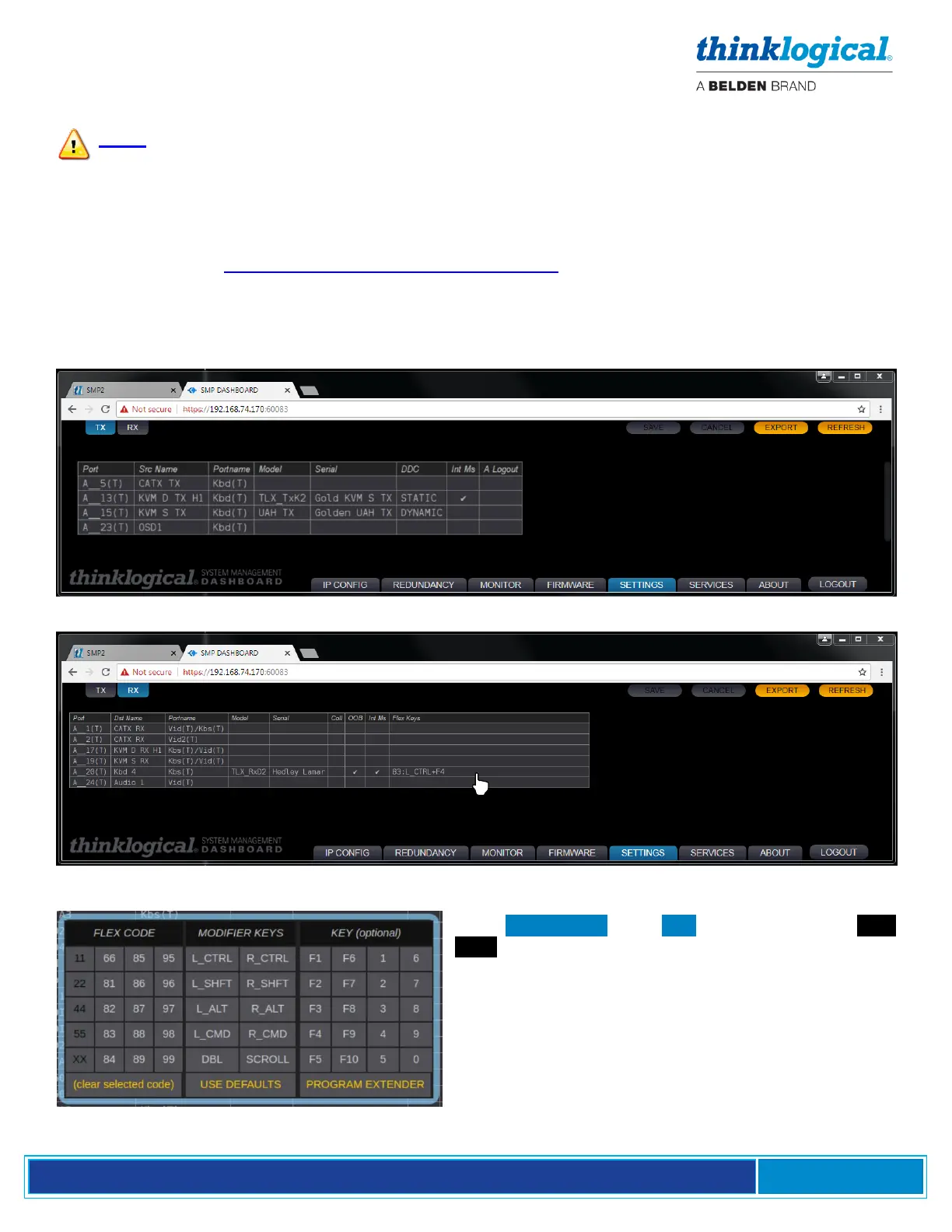
Allows users to enter such settings as:
DDC Mode Tells the Tx what kind of monitor information to present to the computer.
For more information see Manual_TLX_KVM_Extenders.pdf:
https://www.thinklogical.com/downloads/
OOB On / Off for the Rx
Collaboration On / Off for the Rx
Intuitive Mouse On / Off for the Rx and Tx
Flex Keys Tells the Rx what OOB signal to send when a Hot Key sequences is entered.
In the SETTINGS Tab’s RX screen, left-click in Flex
Keys, above, to get the FLEX CODE drop-down
menu, left. Set up Flex Keys from here.



 To Next Page