The POOLS Tab
This tab displays the Pools that have been created by an administrator and the members assigned to
each Pool. A Pool is a set of Sources (PCs) that all perform the same function (i.e. graphics
processor, etc.). Once assigned to a Pool, a source cannot be used as a separate source.
Users can reserve Sources from any number of Pools, each of which has its own functions. Using Pools
requires the use of one or more OSDs. The .SRCS Tab is where one defines sources. The .POOLS
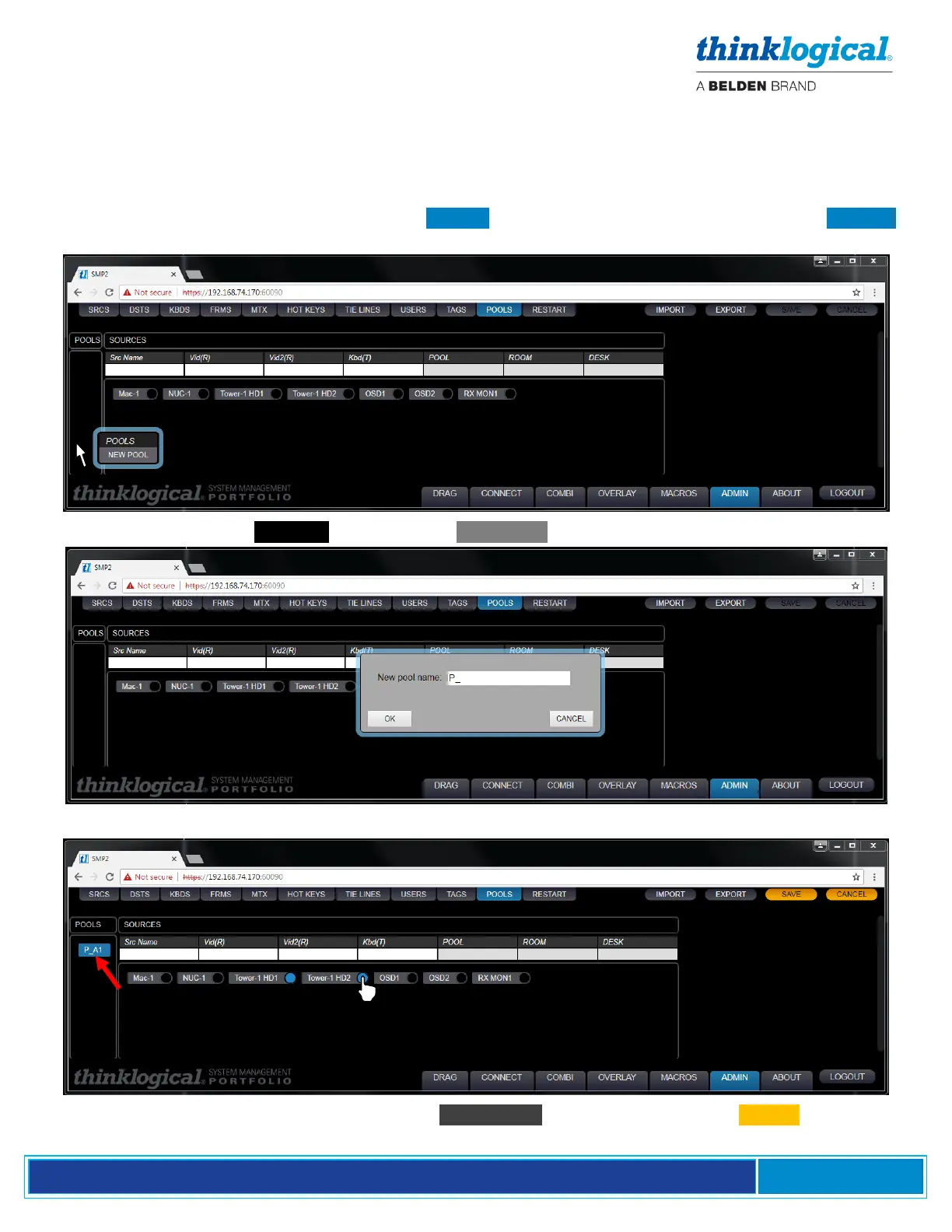
Tab is where sources are assigned to Pools. An example of adding a Pool is shown below.
Right-click in the empty POOLS area and slect New Pool from the drop-down menu.
Enter a name for the new pool: P_*, then click OK.
The Pool has been named P_A1. Click on the Src Names to be added, then click SAVE .



 To Next Page