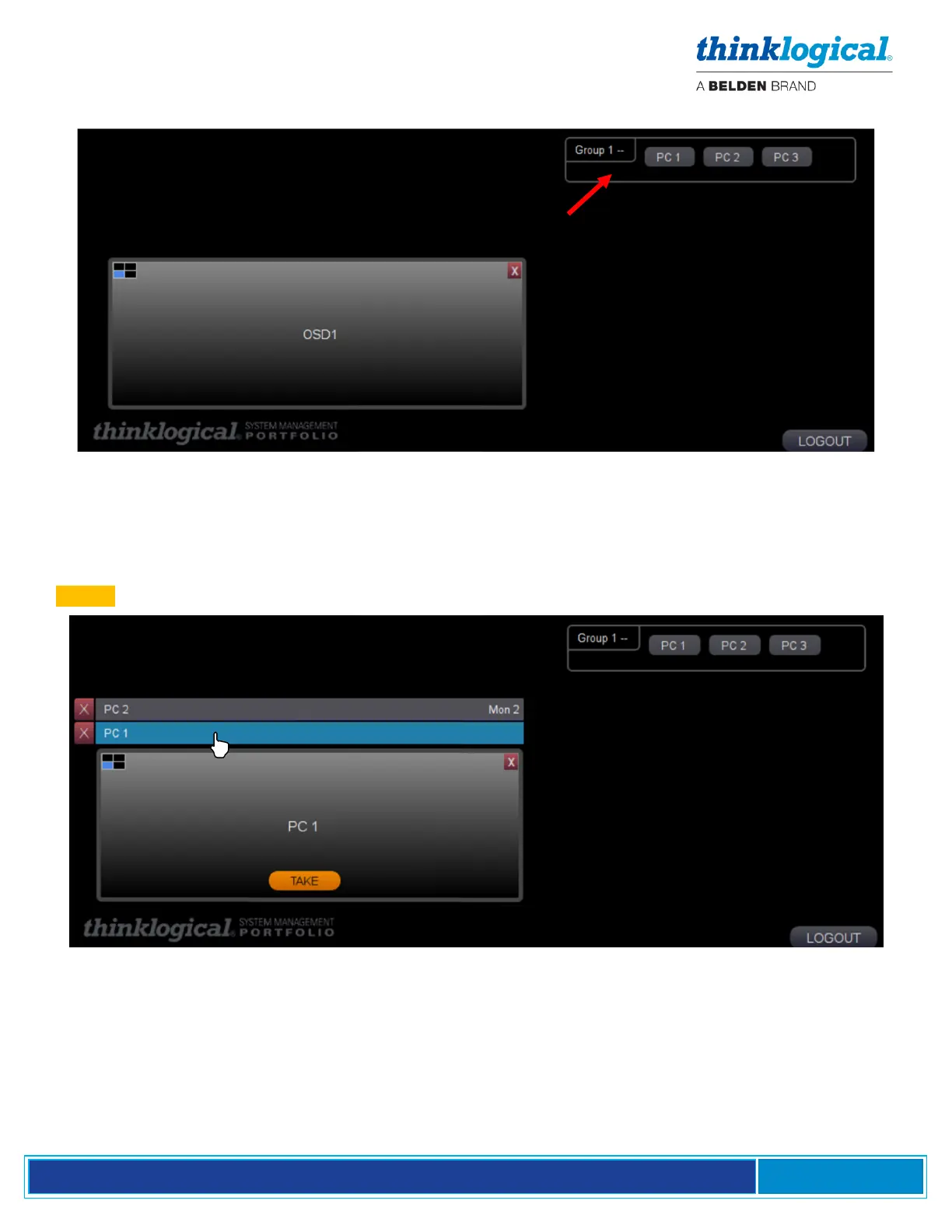
1. A screen will appear with the assigned source options to the right (PCs 1-3 in this example).
2. Click on the desired sources to allocate them to a desk, and a bar for each source will appear above
the OSD1 (On Screen Display) window (PCs 1 and 2 in this example).
3. Note that, at the right end of the PC 2 bar, Monitor 2 appears, indicating that it is already connected.
By clicking on PC 1, the bar becomes highlighted. In the window, OSD1 changes to PC 1 and the
.TAKE. button appears.



 To Next Page