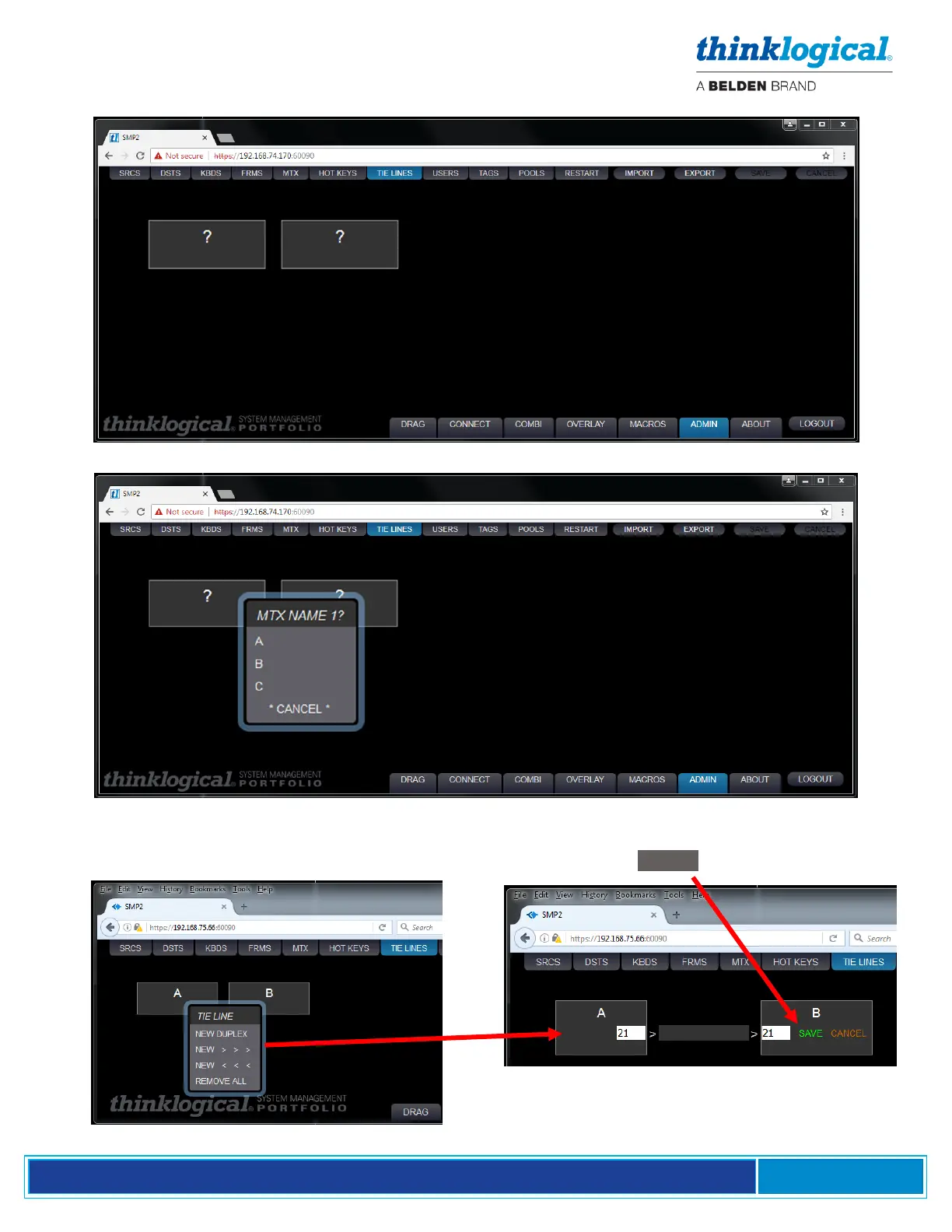
A pair of un-named Matrix Switch icons will appear.
Click within a Switch icon to select from the list of Switches in the MTX tab.
Once the Switches are named, right click within an icon to select a tie line for either direction.
Selecting NEW DUPLEX will create a bi-directional tie line using the T and R of the same SFP. Port
numbers can be specified in the white fields in each Switch icon. Click SAVE to preserve changes.



 To Next Page