EasyManua.ls Logo

Belmont FMS2000 - Service Manual

Belmont FMS2000
134 pages
Print Icon
To Next Page IconTo Next Page
Loading...
SERVICE MANUAL
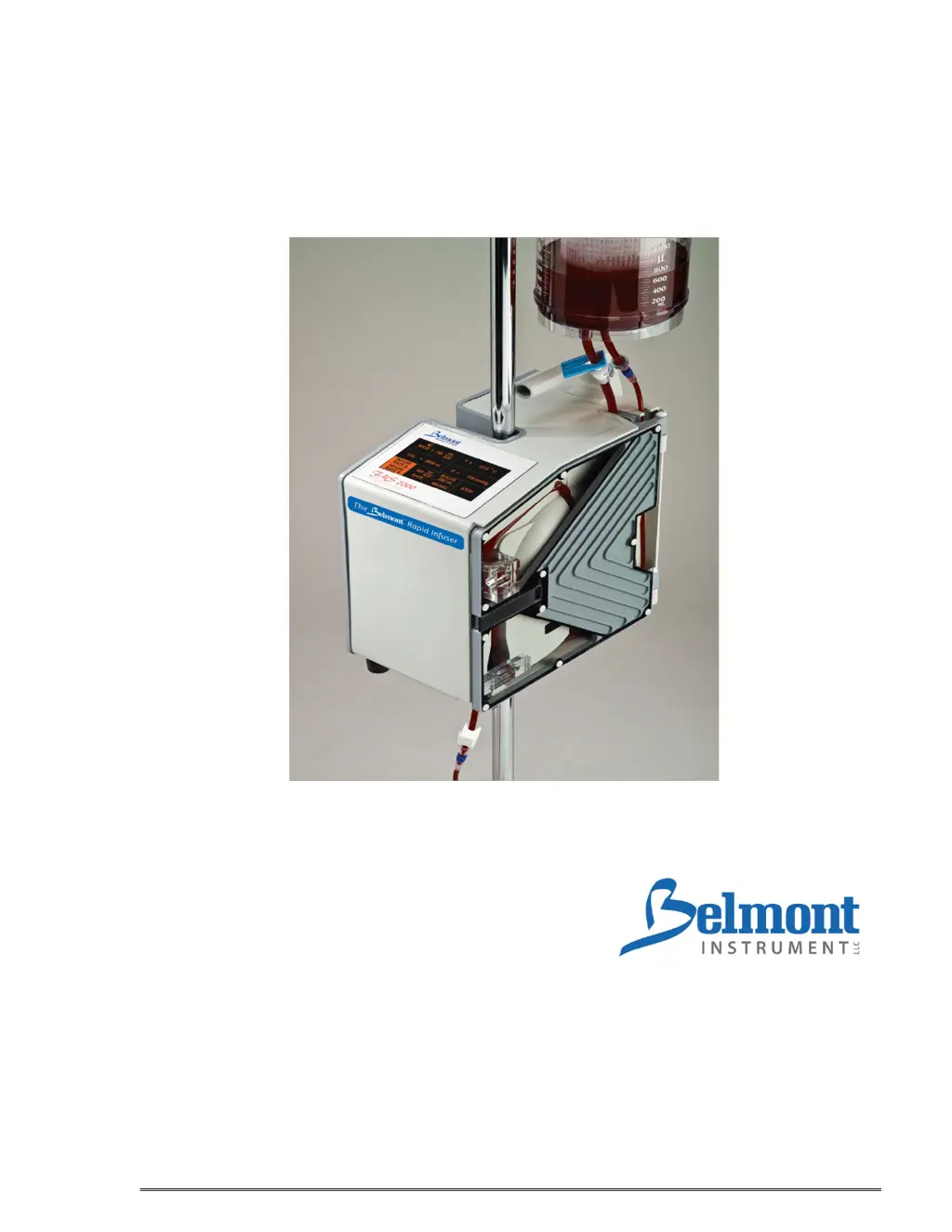
The Belmont
®
Rapid Infuser
,
FMS2000
780 Boston Road
Billerica, MA 01821, USA
866-663-0212 US/Canada
978-663-0212 Worldwide

Table of Contents

Other manuals for Belmont FMS2000

Questions and Answers

  • J
    Jon KelleySep 2, 2025
    What to do if the Belmont Industrial Equipment displays 'POWER MODULE OVERTEMP'?
    • L
      laurie90Sep 2, 2025
      If the Belmont Industrial Equipment displays 'POWER MODULE OVERTEMP', ensure the fan air vents at the bottom of the machine are not blocked. Wait for the unit to correct the problem; the display will return to the Infuse screen when the error clears. Press MUTE to silence the alarm. If the error persists, power down and service the machine. This occurs when the power driver module is overheating.
  • L
    Lori McdonaldSep 1, 2025
    Why is my Belmont Industrial Equipment system not heating to physiologic temperature?
    • V
      Valerie JohnsonSep 1, 2025
      If your Belmont Industrial Equipment system isn't heating to the correct temperature, check the disposable set windows for wetness or contaminants. If necessary, clean the IR sensor window with a soft cloth and alcohol. If the input temperature is too low and the flow rate is too high, service the machine if the problem persists. This can occur if the windows on the disposable or IR sensor are wet or dirty, the power module is not calibrated properly, or the temperature probes are out of calibration.
  • C
    Cheyenne ShafferAug 31, 2025
    What to do if my Belmont Industrial Equipment is running too loud?
    • H
      Holly EwingAug 31, 2025
      If your Belmont Industrial Equipment is running too loud, first, open the door and reinsert the pump tubing. Second, check to make sure that there is no blood or debris around the door hinges caused the door to lift up resulting in the roller pump hitting the door hub. This may happen because the roller pump is hitting the door or the pump tubing is not properly installed.
  • G
    Gregory Compton DDSAug 30, 2025
    What to do if the Belmont Industrial Equipment displays 'MISSING DISPOSABLE'?
    • A
      Arthur SmithAug 30, 2025
      If the Belmont Industrial Equipment displays 'MISSING DISPOSABLE', properly install the disposable. Then, press NEXT to resume. This message appears when there is no disposable set in the unit.
  • C
    Christopher AguilarAug 29, 2025
    What to do if the Belmont Industrial Equipment displays 'LOW BATTERY'?
    • J
      Justin RobbinsAug 29, 2025
      If the Belmont Industrial Equipment displays 'LOW BATTERY' while connected to AC power, it may indicate a defective component requiring service. If the battery is completely discharged, turn the AC power OFF, plug the system into an AC outlet to recharge the battery, and wait at least 30 seconds before turning the system ON. The issue is triggered when the battery voltage is too low.
  • S
    Sarah VaughanAug 28, 2025
    What to do if the Belmont Industrial Equipment displays 'OVER TEMPERATURE'?
    • M
      Mrs. Victoria RoseAug 28, 2025
      If the Belmont Industrial Equipment displays 'OVER TEMPERATURE', check the disposable set and flow path for occlusions. Make sure the windows on the disposable set and the IR probes are clean and dry, cleaning them with a moistened soft cloth if needed. Ensure bag clamps are open and flow is unimpeded, and that the filter is not clogged. Add more fluid if fluid is out. Clamp off the bag spikes and patient line and remove disposable. If the problem persists, power down and restart the system with a new disposable, or service the machine. This can be caused by the fluid supply exceeding the temperature limit, temperature probes being wet, dirty, or blocked, or restricted flow or lack of fluid.
  • A
    Alexander WardAug 27, 2025
    What to do if the Belmont Industrial Equipment displays 'HEATING FAULT'?
    • W
      williamrodriguezAug 27, 2025
      If the Belmont Industrial Equipment displays 'HEATING FAULT', check the disposable set and flow path for any blockages. Ensure the windows on the disposable set and the IR probes are clean and dry; clean them with a moistened soft cloth if necessary, and dry them before continuing. Press RETRY to continue. If the error persists, power down the system and service the machine. This fault can occur due to wet, dirty, or blocked disposable set windows, a wet, dirty, or blocked IR probe, an IR probe failure, or a heater fault.
  • R
    Randy SerranoAug 26, 2025
    What to do if the Belmont Industrial Equipment displays 'DOOR OPEN'?
    • C
      Chad FranklinAug 27, 2025
      If the Belmont Industrial Equipment displays 'DOOR OPEN', close the door to silence the alarm and resume operation. Check the magnet in the door latch. The alarm occurs because the door is open or there is no magnet in the door latch. If the door is opened while the system is pumping, the system will immediately stop heating and pumping, the valve moves to the recirculate position and an audible alarm sounds.
  • A
    angelaleeAug 25, 2025
    What to do if the Belmont Industrial Equipment displays 'HIGH PRESSURE'?
    • J
      Jacob HawkinsAug 26, 2025
      If the Belmont Industrial Equipment displays 'HIGH PRESSURE', ensure the flow path isn't blocked and that the recirculate line isn't obstructed. Verify the infusion site is well-placed and you're using the appropriate infusion set. You can also increase the pressure limit setting. This issue may arise because the patient line or recirculate line is blocked, the infusion site is not well placed, the catheter bore size is too small, or the pressure limit setting is too low.

Summary

Introduction & Overview

Introduction

System overview, infusion capabilities, warming, monitoring, and safety features.

Overview of the Belmont FMS2000

Details system components: Control System, Disposable Set, and major parts.

System Diagram

Visual representation of main components and their interconnections.

Fluid Pump

Describes the peristaltic pump design, control, cleaning, and mounting.

Heating System and Temperature Monitoring

Explains the fluid warming mechanism, sensors, and temperature control.

Pressure Monitoring

Details the pressure sensor function, limits, alarms, and safety features.

Air Detectors

Covers types of air detectors, their location, and alarm conditions.

Diversion Valve

Describes the function, operation modes, and safety role of the diversion valve.

Alarm and Alarm Messages

Explains system alarms, responses, and required user intervention.

Control Panel: Display and Keys

Details the touch screen display and function keys interface.

Technical Specifications

Dimension

Specifies the physical size and weight of the FMS2000 unit.

Portability

Covers options for carrying and mounting the unit, including IV pole compatibility.

Power Specifications

Details electrical specifications including input voltage, fuse, and power.

Battery Operation Specifications

Provides battery type, running time, and recharge time details.

Environmental Specifications

Lists operating and storage temperatures, humidity, pressure, and vibration limits.

Operating Parameters

Details flow rate ranges, output temperature, heating capacity, and modes.

Operating Panel Details

Describes control panel features, display area, status, and function keys.

Safety and Monitoring Features

Explains monitoring of infusate temperature, line pressure, and air detection.

Alarm States and Controls

Lists alarm messages for operator settings and system failures.

Safety Agency Approvals & Classifications

Details electrical safety, ingress protection, and medical equipment classifications.

Symbols and Definitions

Explains standard symbols used in the manual and on the device.

Operation & System Set-up

Step-by-Step Operating Procedures

A summary of major steps for operating the FMS2000, from setup to shutdown.

System Placement and IV Pole Mounting

Instructions for securely mounting the FMS2000 on an IV pole.

Installing the Disposable Set

Detailed steps for connecting the disposable set components.

Installing the 3.0 Liter Reservoir

Procedures for connecting the 3.0 L reservoir to the disposable set.

Powering On the System

Steps for connecting power, turning on the system, and initial checks.

Priming the Disposable Set

Steps for priming the main system and patient line with compatible fluids.

Connecting to the Patient

Procedures for making the patient connection using aseptic technique.

Main Operating Screen

Explanation of the interface, controls, and status displays.

Fluid Infusion: Continuous

Details on starting infusion, automatic warming, and pressure control.

Automatic Air Purging

Describes how the system automatically removes air during infusion.

Bolus Infusion

Procedure for delivering a fixed volume bolus of fluid with warming.

Recirculation Mode

Using the RECIRC key to recirculate fluid for warming and air removal.

Protection from Accidental Power Off

System behavior and recovery after accidental power interruption.

End of Procedure

Steps to safely stop and prepare the system for removal or cleaning.

Battery Operation

Using the system on battery power, limitations, and low battery indication.

Restarting the System

Procedure for restarting the system after a power cycle.

Emergency Manual Operation

Method for manual fluid infusion during system failure.

Theory of Operation

Wiring Interconnect Diagram

Diagram showing major module connections within the system.

Power Module

Description of the power module components and their functions.

Daughter Board

Details on the daughter board's circuitry and connected components.

Computer Board

Explanation of the computer board's components and operation.

AC;DC Power Supply Board

Function and conversion capabilities of the AC/DC power supply board.

Miscellaneous Modules

Overview of other system components like heater, pump, and sensors.

Removal and Replacement of Major Components & Modules

Required Materials and Tools

List of tools and materials needed for component removal and replacement.

Instrument Cover and Panel Replacements

Procedures for replacing the instrument cover and membrane panel.

PCB and Electronic Module Replacements

Guides for replacing PCBs like AC/DC, CPU, Daughter, Driver, and EMI Filter.

Sensor and Detector Replacements

Procedures for replacing sensors and detectors like air, fluid, temperature, and pressure.

Motor and Actuator Replacements

Steps for removing and installing the pump motor and valve motor/pincher.

Power System Components

Guides for replacing the battery, circuit breaker, IEC connector, and power driver module.

Specific Component Replacements

Procedures for replacing components like C152, EPROM, ceramic disk, and fan guard.

Setting System Parameters and Systems Calibration

System Parameters Setup

How to adjust date/time, display brightness, key sensitivity, and bolus volume.

Date and Time Setup

Procedures for setting the system's date and time.

Display Brightness and Key Rate Adjustment

Adjusting screen brightness and touch key sensitivity.

Bolus Volume and Pressure Limit Setup

Setting bolus volume and configuring high pressure alarm limits.

Hardware Calibrations

Overview of required hardware calibrations and necessary materials.

Pressure Transducer Calibration

Step-by-step guide to calibrate the pressure transducer.

Temperature Probes Calibration

Procedures for calibrating the system's temperature probes.

Power Module and Pump Calibration

Steps to calibrate the power module and pump speed.

Preventive Maintenance and System Operational Check-Out

General Warnings and Cautions

Safety precautions before performing maintenance or checks.

Service and Preventive Maintenance Schedules

Outlines routine and periodic maintenance schedules.

Routine Maintenance Procedures

Steps for cleaning exterior, detectors, power cord, probes, and guards.

System Operational Check-Out: Visual Inspection

Guide for visually inspecting the unit's components and external condition.

System Operational Check-Out Procedures

Step-by-step functional checks of the system's operation.

Battery Run Time Test

Procedure to test the system's battery operational duration.

Electrical Safety Test: Leakage Current

Steps for performing earth and patient leakage current tests.

Hardware Verification

Verifying operation of key hardware components like valve, detectors, and sensors.

Input and Output Temperature Probes Verification

Verifying the accuracy of the system's temperature probes.

Pressure Transducer Verification

Steps to verify the accuracy of the pressure transducer.

Clean Pump Head

Instructions for removing and cleaning the pump head.

Replace Pump Motor

Reference to Chapter 5 for pump motor removal and installation.

Replace Valve Motor

Reference to Chapter 5 for valve motor removal and installation.

Maintenance and Operational Check-Out Checklist

Checklist for recording results of visual inspection and operational checks.

Electromagnetic Compatibility (EMC)

Precautions and guidance regarding EMC for medical electrical equipment.

Alarms and Troubleshooting Guide

Introduction to Alarms and Troubleshooting

Overview of alarm conditions and troubleshooting procedures for the FMS2000.

Operational Alarms: Air Detection

Describes the air detection alarm, its causes, and corrective actions.

Operational Alarms: Door Open

Explains the door open alarm, its response, and how to clear it.

Operational Alarms: Fluid Out

Details the fluid out alarm, causes, and steps to resolve it.

Repriming for Empty Reservoir

Procedure to reprim main system when reservoir is empty after operation.

Repriming for Persistent Fluid Out Alarm

Troubleshooting persistent fluid out alarms after extensive use.

Replacing the Reservoir Chamber

Instructions for safely replacing the reservoir chamber.

Operational Alarms: High Pressure

Explains the high pressure alarm, its causes, and actions to take.

Operational Alarms: Low Battery

Describes the low battery alarm and charging procedure.

Operational Alarms: Missing Disposable

Explains the missing disposable alarm and how to clear it.

Troubleshooting Alarm Messages: Operational Alarms

Table detailing operational alarms, causes, responses, and operator actions.

Heating Alarms

Details on heating fault and over temperature alarms and their solutions.

Hardware Alarms

Explains hardware-related alarms like detector, heater, and power module faults.

Troubleshooting Other Operational Difficulties

Addresses issues like battery no heating, dim display, slow flow rate, and keypad problems.

Ordering Information & System Warranty

Replacement Parts Information

Details on ordering replacement parts and circuit boards for the FMS2000.

Ordering Information

Contact details for ordering FMS2000 parts and assemblies.

System Limited Product Warranty

Warranty terms and conditions for the FMS2000.

Belmont FMS2000 Specifications

General IconGeneral
BrandBelmont
ModelFMS2000
CategoryMedical Equipment
LanguageEnglish

Related product manuals