12
Preface
Switch options in some screens
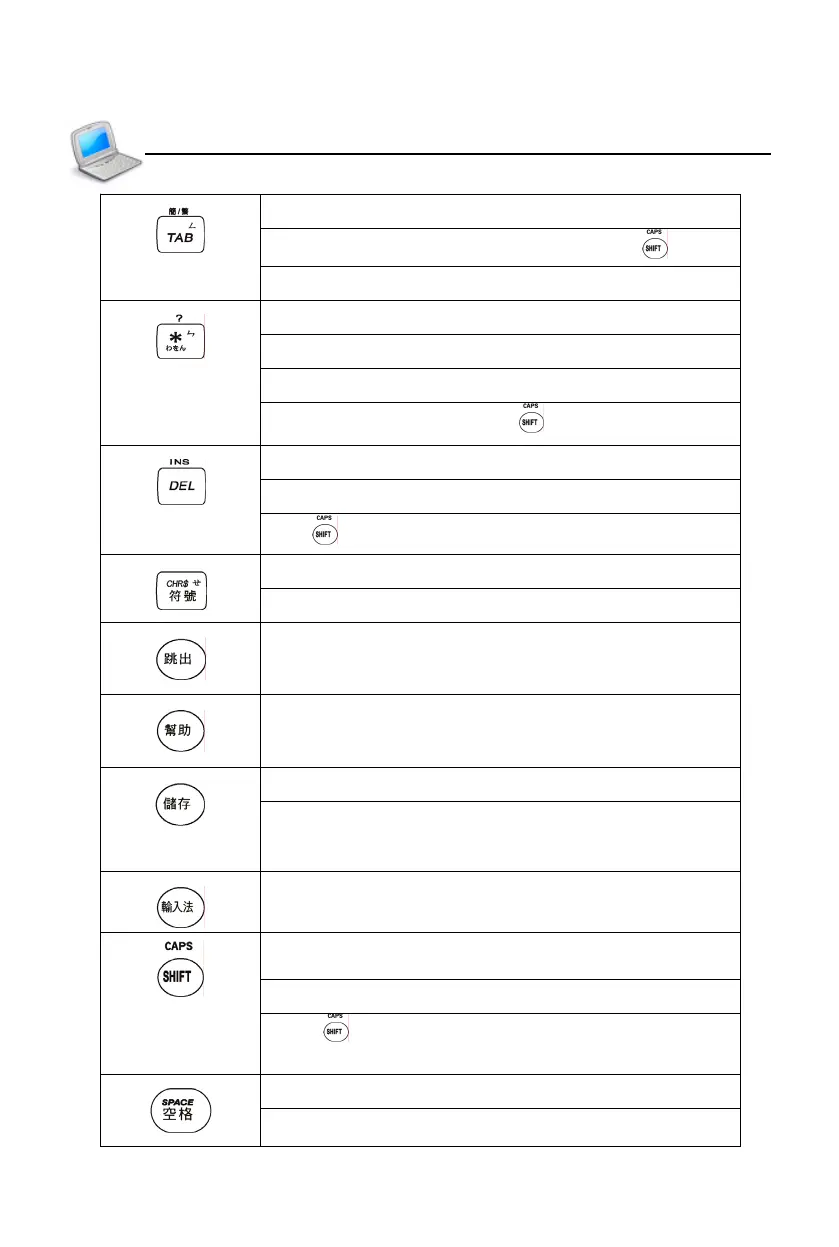
Switch traditional/simplified character with key
Mandarin phonetic symbol “ㄥ”
Input asterisk “*”
Mandarin phonetic symbol “ㄣ”
Japanese kana “わ”, “を”, “ん”
Input question mark “?” with key
Delete a letter/character or select string
Delete the selected items, same as [Del] in screen
With key to switch the editing mode
Input symbols in English input mode
Mandarin phonetic symbol “ㄝ”
Exit from the current function or return to the previous
screen
Show on-line help messages
Save the current record or data
Save items in the explanation screen of dictionaries,
Travel Dialogue and Sentence Making for “Review
and Test”
Select input method
Temporarily lock the keyboard for inputting capital
letters in English
Combine with other keys
Press twice to lock keyboard for inputting capital
letters in English
Input a space when editing
The first tone of phonetic input method
Keyboard



 To Next Page