Balance System SD (with v4.X software) 149
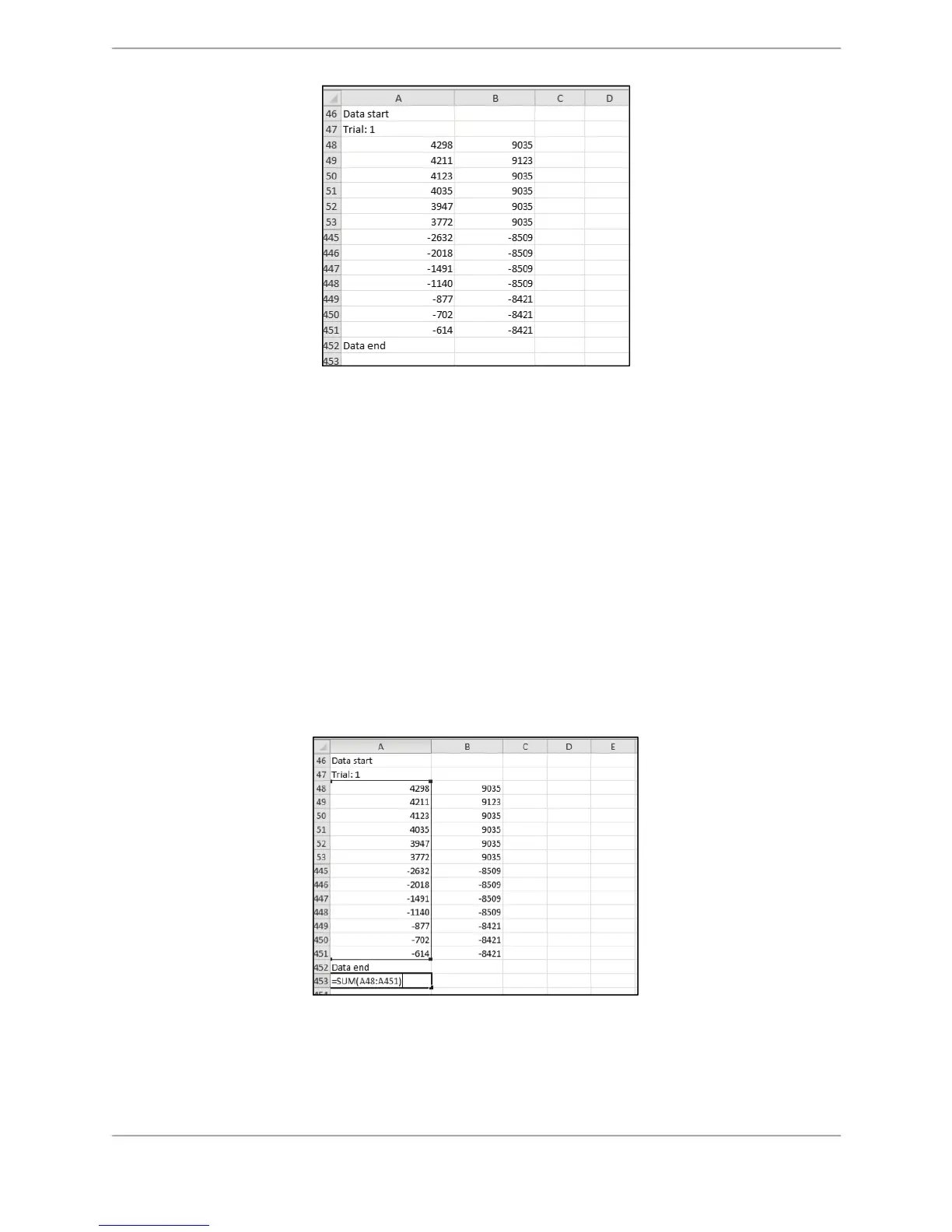
Figure C.21. CSV file format calculation – Data point segment of
the original exported csv file
In the file displayed in C.21, it is evident that the data starts in the 48th row and ends in the
451th row. Therefore, the total number of records/rows of data is calculated as: [(451-48) + 1]
= 404. This will vary with each test since the 40Hz sample rate is only an approximation. 404 is
used in this example alone as the total number of data points.
Please note that some of the rows in following figures have been hidden for better
representation. For an original calculation, it is not required to hide any of the rows.
How to Determine the Total Number of Data Points within a CSV File:
Using row 453 of the Excel spreadsheet as the repository, determine the total of the individual
data points starting from row 48 and ending with row 451 for cell A:
1. In cell A, row 851 enter the following formula:
=SUM(A48:A451)
Figure C.22 CSV File Format Calculation – Finding the Total of
Individual Data Points
2. To determine the Stability Index for each data point within the spreadsheet, enter the
following formula in cell C of every row starting with the first data point in row 48 and
ending with the last data point in row 451:



 To Next Page